 Key Findings
A perfect account scoring model dies in the spam folder. If domains are cold or authentication is sloppy, your best accounts never see the message. Never run outbound from the company domain your business depends on.
Map volume first. For 10,000+ emails a month, a clean baseline is one protected primary domain plus 3 to 5 sending subdomains, each with 2 to 3 mailboxes, kept to 50 to 70 sends per mailbox per day.
Set SPF, DKIM, and DMARC first, then ramp over 14 to 21 days toward 30 to 50 emails per mailbox per day. Skipping warm-up can push 90% or more of new-domain mail to spam. Reputation management never stops.
Keeping the same sender on the whole thread lifts positive follow-up reply rates 15 to 20% over rotating senders. High-score accounts deserve that continuity, not the same generic rotation as the rest of the market.
Hold bounce rate under 3% and spam complaints under 0.1%. Bounce above 5% for 48 hours means act now. If top accounts go quiet, confirm inbox placement before you loosen scoring thresholds.
You built the list the right way. Good fit, real buying signals, clean segmentation, and a scoring model that should point reps at the accounts most likely to buy.
Then the campaign goes live and nothing happens. No real replies. Barely any movement. That usually gets blamed on copy, offer, or timing. A lot of the time, that diagnosis is wrong.
When account scoring B2B work fails in practice, the problem often starts one layer lower. The inbox never happened.
Your Perfect B2B Account Scoring Is Wasted on the Spam Folder
A strong scoring model doesn't save a weak sending setup. If your domains are cold, your mailboxes are overworked, or your authentication is sloppy, your best accounts won't even see your message.
That's the part people hate hearing.
Sales and marketing teams often spend weeks debating ICP, intent sources, and personalization logic, then send from the same company domain they use for customer email, hiring, and investor updates. That's reckless. You don't put outbound risk on the domain your business runs on.
Good targeting doesn't fix bad infrastructure
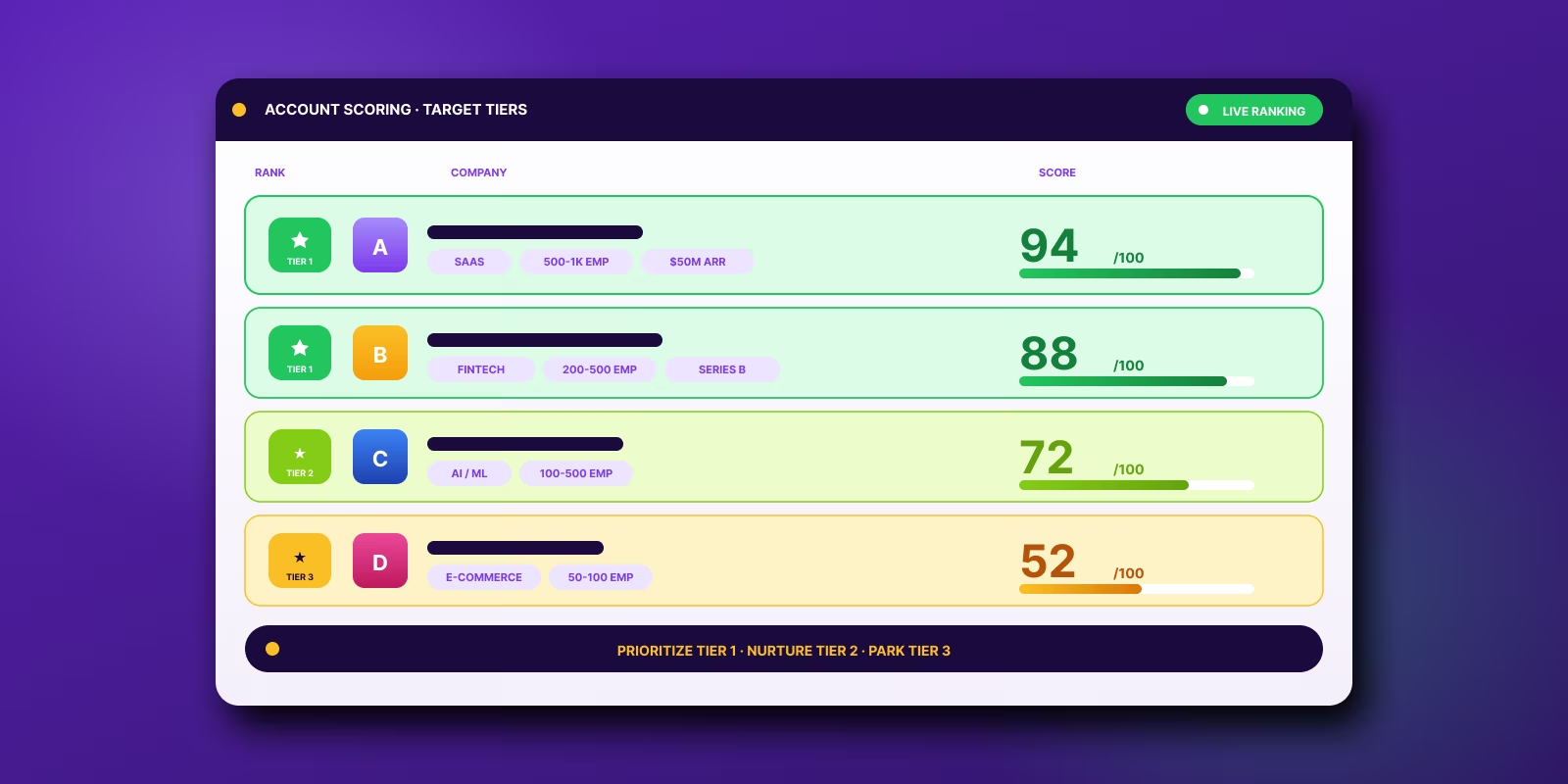
A real B2B scoring model is technical. It starts with ICP definition, filters out non-fits, pulls firmographic, behavioral, and intent data into one place, weights signals by actual conversion correlation, and sets clear action thresholds. It also needs regular recalibration because 68% of scoring models require recalibration within 90 days if they aren't updated with recent engagement data, and recent signals should be weighted 2 to 3 times higher than older ones according to the verified data set you provided.
None of that matters if your messages land in junk.
If you're working on account scoring and outbound together, read this guide on mastering email deliverability rates. It covers the operational side people usually ignore until results fall apart.
Practical rule: Deliverability problems look like messaging problems until you inspect inbox placement.
There's also a simpler version of the same warning in this spam folder operator playbook. The short version is blunt. Sending from your main domain is asking for pain.
Inbox access is the real bottleneck
Teams love to say they need better leads. Often they need better plumbing.
Professional outbound operators separate targeting from sending risk. Your scored list lives in the CRM or data layer. Your outbound engine lives on dedicated sending domains and controlled mailbox pools. Different job, different system.
That separation matters because account scoring B2B is about prioritization, not delivery. Delivery is its own discipline. You need both.
If your top-tier accounts don't see the first message, the rest of the sequence doesn't exist.
Planning Your Outbound Architecture Before You Send a Single Email
Most outbound problems start before the first campaign. Not after.
The mistake is simple. People buy a domain, spin up a few inboxes, connect Smartlead, import leads, and call it a system. It isn't a system. It's a rushed setup with hidden failure points.
Start with volume, then design backward
If you plan to send serious volume, map the infrastructure before you buy anything.
For 10,000+ emails per month, a standard professional setup is one primary domain with 3 to 5 sending subdomains, each hosting 2 to 3 mailboxes, which helps distribute risk and keeps any single mailbox from carrying too much load when you're sending more than 50 to 70 emails per mailbox per day from that pool, based on the verified data provided.
That gives you a planning baseline.
Here's the practical version:
- Primary domain stays protected: Keep your real company domain for normal business communication.
- Sending subdomains carry outbound: Think
go.yourcompany.comstyle structure, not your root domain. - Mailbox count follows volume: More volume means more inboxes, not more pressure on the same few senders.
If you're already segmenting outreach by account triggers, this guide on signal-based outbound is worth reading because infrastructure planning gets easier when list logic is clear upfront.
Subdomains vs separate domains
Operators disagree on this. Fair enough. There are trade-offs.
A quick comparison helps:
Subdomains are usually enough when the foundation is clean and volume is controlled. Separate domains make sense when you're running multiple outbound motions, testing aggressively, or protecting a sensitive brand.
What doesn't work is pretending the choice doesn't matter.
Build the architecture on a whiteboard first
Before you touch tools, define:
- Campaign volume by month
- Number of target segments
- Mailbox pool per segment
- Which senders own which sequences
- Fallback plan if one mailbox group degrades
That last one gets ignored a lot. Bad move. If one sender group starts slipping, you need to pause, rotate volume, and keep the rest of the machine healthy without shutting down your whole outbound motion.
A clean architecture isn't about sending more. It's about making sure one bad pocket doesn't poison the whole system.
Tool choice matters too, but less than people think. Smartlead, Instantly, and other sending tools can all work if the underlying architecture is sound. Clay helps upstream by enriching and organizing account signals before they ever hit sequencing. Reachly uses that kind of signal-led workflow in done-for-you outbound, but the core principle holds either way. Good data selection and sane domain planning come first.
If you skip this step, the rest turns into cleanup.
The Non-Negotiable Warm-Up and Reputation Management Process
New domains don't deserve trust. They have to earn it.
Impatient teams often wreck good campaigns. They connect a fresh domain, load a list, and start sending at real volume on day one. Mail providers read that as suspicious behavior, and they act accordingly.
What warm-up is actually doing
Warm-up tools inside platforms like Smartlead don't perform magic. They create low-risk mailbox activity across a network of inboxes so Google and Microsoft see normal-looking behavior instead of a sudden burst of cold outreach from nowhere.
That matters because a common benchmark is 30 to 50 emails per day per mailbox, reached through a slow ramp over 14 to 21 days, and skipping that process can lead to 90% or higher spam placement for new domains according to the verified data.
That's not a small penalty. That's campaign death.
The setup work you can't fake
Before warm-up starts, get the authentication basics done. Nobody needs a long lecture on protocol history.
Use this simple checklist:
- SPF: Tells receiving servers which senders are allowed to send on behalf of your domain.
- DKIM: Adds a signature so the message can be verified.
- DMARC: Tells providers how to treat mail that fails those checks.
If one of those is broken, fix it before you send anything real.
A sane ramp looks boring on purpose
Warm-up should feel slow. That's the point.
A practical ramp looks like this:
- Early phase: Keep send counts light and let replies, forwards, and normal mailbox behavior accumulate.
- Middle phase: Increase volume gradually while checking bounce patterns and inbox health.
- Later phase: Introduce normal campaign behavior carefully, including your actual sequence format.
Don't add links, fancy formatting, attachments, or aggressive call-to-actions too early. New infrastructure needs boring traffic first.
New domains should look boring before they look useful.
Reputation management is ongoing
Warm-up isn't a one-time ceremony. Mailbox reputation changes with list quality, campaign behavior, and sender habits.
Watch for these operational mistakes:
- Volume spikes: Sudden jumps make clean domains look sketchy.
- Bad list inputs: Even a warmed domain gets hit if the list is dirty.
- Too many senders doing too much: Mailboxes shouldn't carry heroic workloads.
- Ignoring human behavior: Real inboxes get replies, manual sends, and normal back-and-forth. Pure automation footprints can look off.
If account scoring B2B gives you a precise list of who to contact, warm-up and reputation management decide whether you get the chance to contact them at all.
Implementing Rotation Strategies That Actually Get Replies
Many assume rotation means spreading sends across inboxes. That's only half right.
Distributing volume protects infrastructure. It does nothing by itself for conversation quality. The real decision is what happens after the first email goes out.
Round-robin is easy and often lazy
In a round-robin model, the first email might come from one mailbox, the next follow-up from another, and the third from a third sender.
Why people use it:
- It's simple to configure: Most tools support it without much friction.
- It spreads mailbox activity: No single sender carries every touch.
- It fits broad campaigns: Useful when you're running more like a distribution machine than a sales conversation.
Why it breaks:
- Threads get fragmented: The prospect sees different names, signatures, and reply paths.
- Context disappears: Follow-ups feel disconnected.
- Human trust drops: It starts to look automated because it is.
Round-robin can work when the goal is top-of-funnel reach and the motion is intentionally low-touch. It usually underperforms when you're trying to turn interest into a reply.
Waterfall keeps the thread intact
In a waterfall or threaded model, the same sender who started the sequence owns the follow-ups to that prospect.
That's the better default.
Internal tests on rotation strategy show that waterfall sequencing generates a 15 to 20% higher positive reply rate on follow-up emails than round-robin rotation because it maintains conversational context, based on the verified data set.
That result tracks with what operators see every day. A thread that feels like one person following up is easier to reply to than a stitched-together sequence from rotating aliases.
Operator note: If the first message came from Sarah, the follow-up should also come from Sarah unless you have a very specific reason to change sender.
When to use each model
A side-by-side view makes the trade-off clearer:
If you're using account scoring B2B correctly, your highest-priority accounts shouldn't get the same sequencing logic as the rest of the market. Tiered outreach should change by value. High-score accounts deserve continuity.
Tool settings that matter
Inside Smartlead or HeyReach, don't just import leads and hit launch. Configure sender ownership intentionally.
Look for settings that let you:
- Lock a lead to one sender: Critical for waterfall behavior.
- Preserve thread continuity: Follow-ups should stay in the same conversation.
- Control mailbox caps by sender: Good sequencing still fails if one inbox gets overworked.
- Segment campaigns by account tier: Different account groups should run on different logic when needed.
List strategy and sending strategy converge. A scoring model might label one account as top-tier because of fit, recent growth, or intent signals. That account should get a more human sequence path, not the same generic rotation as low-priority names.
Round-robin spreads risk. Waterfall creates conversations. Know which problem you're solving.
Monitoring KPIs and Troubleshooting Like an Operator
Outbound isn't set-and-forget. It's closer to running equipment. If you stop watching the gauges, you find out something broke after the damage is already done.
The trick is knowing which gauges matter and which ones are vanity noise.
The health metrics that deserve attention
For infrastructure health, start with bounce rate and spam complaints.
A healthy cold outbound system stays under 3% bounce rate and below 0.1% spam complaint rate, and if bounce rate exceeds 5% for more than 48 hours, that's a strong sign domain reputation is getting damaged and needs immediate action, based on the verified data provided.
Those thresholds are not suggestions.
If you're benchmarking response quality too, this piece on cold email reply rate benchmarks is useful, but don't confuse reply metrics with infrastructure health. A weak offer hurts replies. A bad domain hurts everything.
What to do when numbers go bad
Use a simple operator checklist.
- Bounce rate climbing: Stop blaming copy. Check list quality, verification process, and recent imports first.
- Spam complaints rising: Review targeting and message relevance. You're probably hitting people who shouldn't have been contacted or sending something that reads deceptive.
- Open behavior dropping hard: Treat it as a placement warning and inspect mailbox health, recent volume changes, and sender rotation.
A mailbox can look fine for days while reputation slips underneath. That's why you need regular checks, not panic audits after a campaign tanks.
Fast diagnostics beat long debates
You don't need a giant forensic process every time. Start with direct tests.
A practical troubleshooting flow:
- Test the mailbox individually
- Check authentication status
- Review recent sending spikes
- Audit the last lead batch added
- Pause the affected sender group if needed
Mail-tester is useful for quick mailbox checks. So are the reporting views inside your sending platform. Smartlead, for example, gives enough sender-level visibility to spot one weak mailbox before it drags down a larger pool.
If one mailbox starts failing, isolate it fast. Waiting to see if it recovers on its own usually means the rest of the pool starts slipping too.
Account scoring and monitoring need to stay connected
This is the part revenue teams often miss. The scoring model and the sending machine should inform each other.
If top-tier accounts aren't engaging, don't immediately loosen scoring thresholds. First confirm the messages reached the inbox. If lower-priority accounts are getting through while top accounts are silent, the issue may be message-market fit. But if all segments go quiet together, look at infrastructure first.
Operators separate diagnosis from ego. That's why they fix issues faster.
Conclusion From Technical Setup to Predictable Pipeline
A scoring model can tell you who matters. It can't force mailbox providers to trust you.
That's the line a lot of teams miss when they work on account scoring B2B. They build a smart model, enrich the right company signals, define tiers, and write decent copy. Then they skip the sending architecture, rush warm-up, use sloppy rotation, and barely monitor sender health. The campaign underperforms, and they think outbound stopped working.
It didn't. The system underneath it was weak.
The primary job is connecting prioritization to delivery. That means your highest-value accounts should sit on top of a sending setup that protects domain reputation, keeps sender behavior consistent, and routes follow-ups in a way that feels human. When those pieces line up, your account scoring starts acting like revenue infrastructure instead of spreadsheet theater.
There's a second layer too. Cold email shouldn't work alone forever. If an account is high priority, support the motion across channels. That's where tools for LinkedIn automation for sales can help coordinate touches without forcing reps to do everything manually.
Teams don't need more tactics. They need fewer weak links.
If you run this in-house, treat it like an operating system. Review the scoring model regularly. Keep the feature set tight. Avoid bad data. Don't train on junk signals. Protect sender reputation like it affects pipeline, because it does.
And if your team doesn't want to own DNS checks, mailbox warm-up, list hygiene, sequencing logic, and daily monitoring, that's reasonable too. Those jobs take time away from sales conversations.
Recommended service
Outbound Lead Generation Services
Reachly builds and runs the whole outbound motion across email, LinkedIn, and phone, and books qualified meetings on your calendar.