
 Key Findings
58% of replies can come from the first email, but the rest live in the follow-ups. Treat the sequence as a system, not a calendar reminder. Waiting too long or sending the same weak bump three times both kill momentum.
Cadence (the gap between touches), intent signals, channel handoffs, and message progression. Every follow-up needs a job: clarify the problem, add proof, or lower the ask. "Just bumping this up" is not a follow-up.
A 3-7-7 pattern captures about 93% of replies by Day 17, and campaigns with 4 to 7 emails pull roughly 3x the response of 1 to 3 emails. Send late morning in the prospect's local timezone, tight early and wider later.
React to clusters of behavior, not single opens. A case-study click earns a faster, specific touch. Silence after multiple emails earns a LinkedIn or phone handoff. Mild intent gets a better email, stronger intent earns a faster handoff.
It can lift reply rates by up to 49% in top campaigns. Wait 2 to 3 days before sending it. Measure positive reply rate by step, step-to-step drop-off, and channel-assisted replies, and test one interval at a time. Check deliverability before blaming timing.
58% of replies can come from the first email. That still leaves a large share of conversations for the follow-ups, which is why timing only matters inside a working system.
Teams lose deals when they treat follow-up timing like a single send decision instead of a sequence design problem. A good sequence controls four things at once: the gap between touches, the reason for each message, the signals that change the next step, and the point where you stop forcing email and switch to LinkedIn or phone.
Founders usually waste replies in one of two ways. They wait too long and let attention die. Or they send the same weak bump three times and call it persistence. Both kill momentum.
The fix is simple. Build follow-ups as a coordinated system, not a calendar reminder. Each touch should earn its place. If someone opens twice and clicks, tighten the gap. If they ignore three emails, change the angle or change the channel. If the offer is weak, no cadence will save it.
Mailadept's breakdown of Why Cold Email Fails is useful here because it makes the point a lot of outbound teams miss. Poor results usually come from the setup around the emails, not just the copy inside them.
That is the frame for this guide. Cold email follow up timing is not about picking the perfect day to send one extra message. It is about building a sequence that reacts to intent, progresses the conversation, and hands off cleanly across email, LinkedIn, and calls.
Why Your Follow-Up Strategy Is Losing You Deals
A big chunk of pipeline dies after the first email, not because the prospect was a bad fit, but because the follow-up system was weak.
Founders do this all the time. They write one solid opener, load it into Smartlead, add two or three generic bumps, and expect persistence to do the work. It does not. If the sequence has no structure, every extra touch just repeats the same mistake.
The root of failure is usually upstream. Bad targeting, thin relevance, a weak offer, or no clear next step will drag down every follow-up you send. Mailadept's breakdown of Why Cold Email Fails is useful because it shows why low reply rates usually come from the outbound setup around the email, not just the copy inside it.
One email is not a strategy
The question is not "when should I send the first follow-up?" The question is whether the whole sequence gives the prospect a reason to engage.
A working system has four parts:
- Cadence: The spacing between touches.
- Intent signals: Opens, clicks, replies, and other behavior that should change the next move.
- Channel handoffs: The point where LinkedIn or a call has a better shot than another email.
- Message progression: A new reason to reply each time.
If one of those breaks, the sequence stalls. If two break, you start burning good leads.
Here is the rule I give founders. Every follow-up needs a job. One email can clarify the problem. The next can add proof. Another can reduce friction with a smaller ask. If all you send is "just bumping this up," you are not following up. You are reminding the prospect that your first email was easy to ignore.
Good cold email follow up timing works inside that system. Timing matters because attention decays fast, intent signals go stale, and the best channel can change from one touch to the next. Teams that treat follow-up as sequence design get more conversations from the same list. Teams that treat it like a calendar reminder lose deals they already paid to source.
The Unwritten Rules of Follow-Up Timing
Reply rates swing hard based on timing alone. A solid offer sent on the wrong day or in the wrong timezone will look weak, even when the problem is the schedule.
Use a simple weekly rhythm first. Monday for the initial send. Wednesday for the first serious follow-up. Friday for a lighter touch if the sequence calls for it. Late morning in the prospect's local timezone is the safest default, especially if you sell across the US, Europe, and APAC.
That schedule works because attention follows a pattern. Monday inboxes are crowded, but buyers are setting priorities. Wednesday is cleaner. People have enough context to decide what deserves a reply, and they are still in work mode. Friday is uneven, so save it for a low-friction nudge, not your strongest ask.
Core Timing Rules
Timing is not one email. It is the operating system for the whole sequence.
The mistake I see from founders is treating cadence like a calendar setting. It is a response system. If someone opens twice in one day, clicks your case study, or forwards your email internally, waiting a full week for the next touch is lazy. If there is zero engagement after multiple emails, sending another near-identical follow-up two days later is lazy too.
That is why timing has to work with intent and channel choice. A clean cadence gives you structure. Intent signals tell you when to speed up, slow down, or switch lanes. If you want examples of that kind of setup, these automated email follow-up workflows are useful because they show how timing rules fit inside a broader sequence instead of sitting on their own.
Bad timing creates bad decisions
Poor timing ruins diagnosis.
A founder sees weak replies and assumes the offer is off. Then they rewrite the copy, swap the CTA, and change the list, all while the underlying problem is that emails are landing at random hours across timezones. Now nothing is stable, so nothing is learnable.
Keep the first version boring on purpose. Hold the schedule steady. Watch where engagement clusters. Then adjust one variable at a time.
If your team needs more examples from operators who run outbound at volume, there are solid resources for sales teams that cover cadence design, reply handling, and channel mix from a practical angle.
Designing Your First High-Reply Sequence
You don't need a giant sequence. You need one that has a reason to exist.
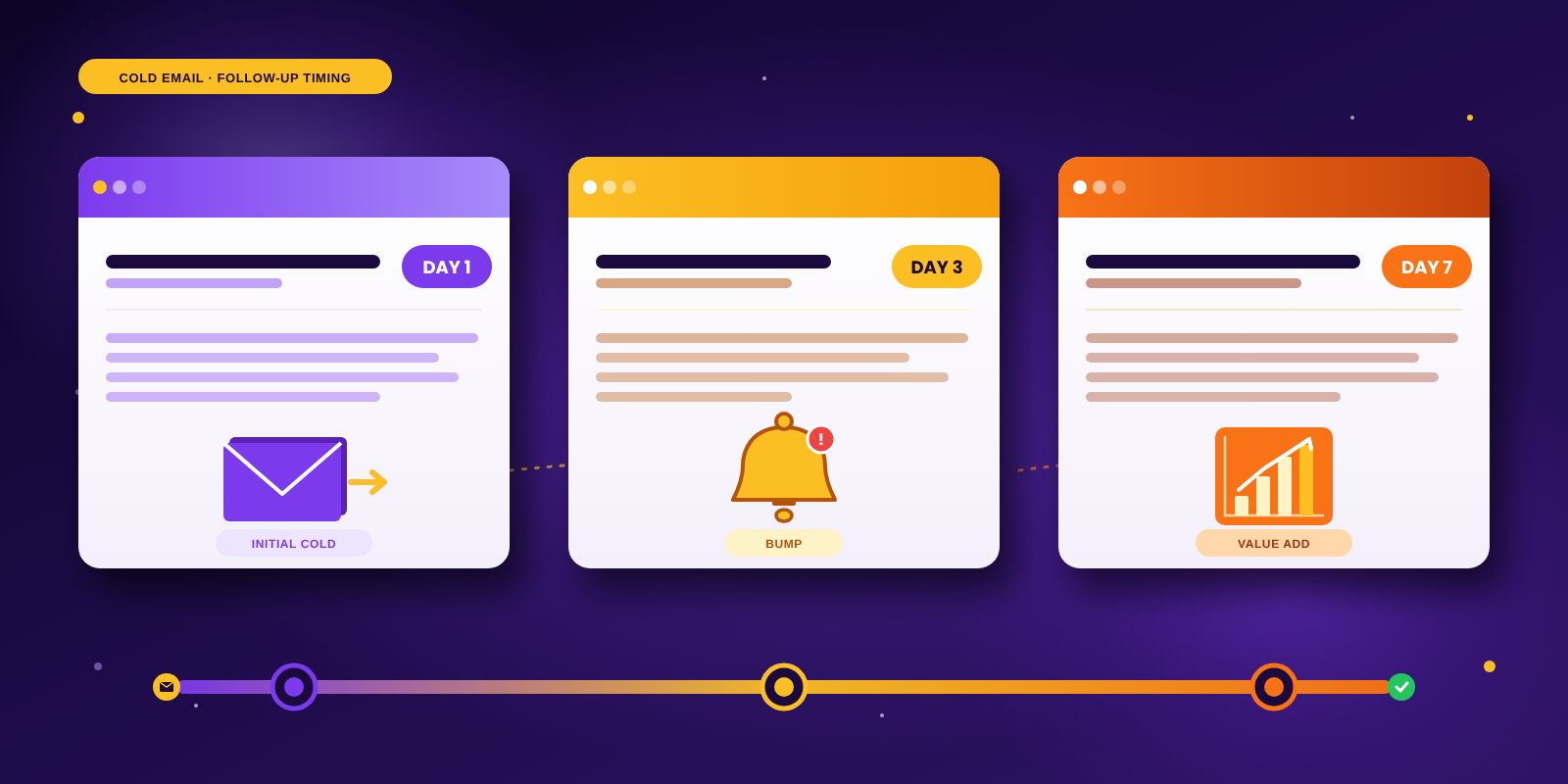
For broad B2B outreach, I like a Day 0, Day 3, Day 10, Day 17 structure because Growth List reports that a 3-7-7 cadence captures approximately 93% of total replies by Day 17, and that campaigns with 4 to 7 emails generate about 3x the response rate of campaigns with only 1 to 3 emails. That's a strong argument for treating sequencing as a compact system, not a one-off reminder.
The sequence I'd load today
Use this as the default in Smartlead or HeyReach.
- Day 0 Send the initial email. One problem, one reason you picked them, one easy reply path.
- Day 3 Send the first follow-up. Short. Value-added. No guilt language.
- Day 10 Reframe the offer. New angle, different proof, or a more direct question.
- Day 17 Send a final nudge or break-up note. Clear, polite, and easy to answer.
That sequence is tight early, then wider later. That's the right shape for most outbound.
What each follow-up should do
Often, teams get lazy. They change the words but not the job of the email.
Day 3 should reduce friction
Your first follow-up is not the place for a wall of text. It should feel like a useful continuation.
Good options:
- A sharper angle tied to the same problem
- A small insight based on their role or market
- A simple question that invites an easy reply
Bad option:
- “Just following up on this”
That line adds nothing. If the first email was ignored, a content-free bump won't fix it.
Day 10 should add a new reason to care
By now, the prospect has either skimmed you, ignored you, or mentally parked you. So change the frame.
Use one of these:
- A concrete use case
- A short proof point without bloated storytelling
- A different call to action, such as whether they want a short teardown, not a meeting
If you want more examples of sequencing mechanics, PitchSmart has useful resources for sales teams that are worth scanning. Keep the principle simple though. Each touch should earn its place.
Day 17 should close the loop
Don't send a fake break-up email full of drama. Just make the next step obvious.
Try one of these moves:
- Ask whether the issue is priority, timing, or fit
- Offer to circle back later
- Close the thread cleanly
A lot of operators overbuild here. You don't need that.
Build the sequence as a branch, not a line
The mistake is treating every prospect the same after send one. They aren't the same.
If someone engages, the path should shorten. If they stay cold, the path should stay respectful and spread out. That's why a branching workflow matters more than a static drip. Reachly's guide to automated email follow-ups is useful for setting up that logic inside a real outbound stack.
The sequence should not ask the same question four times. It should lower resistance one step at a time.
That's the machine. Not clever copy. Structure.
Beyond the Clock How to Time Follow-Ups by Intent
A fixed schedule is a good default. It is not enough once people start interacting.
The biggest mistake in cold email follow up timing is sending the same next step to every prospect just because the calendar says so. Smartlead, Clay, and similar tools give you signals. Use them.
Intent should change sequence speed
Artisan's write-up of Close CRM's cadence describes a tighter pattern of 1 day later, then 2 days later, then 4 to 5 days later, capped at four touches. That cadence makes sense for fast-moving offers, urgent pain, or small-ticket services where deal velocity is high.
It makes less sense for broader B2B prospecting with more stakeholders and slower internal routing.
So don't ask “what's the best cadence?” Ask this instead:
- How fast does this buyer decide?
- How painful is the problem right now?
- How much intent have they shown already?
If the answer is “high and obvious,” compress the sequence. If it's “unclear and multi-stakeholder,” stay patient.
Simple triggers that should change the next touch
You don't need a complex scoring model. You need sane rules.
Repeated opens with no reply
Treat this as weak interest, not buying intent. Keep the next email short and clearer than the first. Don't jump straight to a call.
Link click on a case study or proof asset
That's stronger. Send the next touch sooner and make it specific to what they looked at.
Soft reply
If they say “not now,” “send details,” or “loop in later,” stop the generic sequence. Move them into a manual thread or a short custom branch.
For teams working on message variation, cleaner targeting and context matter most. Reachly's guide on cold email personalization gets into the message side of that, but the operational point is just as important. Personalization without timing logic still wastes signals.
If a prospect gives you a signal and your system ignores it, that isn't automation. It's negligence.
Intent signals need guardrails
Not every signal deserves aggression. Opens can be noisy. Some tracking is imperfect. People click by accident.
That's why I wouldn't build a sequence that fires a call task every time someone opens twice. Use clusters of behavior, not single events. The goal is to react without becoming creepy.
A good rule is simple. Mild intent gets a better email. Stronger intent earns a faster handoff.
When to Ditch Email for LinkedIn and Phone Calls
Email-only outbound has a ceiling. Once you accept that, your sequences get better.
If someone doesn't reply by email, that doesn't always mean no interest. Sometimes it means email is the wrong channel for that person, at that moment, for that ask.
Switch channels when the pattern says email is stalling
Here are the practical triggers I use.
- Email opened, no reply after multiple touches Move to LinkedIn. A profile view, connection request, or short note creates familiarity without another inbox hit.
- LinkedIn connection accepted, still no reply Try a short call. Not a pitch marathon. Just a crisp attempt to confirm relevance.
- Senior buyer, low email responsiveness Use email to introduce. Use phone to force clarity faster.
- No engagement anywhere Stop. Let the account cool off before recycling it later.
At this stage, teams often either underdo it or overdo it. They either stay stuck in email too long, or they spray every channel at once and look desperate.
Channel handoffs should feel coordinated
The move from email to LinkedIn should not feel like a second campaign from a different universe.
If your email talked about hiring pressure, your LinkedIn note should stay on that thread. If your email offered a teardown, your call opener should reference the same reason for reaching out. Continuity matters because fragmented outreach feels automated in the worst way.
For operators building account lists or enrichment flows around LinkedIn, this LinkedIn data scraping guide is a useful technical reference. The key is not the scrape itself. It's what you do with the data after you have it.
A simple multichannel handoff model
Use this model when email starts flattening:
One clean system beats three disconnected plays.
How to Measure and Fix Your Follow-Up Cadence
You don't fix cadence by vibes. You fix it by looking at where replies happen and where they stop.
The first benchmark I care about is simple. Martal's 2026 cold email statistics summary says the first follow-up is the most valuable, and that it can increase reply rates by up to 49% in top-performing campaigns, while experts recommend waiting at least 2 to 3 days before sending it. If your first follow-up is weak, badly timed, or absent, you are probably killing the sequence before it starts.
What to track
Don't drown in dashboard noise. Track a few things well.
- Positive reply rate by step This tells you which email starts conversations.
- Negative replies by step If these spike later in the sequence, your cadence or tone is off.
- Step-to-step drop-off If replies fall hard after one specific touch, inspect that email first.
- Channel-assisted replies Count replies that happen after a LinkedIn touch or call, not just direct email responses.
And before you blame timing, make sure inbox placement is healthy. A broken setup can make good cadence look bad. If you're seeing strange performance patterns, start with deliverability basics using this guide on how to fix cold email deliverability.
How to test timing without making a mess
Test one variable at a time.
A clean timing test looks like this:
- Keep targeting constant Same segment, same offer, same copy angle.
- Change one interval Example: first follow-up after 2 business days versus 3 business days.
- Run full sequences Don't judge timing from partial data halfway through.
- Read replies, not just counts Better timing should improve the quality of conversations too, not just volume.
Working rule: If Step 1 gets opens but Step 2 gets no traction, your follow-up is probably mistimed, low-value, or both.
What the fixes usually look like
If the sequence dies early, tighten the first gap. If it dies late, shorten the total sequence or change the last touch. If multiple follow-ups sound interchangeable, rewrite them so each one has a distinct job.
Most cadence problems aren't mysterious. They come from generic bumps, bad timing, and no channel logic.