


 Key Findings
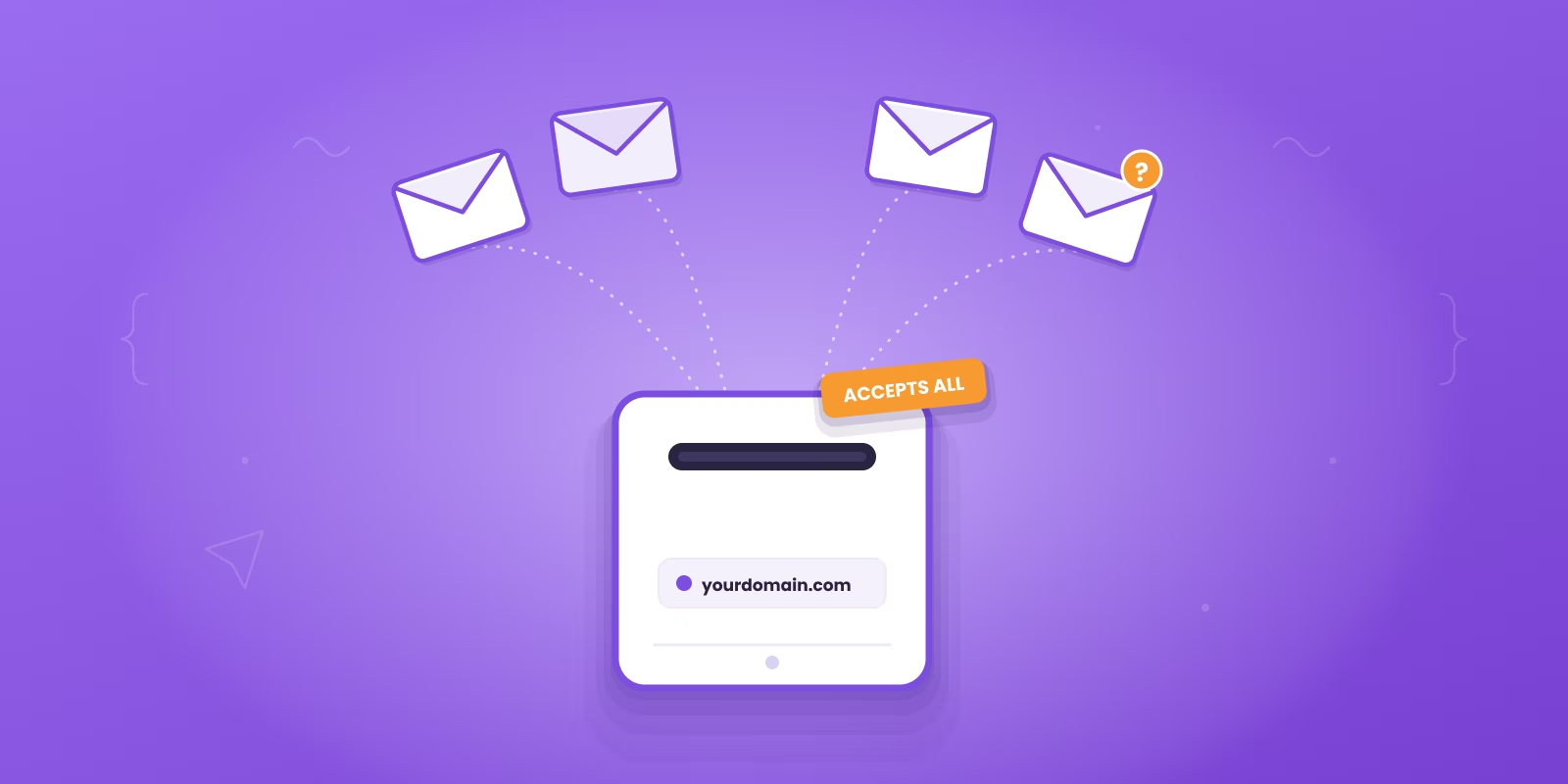
 The domain returns a 250 OK for any recipient, so it confirms domain acceptance, not that a human will read the mail. Risky means uncertain, not invalid.
In B2B, 40 to 60 percent of addresses can be catch-all, so list decisions affect pipeline, not just deliverability.
Isolate catch-alls, send a small personalized batch from a secondary mailbox, and suppress any address with zero engagement after a few touches.
A new list can be rebuilt in days. A damaged sending reputation takes far longer. When forced to choose, protect the domain.
Reachly runs catch-alls through a dedicated catch-all verifier. If an address cannot be confirmed valid, we work it on LinkedIn, holding bounce under 3 percent and deliverability above 97 percent.
If your verifier just flagged half your B2B list as risky, that is usually not a tool problem. It is a catch-all email problem.
In B2B, somewhere between 40 and 60 percent of email addresses sit on catch-all or accept-all mailboxes. That is the part most founders miss. They assume the list is weak, the copy is off, or the SDR team needs more volume. Often the real issue is simpler. Your list is full of addresses a server will accept but no person may ever read.
That changes the decision in front of you. You are not sorting valid from invalid. You are deciding whether to risk your sending reputation to keep possible leads on the table. This guide walks through what a catch-all actually is, why it quietly wrecks outbound, and the exact rules Reachly uses to send to these addresses without burning a domain.
That risky list is bigger than you think
On most B2B lists, the risky segment is not a rounding error. It is often large enough to decide whether a campaign scales or torches a domain.
Founders usually notice this after a verifier tags a big block of contacts as risky and reply rates fall off a cliff. The instinct is to blame sourcing, copy, or the rep. The more common cause is that a large share of the list sits in a gray zone where the server may accept mail but reachability is a guess.
If 30, 40, or 50 percent of a prospect list falls into that gray zone, your list decisions start affecting pipeline, not just deliverability. Delete all of it and you shrink your reachable market. Send to all of it through the same mailboxes as your verified contacts and you raise the odds of poor engagement, spam placement, and reputation damage. That trade-off is where a lot of outbound programs break.
The mistake is treating catch-alls as a yes or no call. They are a separate risk pool with their own rules. Some will produce replies. Some will accept mail and never put it in front of a human. Some turn into silent negative signals that make your verified segment perform worse.
Three patterns show up over and over. Teams that suppress every risky address feel safer on paper, but they cut out real contacts at companies that route mail through catch-all domains. Teams that mix risky and verified contacts in one sequence contaminate their performance data and watch mailbox health drop before they can tell which segment caused it. And teams that keep sending too long give catch-alls the same runway as clean addresses, even after opens stay flat, clicks never come, and replies never show.
That third one matters most. Plenty of guides stop at "segment and test." That is not enough. The better question is when to stop. If a catch-all segment shows clear engagement decay after the first controlled sends, keeping it in rotation is a tax on your domain, not upside on your pipeline. The useful question is never whether a catch-all address is valid. It is whether that address has earned more testing.
What a catch-all email actually is
A catch-all email is not a special kind of inbox. It is a server rule.
Think of a building front desk. You send a package to someone in the building. Instead of checking whether that exact person works there, the front desk says "we will take it" and sorts it out later. Sometimes it reaches a real person. Sometimes it sits. Sometimes it gets tossed. A catch-all domain behaves the same way with email.
At the technical level, catch-all domains are set to return a "250 OK" response for any recipient address, whether or not the mailbox exists. That matters because most verification tools rely on the server rejecting bad addresses. When the server accepts everything, the usual test stops working. The verifier is not broken. The server is withholding certainty. That is also why some tools label these as "accept-all" rather than "catch-all", the same behavior under a different name.
Companies set this up for good reasons. They do not want to lose inbound messages because someone typed jon@company.com instead of john@company.com, or because an old employee address still gets outreach, support requests, and partner notes. That is sensible on their side. It is messy on yours. A catch-all domain can protect inbound opportunities for them while creating outbound uncertainty for you.
The distinction to hold onto: a role inbox like info@ is still a specific address. A catch-all is the domain saying yes before it proves the recipient exists. It confirms domain acceptance, not human presence. That single detail is why your verifier can call an address "risky" with a straight face. And it is why the decision to send should sit with whoever owns deliverability, not whoever wants more rows in the sequence.
| Stage | What happens |
|---|---|
| Email sent | A message leaves your sequence addressed to someone at the recipient's domain. |
| Server receives | The mail arrives at the recipient's server for processing. |
| Catch-all check | The server checks its configuration to see if a catch-all rule is active for the domain. |
| Rule is on | The server returns a 250 OK, accepts mail for any address (real or not), and routes it to a catch-all inbox or nowhere. |
| Rule is off | Mail to a non-existent user is rejected and bounces back to you. |
The real problem with catch-alls for outbound
The obvious risk is bounces. The worse risk is false confidence.
In standard marketing lists, roughly 15 to 20 percent of emails are catch-all configurations. In cold outbound, that means a real slice of your list can look delivered while acting like a dead end. A catch-all can accept your message at the domain level and then never place it in front of a human. That is the nastiest kind of campaign failure, because your dashboard shows sends going out cleanly while the actual inbox placement is far worse.
So you start asking the wrong questions. Is the offer weak? Is the subject line off? Does the sequence need more follow-ups? Sometimes none of that is true. You are testing copy against a segment that was never likely to produce human engagement. This is why "it did not bounce" is a terrible success metric.
| Problem | What it does to your campaign |
|---|---|
| Corrupted data | Opens, clicks, and replies get harder to read because part of the list may be unmonitored. |
| Reputation drag | Low engagement from catch-alls makes mailbox providers trust your domain less over time. |
| Wasted effort | Reps and founders rewrite sequences when the real issue is list composition. |
Most outbound setups are built around visible negatives: hard bounces, spam complaints, unsubscribes. Catch-alls fail more quietly than that, which makes teams overconfident. You see it when a campaign has respectable send volume, weak engagement, and no clean diagnostic signal. The team keeps iterating the messaging. The domain keeps aging badly. The list stays untouched. That is how a list problem becomes an infrastructure problem. If your risky segment is large, low engagement does not automatically mean poor messaging. It can mean you are aiming at inboxes no one checks.
How to identify and verify catch-all addresses
No tool can give you total certainty on a catch-all. Accept that first. The practical job is narrower. You want to identify catch-all domains, label them correctly, separate them from clean contacts, and then decide whether they earn controlled testing.
Modern verification tools do more than a basic check. They look for domain-level behavior and return a category like risky or unknown because the server will not confirm mailbox existence in a clean yes or no way. That is why one address reads as valid, another as invalid, and a third as unknown even though all three look fine on the surface. The label reflects what the receiving domain revealed, not what your tool failed to catch.
If you build lists in Clay and push contacts into Smartlead or another sender, the clean workflow is simple. Build the account and contact list first, before you judge quality. Run verification before sequencing, and tag catch-all results as their own class. Keep that label visible in your CRM or outbound sheet, because hidden risk labels get ignored later. Then split clean sends from test sends so catch-alls never sit inside your normal launch batch.
If your list-building process is loose, fix that before you worry about copy. Reachability starts upstream. Our guide on how to build a lead list is worth reading if sourcing, enrichment, and verification are still one messy step for you.
A few rules make the rest easier. Use a specialized verifier, since generic syntax checks are not enough. Do not read "risky" as "bad," it means uncertain. Keep domain-level notes, because some target segments produce far more catch-alls than others. And do not hold out for perfect certainty, because you will not get it before you send. Verification here is risk reduction, not proof. Teams get in trouble when they expect a verifier to make the strategic sending call for them. It cannot. It can only tell you where the uncertainty starts.
This is also where Reachly draws a hard line. We run catch-alls through a dedicated catch-all verifier, the kind that sends a real probe to check status rather than trusting a syntax pass. If an address cannot be confirmed valid with high confidence, we do not email it. That contact gets worked on LinkedIn instead. It is one of the reasons our campaigns hold a bounce rate under 3 percent and a deliverability score above 97 percent.
A practical strategy for sending to catch-alls
Most advice on catch-alls stops at "segment and test." That is incomplete. You need a stop rule. Without one, teams keep sending because nothing bounced hard enough to force discipline, and that is exactly where sender reputation gets chipped away, slowly and then all at once.
The industry guidance is to isolate catch-all addresses into a dedicated segment for low-volume testing and to remove any address with zero engagement after three to five attempts. That is the right foundation. For cold outbound, make the call faster rather than treating months of inactivity as useful data. Cold outbound moves quickly, so suppression should too.
Here is the rule that ties it together. If a catch-all contact shows zero engagement across the first few touches, suppress it. Do not keep recycling it because the server accepted the mail. That only tells you the domain took the message, not that a buyer saw it. If some engagement appears, move the contact into a more trusted segment and keep sending carefully. If nothing appears after repeated attempts, suppress it. If you see a late bounce or odd behavior, suppress it faster. These contacts belong on a different domain or mailbox pool than your primary asset, which is where a proper inbox rotation setup earns its keep.
Treat catch-alls like probationary contacts. They have to earn their place in the main rotation. Do not build your whole outbound target on them, do not keep them live forever because they "might" be monitored, and do not let sales pressure override list discipline. You are not throwing leads away. You are refusing to subsidize uncertainty with your primary domain.
Common mistakes that wreck your sender reputation
Most sender reputation problems are not a mystery. Teams create them. Catch-alls make that easier because they tempt you into decisions that feel reasonable in the moment: more volume, fewer deleted leads, more chances at a meeting. Then the domain starts slipping.
| Common mistake | Consequence |
|---|---|
| Sending too fast | Blasting unverified catch-alls with no warmup or testing raises spam flags and gets mail marked as spam. |
| Ignoring the data | Skipping bounce, complaint, and engagement metrics lets damage compound until providers see your domain as untrustworthy. |
| No personalization | Generic copy to uncertain inboxes gets the lowest engagement, so even legitimate inboxes get harder to reach. |
| Disregarding bounces | Leaving hard bounces in rotation keeps you hitting invalid addresses and can land your IP or domain on a blacklist. |
There is one mistake founders rarely notice: they let list pressure override inbox health. An SDR manager says the team needs more leads in sequence. A founder wants more shots on goal. So the risky segment gets dumped in, because deleting contacts feels like waste. That is backward. The domain is scarcer than the list. A new list can be rebuilt in days. A damaged sending setup takes far longer to recover. If you have to choose between preserving volume and preserving reputation, preserve reputation. It feels expensive in the short term and usually saves the quarter.
Building a resilient outbound infrastructure
Catch-all management only works when the rest of your setup is solid. If the infrastructure is sloppy, risky contacts expose every weakness fast. That means separate domains for separate risk levels, proper authentication, warmup that is not rushed, and monitoring that flags reputation problems before a campaign falls apart instead of after.
A few pieces are non-negotiable. Use a secondary, non-primary account for initial catch-all sends so experiments never touch the domain you depend on. Get your authentication right, because none of it is optional. Our walkthrough on SPF, DKIM, and DMARC for cold email covers the baseline. And do not wait for reply rates to collapse before you investigate. Run regular domain reputation checks so you catch issues early, and keep clean contacts, risky contacts, and reactivation attempts in separate lanes. If you want the full picture on inbox placement, our email deliverability guide goes deeper, and our cold email best practices cover the copy side.
Outlook is harder to land in than Google. Mix both, but match the sending ESP to the recipient ESP. Google to Google, Outlook to Outlook. Smartlead handles it at the campaign level. Get that wrong and no amount of clever copy saves your placement.

The bigger point: do not think of catch-alls as a strange verification puzzle. Think of them as a stress test. They reveal whether your outbound machine has real controls or just hopeful habits. When the system is built properly, catch-alls become manageable. You test them with care, graduate the good ones, suppress the dead weight, and keep your main domain out of unnecessary danger. When the system is weak, catch-alls expose it fast. That is why serious outbound teams treat deliverability as infrastructure, not a cleanup task.
Get more meetings without gambling your domain.
We run done-for-you outbound across cold email, LinkedIn, and cold calling, with verified lead data, dedicated sending setup, and reply handling built to protect domain health while generating pipeline. Catch-alls get verified or worked on LinkedIn, never blasted from your primary domain.
Get Started
Frequently asked questions
No. Catch-all means uncertain, not invalid. Many are real contacts at companies that route mail through an accept-all domain. Segment them, test a small batch from a secondary mailbox, keep the ones that engage, and suppress the silent ones.
Because the receiving server returns a 250 OK for every address on a catch-all domain, so the verifier cannot confirm the mailbox exists. It labels the result risky or unknown to tell you where certainty ends. In B2B, 40 to 60 percent of addresses can sit on these domains.
Only with controls. Use a separate domain or mailbox pool, personalize the copy, send in small batches, and watch engagement rather than delivery. If a contact shows zero engagement after a few touches, stop sending to protect your primary domain.
A catch-all can accept your mail and never show it to a human. That low engagement signals to mailbox providers that your mail is unwanted, which lowers placement across your whole program, not just the risky segment.
We run catch-alls through a dedicated catch-all verifier that sends a real probe to check status. If an address cannot be confirmed valid with high confidence, we do not email it. That contact gets worked on LinkedIn instead, which is part of how we hold a bounce rate under 3 percent and deliverability above 97 percent.
Recommended service
Cold Email Agency
Reachly runs cold email end to end: dedicated infrastructure, signal-led copy, and replies handled until a meeting is booked.










