
 Key Findings
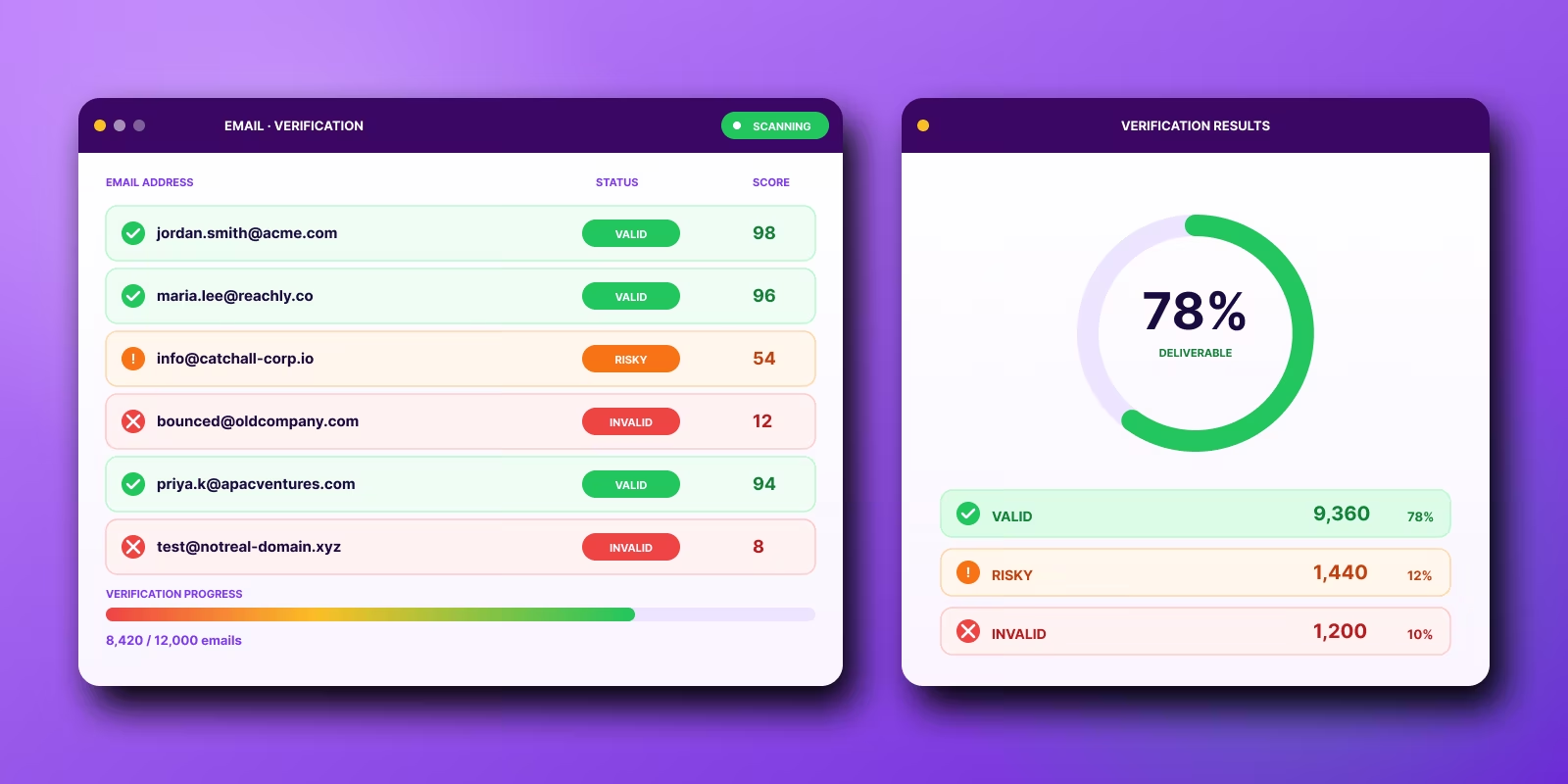
Verified lists bounce less and protect sender trust right when a campaign is building it. Passing SPF, DKIM, and DMARC does not save a weak list. If your data is shaky, verification is the first fix, before copy, warm-up, or volume.
Validation checks structure: is the address formatted right and does the domain exist. Verification sorts addresses into safe, risky, or invalid. A clean validation result does not mean an address is safe to send at scale.
Binary pass or fail is too simple. Suppress invalid, hold or throttle risky, treat catch-all as uncertain, judge role-based by campaign, and send only the safe. Verification helps when it changes the send decision, not when it sits as a checkmark.
Run a real-time check at capture so junk never enters the CRM, then batch verify again right before send. A one-time CSV cleanup followed by a volume launch is the pattern that quietly burns domains.
Treat verified as a timestamp, not a permanent status. People change jobs and domains, so re-check older or multi-source lists before launch. Catch-all and role-based records need policy, and high-value accounts earn manual confirmation.
Verified lists bounce less. They fail less often at the exact moment a campaign is trying to build sender trust.
That is why email verification for cold email sits upstream of deliverability. It reduces the number of dead, malformed, and high-risk addresses that make it into a sequence, which gives your domains a better chance of staying stable once volume starts.
Many popular cold email guides flatten verification into a simple yes-or-no check. Real outbound does not work that cleanly. Some addresses are safe to send. Some are obvious rejects. A third group needs judgment, especially catch-alls, role accounts, and records pulled months ago that were valid when the list was built.
That gray area is where campaigns get hurt. A list can look clean inside a verification tool and still produce enough soft risk to drag down inbox placement, especially if the team treats catch-all results as deliverable by default.
I have seen this pattern repeatedly in outbound programs. Founders and SDR managers run a one-time list cleanup, launch at volume, then start troubleshooting copy, warm-up, or infrastructure after bounce rates rise and providers begin throttling. The problem started earlier.
Verification works best as an operating process. Recheck older data before launch. Separate catch-alls from clearly valid addresses. Set sending rules based on risk, not on whether a tool returned a green label once.
Why email verification matters more now
Cold email got harder the moment major mailbox providers tightened enforcement around sender quality. Technical setup still matters, but passing SPF, DKIM, and DMARC checks does not protect a campaign from a weak list. If bounce rates climb or complaints creep up, providers start filtering faster and with less tolerance than they did a few years ago.
The practical change is simple. Inbox access is now tied more closely to list hygiene than many teams expect.
Practical rule: If your data is weak, verification is the first fix.
In our work with early-stage outbound teams, many founders and SDR managers start by troubleshooting warm-up, volume ramps, or copy. Those levers matter after the list is stable. They do not solve a contact quality problem. If invalid addresses are already in the sequence, the campaign is feeding bad signals into Gmail, Outlook, and the rest from day one.
Verification protects more than bounce rate.
It helps protect domain reputation, keeps new infrastructure from getting burned on avoidable failures, and reduces the odds that one sloppy launch drags down the next three campaigns. That matters more now because providers are quicker to limit placement when a sender looks careless.
There is also a hidden operational issue that simple guides skip. Verification is not a clean pass or fail system in real outbound. Catch-all domains can still bounce. Old records decay fast. An address that looked safe during list building can become risky by the time the sequence launches, especially if the data sat for a few weeks.
That is why teams that run outbound seriously put verification near the top of campaign setup and revisit it before launch. The point is not to make the list look clean inside a tool. The point is to avoid preventable reputation damage in live sending.
When teams skip that discipline, the pattern is predictable. They merge data from multiple sources, trust the enrichment layer too much, launch at volume, and only start investigating after bounce rates rise. Copy gets blamed first. The list usually caused the problem earlier.
What email verification for cold email actually does
A proper verification tool doesn't just tell you whether an address “looks right.” It checks technical signals before you send.
As explained in Bouncer's breakdown of verification for cold outreach, verification tools check syntax, domain and MX reachability, and mailbox existence signals without sending an actual message. That last part matters because blasting test emails at questionable addresses is a fast way to create reputation problems you didn't need.
There's also an important distinction often overlooked.
Validation and verification are not the same thing
Validation checks structure. Is the address formatted correctly? Does the domain exist? Did someone type something obviously broken?
Verification goes further. It uses technical clues and behavioral patterns to sort addresses into categories like safe, risky, or invalid.
That difference changes how you operate. A clean validation result doesn't mean an address is safe to send at scale.
The output you actually need
Binary outputs are too simplistic for real outbound. Good systems classify contacts in a way your ops process can use.
For example:
- Invalid: Suppress immediately.
- Risky: Hold, throttle, or review.
- Catch-all: Treat as uncertain, not “good.”
- Role-based: Decide based on campaign type and risk tolerance.
- Safe: Eligible for send.
If your verifier gives you a green check and your team treats that as a guarantee, you're asking the tool to do more than it can do.
The best use of a verifier isn't blind trust. It's controlled filtering.
The biggest mistake is treating verification like a one-time cleanup
Most outbound setups break when teams verify a CSV, upload it into Smartlead or another sending platform, and assume the problem is solved.
It isn't.
The most useful way to run verification is as an ongoing gate at two different moments: when data enters your system, and again right before it gets mailed. AtData's guidance on email verification best practice makes that point clearly. Use real-time checks on forms and capture points to stop bad data from entering the CRM, then use batch or pre-send verification to clean older lists before launch.
The two checkpoints that matter
At capture:
This stops junk from entering the CRM in the first place. If someone submits a typo, a disposable address, or something malformed, you catch it before it becomes future SDR inventory.
Before send:
This catches older records that were once usable but aren't safe now. It also gives you a final pass on segmented lists before any campaign touches your domain.
That setup is simple. It works.
What a practical workflow looks like
In a normal outbound stack, the workflow often looks something like this:
- Capture or source the lead through forms, Clay tables, enrichment tools, partner lists, or manual prospecting.
- Run real-time checks where possible so obvious bad data never enters the CRM.
- Store status fields like valid, risky, invalid, catch-all, and role-based.
- Re-check before sequence launch because older data can drift.
- Suppress repeat failures and any address that hard bounces.
- Review ambiguous segments manually if the prospect value justifies the effort.
That last step gets ignored too often.
Why one-pass verification fails in real campaigns
Some address types regularly slip past simple checks:
- Disposable addresses
- Role-based inboxes
- Inactive users
- Catch-all domains
If you rely on one pass and one label, those edge cases end up mixed into active campaigns. Then you get the worst kind of operational problem: a list that looks clean on paper but behaves badly after launch.
That's why mature teams combine live verification, periodic re-verification, and suppression rules. Not because they're paranoid. Because they've seen what happens when old or ambiguous data gets mailed.
The catch-all problem most guides barely mention
Catch-all domains are where a lot of verification confidence goes to die.
On a catch-all domain, the server may appear willing to accept mail for many addresses, including ones that don't belong to a real person. That makes technical verification less certain. The address can look deliverable even when it's not a safe bet for outbound.
This is one of the biggest blind spots in cold email operations. Teams buy or enrich lists, run them through a verifier, see a favorable result, and assume the risk is gone. It isn't.
Why catch-alls break clean logic
Verification tools are strongest when the receiving server gives clear signals. Catch-all domains muddy those signals. The server behavior can suggest acceptance without giving you true certainty on mailbox existence.
That leaves you with a probabilistic answer, not a guaranteed one.
Role-based addresses create a similar problem for a different reason. Even if the inbox accepts mail, it may not behave like a normal one-to-one prospect mailbox. It can be monitored loosely, routed to multiple people, or filtered differently.
How operators handle catch-all and role-based addresses
The wrong move is to treat these addresses the same as a clean personal work email. The right move is to apply policy.
A practical policy might look like this:
- Personal work email with strong verification signals: send normally
- Catch-all on a high-value account: send carefully, often after manual review
- Role-based address: use only if the campaign has a reason to target a team inbox
- Low-value catch-all or uncertain record: skip it
The more important the account, the less you should trust automation alone.
For high-value targets, manual enrichment still earns its keep. Check LinkedIn. Confirm recent employment. Compare the company's known naming pattern. Look for context that supports the address, not just a tool label.
That won't be necessary for every record. It's worth doing for the ones you care about landing.
What not to do
Don't dump every catch-all into the same sequence as your cleanest data. Don't treat role-based mailboxes as harmless filler volume. And don't assume a “verified” tag means the same thing across every provider and every domain type.
That's how decent lists turn into noisy sends.
Verification doesn't last forever
A verified list is not a permanent asset. It has a shelf life.
People leave jobs. Companies change domains. Teams get restructured. Mailboxes that were safe when you enriched them can become invalid by the time your campaign is ready.
This is why older lists often surprise teams. The data passed checks before. The campaign still underperforms now.
Think in terms of freshness, not status
“Verified” should be treated like a timestamped state, not a lasting property. The useful question isn't “was this ever verified?” It's “was this verified recently enough for the campaign I'm about to send?”
That changes how you prioritize.
If a list has been sitting in your CRM, your first instinct shouldn't be to build copy around it. Re-check it first. Especially if it came from outbound sourcing rather than inbound capture.
A simple re-verification rule
You don't need a complicated model to improve this. You need a habit.
Use a fresh pass before launch when:
- The list is older
- The segment came from multiple sources
- The target market has frequent job changes
- The campaign matters enough that domain risk is expensive
This is one of those boring practices that saves good domains from bad weeks.
What works in real outbound workflows
Teams that keep bounce rates low usually win on process, not on verifier brand.
I have seen plain, mid-market tools perform well inside a strict workflow, and expensive stacks fail because nobody defined what happens to catch-alls, role accounts, or old records. Verification only helps when it changes send decisions.
A workflow that holds up under volume
The setup below is simple, but it covers the points where bad data usually slips through:
This is operational hygiene. It protects deliverability and makes troubleshooting easier when a campaign underperforms.
The stack matters less than the rules
A common workflow we see involves using Clay to source and enrich, then pushing records into Smartlead or another sender. That stack is fine. The failure point is usually policy, not software.
Define the rules before SDRs build lists:
- What gets suppressed automatically
- What gets reviewed by a human
- What can enter a low-volume test batch
- What stays off primary domains and best-performing mailbox pools
Many popular online playbooks focus on the what, verify your list, but skip the how, the operating rules for handling different verification outcomes. That gap is where teams get into trouble. A catch-all record should not be treated the same way as a recently verified individual mailbox, and a role account should not be treated like either of them.
Where a managed process helps
If the internal team does not want to own verification logic, suppression rules, and channel coordination, outsourcing can make sense. For example, Reachly runs outbound across email, LinkedIn, and phone, verifies contacts before launch, and manages sending from dedicated domains and mailboxes. That is useful when the team wants execution handled without building the ops layer from scratch.
In-house or outsourced, the standard stays the same. Verification has to control workflow decisions, batch by batch, not sit in a spreadsheet as a green checkmark.
What doesn't work
Some bad habits are common because they feel efficient. They aren't.
Sending to everything marked “valid”
This is the classic trap. Teams trust the tool output more than the context.
A label is not a strategy. If the segment includes catch-alls, role accounts, or stale records, “valid” may still be too generous for production sends.
Using old CRM data without a fresh pass
Founders do this all the time. They've got a list from a previous push, they want quick pipeline, and they mail it without re-checking.
That shortcut can cost you more than the campaign is worth.
Mixing risky records into your core sequence
If you want to test uncertain data, isolate it. Don't blend risky addresses into the same sequence and mailbox pool as your cleanest records.
When results go sideways, you won't know whether the issue was the offer, the copy, the volume, or the data quality. Bad segmentation creates bad diagnosis.
Treating manual review as a waste of time
Manual review is a waste of time for low-value names. It's often worth it for strategic accounts.
That trade-off matters. Outbound isn't only about efficiency. It's about where precision changes the outcome.
You don't need human review for every lead. You do need it for the leads you can't afford to lose.
A practical decision framework for SDR managers and founders
If you want a simple way to run this, sort every list into three buckets before launch.
Bucket one is safe to send
These are addresses with strong verification signals, recent sourcing, and no unusual risk markers. Personal work emails usually fit here.
Use your standard sending workflow.
Bucket two needs caution
These are the uncertain records. Catch-alls. Older data. Mixed-source segments. Some role-based inboxes.
Use lower volume, stricter filtering, or manual review before they touch active infrastructure.
Bucket three gets suppressed
Invalid records. Repeated failures. Hard bounces. Anything your system has already flagged as unsafe.
Don't debate these. Remove them.
The founder version of this rule
If the account is valuable, spend the extra few minutes confirming the contact. If it isn't, don't force it into the campaign just to keep list size up.
Volume can hide weak judgment for a while. It won't protect domain health.
Final take
Teams that verify before launch see materially fewer bounces than teams that send unchecked data. That gap is big enough to affect reply rates, inbox placement, and how long a domain stays usable.
The important part is what happens after the verification check. A verified record is not a permanent green light. Catch-all results are still uncertain. Role accounts can be valid and still perform poorly. Data that looked clean two weeks ago can turn into bounce risk by the time a sequence goes live.
The teams that keep deliverability stable treat verification like an operating system, not a cleanup task. They verify when a lead enters the database, verify again before send, suppress every hard bounce, and route ambiguous records through a stricter policy. For example, an SDR manager might send recent, high-confidence addresses through normal volume, hold catch-alls to a smaller batch on lower-risk infrastructure, and manually confirm executive contacts before using a primary domain.
That discipline matters more than the tool choice.
If you want one rule to keep, use this one. Verification reduces risk. Process controls the remaining risk. That's the operational discipline that protects domain health.
Recommended service
Cold Email Agency
Reachly runs cold email end to end: dedicated infrastructure, signal-led copy, and replies handled until a meeting is booked.