 Key Findings
Name, title, company, one supporting link (usually LinkedIn on first touch). Everything else is brand vanity that costs you replies.
Minimalist for founders to C-suite. Social proof for managers with low brand awareness. Direct CTA for warm prospects. Value-add for technical evaluators. Match the sender, the buyer, and the funnel stage.
It reads as the sender skipping the part where the prospect decides whether to talk. Hold the calendar link until step 3 or until an intent signal exists.
Minimal first touch. Optional proof line on step 2 or 3. Optional value-add link on step 3. Back to minimal on the bump. Match the trust the email has already earned.
200 to 300 sends per variant, hold body and subject constant, run for 5 business days. Reachly uses 8% positive reply rate as the floor when judging which signature variant wins.
Most advice on cold email signatures is too lazy to be useful. "Keep it simple" sounds smart, then leaves the actual question untouched. Simple for which buyer, in which campaign, and with what goal?
A signature can help a prospect trust you, click something, or decide you look mass-sent. It can also do nothing. That outcome depends on what you put in it, how it renders across mailbox clients, and whether it matches the email sitting above it.
Working rule: your signature is part credibility block, part conversion layer, part deliverability risk. Treat it like an afterthought and you will get afterthought results.
This guide is built from the way we run signature work for clients at Reachly. Four signature styles, the rules behind each one, the mistakes that get them filtered, and the way we test them inside live sequences across cold email, LinkedIn, and cold calling. Here is the fast comparison before the deeper examples.
| Signature type | Best for | Main upside |
|---|---|---|
| Minimalist | Founder-led outreach, C-level targets, first touch | Feels personal, gets out of the way |
| Social proof | Manager and director outreach, lower brand awareness | Lowers resistance with one trust signal |
| Direct CTA | Warmer prospects, late-sequence replies | Makes the next step obvious |
| Value-add | Technical evaluators, late-funnel buyers | Helps the buyer do their job |
TL;DR: Summary
- Four fields earn their place in a cold email signature: real name, title, company, and one supporting link. Everything else is weight.
- The signature is set in the sequencer, per mailbox, not in Gmail or Outlook. Editing the mailbox client changes nothing about what a sequenced prospect receives.
- Images, logos, headshots and generator HTML are the fastest route to the spam folder. Plain text that still reads with images blocked is the safe build.
- One link on a first touch, matched to the stage of the sequence. Hold the calendar link until the prospect has engaged.
- Four styles cover most B2B outbound: the minimalist, the social proof, the direct CTA and the value-add. Which one fits depends on the campaign, not on taste.
- Reachly builds and tests signatures as part of running cold email for clients. See our cold email agency page.
Your email signature is not a throwaway
Cold email teams spend hours on subject lines, first lines, and offer framing, then hand the last three lines of the email to whoever set up the mailbox. That is a mistake.
The signature changes how the whole message reads. It tells the recipient whether the email came from a real person, how senior that person is, and whether replying or clicking feels safe. In outbound, that can be the difference between "I will reply" and "this looks mass sent."
We do not treat signatures as a design choice. We treat them as a campaign variable.
That matters because the right signature depends on context. A founder emailing five enterprise CMOs should not use the same footer as an sales rep booking meetings with IT managers. One needs to signal authority with almost no friction. The other may need a little more identity and one proof point to avoid looking anonymous. The trade-off is simple. Every extra element can add trust or add drag.
The pattern we see across outbound teams is consistent. Some senders use a bare signature that gives the prospect nothing to verify. Others paste in logos, five social icons, a headshot, legal text, and a calendar link on first touch. Both choices hurt replies for different reasons.
Practical rule: your signature should answer the recipient's likely trust question, not your company's full branding checklist. Skepticism is the default in 2026. In one summary of survey data on inbox behavior, EmailTooltester's cold email statistics found that company familiarity is one of the biggest engagement factors, which is exactly the trust question a clean signature answers fastest.
This is also why copying a "best" template from another blog rarely works. Signature style follows campaign goal, recipient persona, and sender authority. If you are still sorting out the rest of your outbound setup, our cold email agency page shows how signatures fit inside targeting, infrastructure, and sequencing. For a broader view across the outbound stack, The AI CMO's email campaign tools breakdown is a useful companion read.
The four fields that earn their place
Most cold email signature examples fail because they treat the footer like a brand asset first and a reply asset second. That order should be reversed.
The signatures that work in B2B outbound are built from a small set of parts. Each part has a job. If it does not have a job, cut it.
Start with these four:
- Your real name. Sounds obvious. Fake-looking sender identities kill trust fast. Use the name people would see on LinkedIn or your company site.
- Your title. Titles frame authority. "Founder" lands differently from "Business Development Representative." Neither is better by default. The right one depends on the audience and the offer.
- Your company name. Gives the recipient immediate context. If they want to sanity-check you, they know what to search.
- One supporting link. One. Not five. For most first-touch campaigns, that link is usually your LinkedIn profile because it helps the recipient verify that a real person sent the email. If the prospect is already aware of you, the link can shift to a case study, resource, or company page.
One trust signal beats five weak ones. A high-performing cold email signature is built around one credibility cue, not a pile of conversion elements. Guidance summarised by Salesforge on cold email signatures recommends using your real name, title, and one subtle proof point instead of stacking logos, multiple links, or legal clutter. One proof line works. A wall of proof reads as a marketing brochure.
Titles are not filler. They answer an unspoken question: why should this person hear from you? A VP reading a note from a founder sees peer-level intent. The same VP reading a note from an sales rep needs more context in the body. A manager might respond better to a specialist title that signals hands-on relevance.
That is why cold email signature examples should be judged in context, not copied blindly.
If your body copy is too long, the signature will not save it. Keep the message tight first. Our cold email best practices post covers the 70 to 80 word ceiling for first-touch emails in 2026 and pairs well with the signature rules here.
Four cold email signature examples and when to use each
One signature for every campaign is a lazy habit. Different buyers read different signals. The right footer depends on whether you need trust, action, or technical validation.
The rule, echoed in Nureply's breakdown of B2B cold email signatures, is simple: change the signature when the buyer persona and funnel stage change. Here are the four styles, stacked top to bottom in the order we usually pick them.
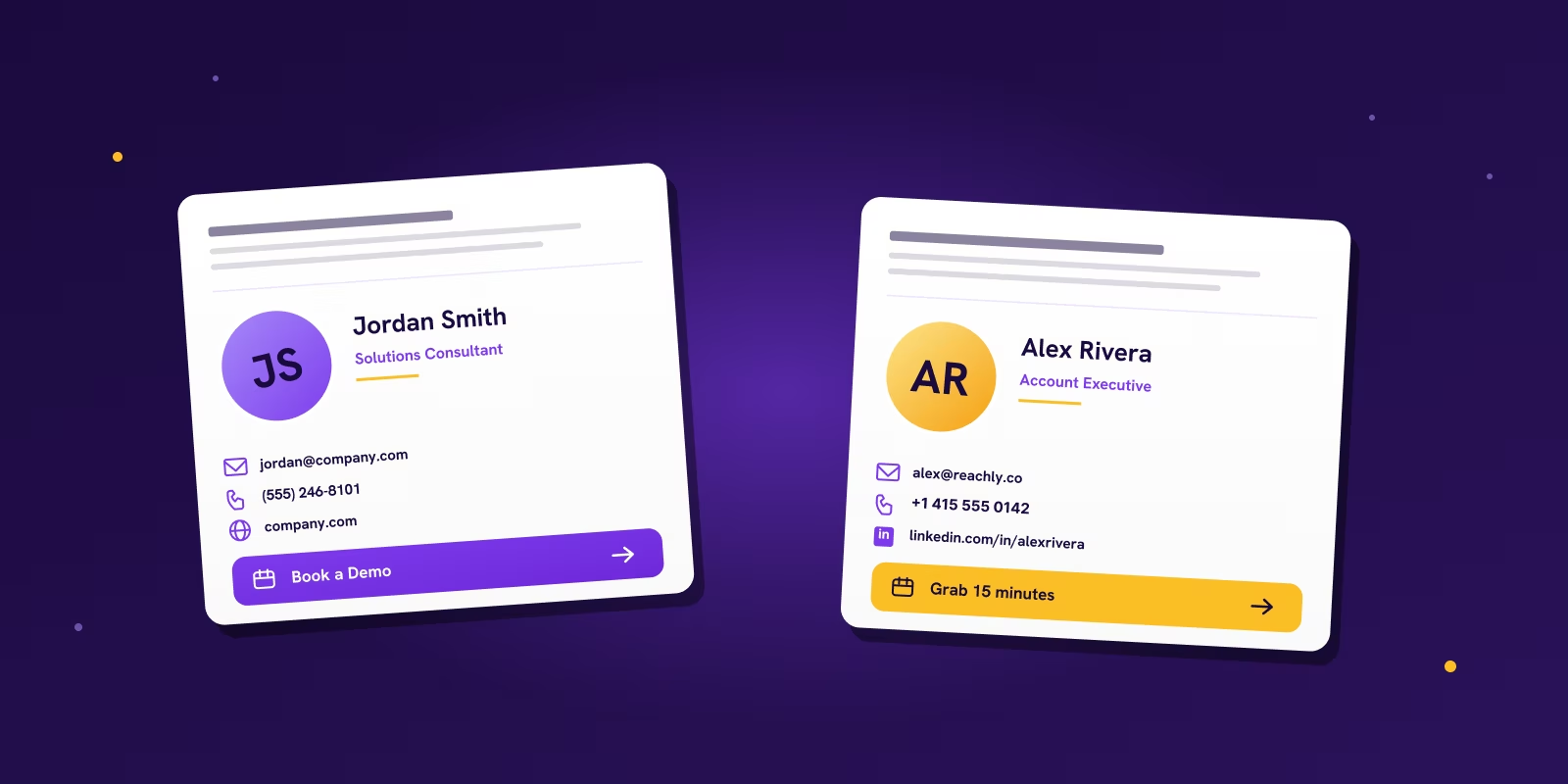
Stays out of the way. The email feels like a message from a person, not a sequence from a system. Use when the sender already carries authority.
One credibility cue lowers resistance. Pick a proof point the buyer actually cares about. Three proof points look like a marketing brochure.
Gives an obvious next move. Strong inside reply threads, bump emails, and post-click follow-ups. Wrong move on the first touch.
The link helps the buyer do their job. No meeting ask before trust exists. The asset has to be relevant to the stage, or it adds friction.
The minimalist
Use this for founder outreach, senior executive targets, and first-touch campaigns where anything extra feels promotional.
Hi Sarah, congrats on the Series B. Most CMOs in your spot end up rebuilding outbound in the first 90 days because the playbook that got you to A stops scaling.
Worth 15 minutes this month to compare notes? Happy to share what we ran with 3 portfolio companies in your space.
This works because it stays out of the way. The email feels like a message from a person, not a sequence from a system. The trade-off is room. You get less space to build authority. If your company is unknown and your offer needs more trust scaffolding, this style may be too thin.
The social proof
Use this when the buyer is not impressed by titles alone and needs one reason to believe you are credible.
Hi Marcus, saw ScaleUp hired 3 SDRs last quarter. More pipeline pressure on them, not less.
We help mid-market SaaS teams get back 30 to 40 hours a week of SDR time so they can focus on closing. Worth a 15 minute call this month?
This style is strong for directors and managers who need to justify replies internally. One proof point can lower resistance. Three proof points usually look like marketing. The mistake here is choosing proof that only matters to you. Big-name clients are useless if the prospect does not care about those brands.
The direct CTA
Use this later in the sequence, or when the buyer already has intent and your goal is to remove friction.
Hi Priya, thanks for the reply. Easiest is probably a quick 15 minute call where I walk you through the workflow we ran for two of your peers.
Grab a slot below that works for you. If none fit, send me 2 to 3 times and I will make it work.
Works well in a reply thread, a bump email, or after a prospect has clicked before. It gives the recipient an obvious next move. Bad choice for most first-touch emails. A calendar link in the first message often reads as you skipping the part where the prospect decides whether they even want to talk.
Good use cases:
- Follow-up after someone replied "send more info"
- Warm outbound tied to intent signals
- Event follow-ups
- Re-engagement sequences
The value-add
Use this when you are selling to technical evaluators, operators, or buyers who want evidence before conversation.
Hi Daniel, saw TechCo moved off Kafka last month. Most teams making that switch hit auth scaling issues by week 6.
If it helps, our docs below cover the auth and webhook patterns we built specifically for the migration path you are on. No call needed unless you want one.
This works because the link helps the buyer do their job. It does not ask for a meeting before trust exists. The trade-off is clarity. If the asset is weak, irrelevant, or too early for the stage, you have just added friction. A technical proof link for a non-technical buyer is noise.
Quick decision guide: C-suite first touch goes minimalist. Mid-market manager with low brand awareness goes social proof. Prospect already showing intent goes direct CTA. Technical evaluator or solution architect goes value-add. If you are tempted to combine all four, do not. That is how signatures become a junk drawer.
Signature mistakes that get you marked as spam
Most signature problems do not look dramatic. They look normal. A logo here, three icons there, a compliance block copied from legal, maybe a handwritten-signature image because someone thought it looked personal. That is exactly why they slip through.
| Cut this | Why it fails | Use this instead |
|---|---|---|
| Heavy images, logos, headshots, banners | Add weight, often do not render, can break the footer entirely | Plain text identity, no images |
| 5+ links (LinkedIn, site, calendar, YouTube, podcast) | Reads as a marketing email across a whole campaign | One primary link tied to sequence stage |
| Long legal disclaimers on first touch | Make a 1-to-1 email look corporate and automated | Skip unless industry-required, then keep short |
| Mixed fonts, colorful icons, generator HTML | Machine-made feel, spam-filter pattern | Plain text or table-based HTML with inline CSS |
| Image-dependent identity | Identity disappears when images get blocked | Text-first signature that still works without images |
| Calendar link on the first email | Asks for action before trust exists | Hold the calendar link until step 3 or later |
Plain text usually gives the safest path for first-touch deliverability. Lean HTML gives a bit more control over branding. Practitioner guidance summarised in Instantly's email signature article recommends plain text or very lean HTML for first-touch emails, and if you use HTML, keep it table-based with inline CSS and no unnecessary nesting because bloated code raises spam-filter risk. The issue is not that HTML is bad. The issue is that bad HTML is bad.
If your campaigns are underperforming, do not start by rewriting the whole sequence. Audit the footer. Check for more than one non-essential link, any image that is not critical, a calendar link in the first touch, a disclaimer longer than the sign-off, broken mobile rendering in Gmail or Outlook. A lot of teams spend weeks tuning copy while a bloated footer keeps dragging down inbox placement.
For the broader deliverability layer behind this, our email deliverability guide covers SPF, DKIM, DMARC, warmup, and list hygiene. Bad signatures rarely kill a campaign alone. They quietly make a decent campaign harder to trust.
Where do you actually install a cold email signature?
Not in Gmail or Outlook, in most cases. A cold email sequence sends from a pool of mailboxes through a sequencer such as Smartlead or Instantly, and the signature it appends is the one configured there, not the one saved in the mailbox client. Editing the Gmail signature on a sending account changes nothing about what a prospect receives.
There are three places a signature can be set, and knowing which one is in force is the difference between a two minute fix and an afternoon of confusion.
| Where it is set | What it controls | When to use it |
|---|---|---|
| Sequencer, per mailbox | Every email that mailbox sends, across all campaigns | The default. Name, title and company change per sender, so this is the only place thacross a whole campaigns |
| Sequencer, per campaign or per step | One sequence, or one step inside it | When the primary link should change by step, for example holding the calendar link until step 3 |
| Mailbox client, Gmail or Outlook | Only what you send by hand from that inbox | Replies you write yourself, and one to one email outside any sequence |
For the manual case, Gmail keeps signatures under the gear icon, then Settings, then General, then the Signature section, with separate toggles for new messages and for replies and forwards. Outlook keeps them under File, then Options, then Mail, then Signatures, with the same split between new messages and replies. Both let you paste HTML, and both are where a signature quietly picks up the images and mixed fonts that get a cold email filtered, so paste plain text and check it against the table above before saving.
One warning that costs people a day: a sequencer that appends its own signature on top of one already saved in the mailbox client produces two signature blocks stacked on every send. If prospects are seeing your details twice, that is where to look first.
Map signatures to your sequence, not just to "first touch"
The biggest mistake in cold outbound is treating the signature as a fixed asset across the whole sequence. Day 1 and Day 8 do different jobs. Their signatures should too.
The signature should match the amount of trust the email has earned. For the full sequence framework across cold email, LinkedIn, and cold calling, the modern outbound sales strategy post covers how the three channels fit together.
If you are also writing the body to a 5-word subject line ceiling, our cold email subject lines guide covers how to pair sender, subject, and signature so the whole email reads as one piece of writing.
How Reachly builds and tests signatures
We do not treat the signature as a brand asset that stays fixed across every campaign. We treat it like any other reply-rate variable.
That matters because the right signature depends on three things. What the email is trying to get, who is receiving it, and how much authority the sender has. A founder emailing a VP can carry a different footer than an sales rep emailing a manager. A first-touch email asking for a reply needs a different footer than a late-sequence bump trying to get a click.
We test signatures inside live sequences in Smartlead and HeyReach the same way we test subject lines or CTAs. One variable at a time. If you change the title, add a proof line, and swap in a link all at once, the result is useless. You will get a winner, but you will not know why it won.
The variables we test most often:
- Title choice. Founder versus Co-Founder. Account Executive versus Partnerships Lead. Sometimes dropping the title entirely.
- Link choice. LinkedIn versus company site versus no link.
- Authority cue. Nothing versus one short proof line. Customer count, niche focus, or known client category.
- Sequence stage. Minimal first-touch footer versus a later-step footer with one action link.
- Sender-recipient match. Senior sender to senior buyer versus sales rep to manager versus specialist to technical evaluator.
A concrete example. Primal's campaign, the one that hit 4.57x ROI and signed 6 deals in 6 months, ran a minimal founder signature across every first touch. Name, title, company, LinkedIn. We tested adding "Worked with regional SaaS teams across APAC" on step 2 and replies stayed flat, so we cut the line. The founder authority was already doing the trust work. Adding a proof line on step 2 just made the email read heavier.
The Great Room campaign, which closed a $250K contract and pushed face-to-face meetings from 2 per quarter to 2 per month, ran the opposite test. Senior account executive emailing managers at mid-market companies. Minimal signature underperformed. Adding one proof line (the case study link) on step 3 lifted positive replies by enough that we made it the default for that segment.
Same agency, opposite signature decisions, because the sender, buyer, and sequence stage were different in each campaign.
That is the framework. Start with campaign goal, check recipient persona, then choose a signature the sender can carry credibly. That gets better decisions than copying a template across every sequence.
Signatures, subject lines, sequences. Done for you.
Reachly runs cold email, LinkedIn, and cold calling for B2B teams across APAC, USA, Canada, UK, and ANZ. Triple-certified across Clay, Smartlead, and HeyReach. We build the signature library, write the sequences, test the variants, and book the meetings. Primal hit 4.57x ROI in 6 months. The Great Room closed a $250K contract on the same playbook.
See how Reachly works
FAQ
What should I include in a cold email signature?
Four fields earn their place: your real name, your title, your company, and one supporting link. For first-touch B2B outbound, that one link is usually LinkedIn because it helps the recipient verify a real person sent the email. Cut everything else. One trust signal beats five weak ones.
Should I include a photo in my cold email signature?
No. For cold outreach, skip the photo. Images add weight, render inconsistently across mailbox clients, and often get blocked by default. A LinkedIn link makes the sender feel human without the image risk. Keep the signature working when images are off.
Should I put a calendar link in my cold email signature?
Not in the first email. A calendar link in the first touch usually reads as you skipping the part where the prospect decides whether they even want to talk. Use it from step 3 onward, in reply threads, after a click, or when an intent signal exists. Earlier than that, it costs you replies.
Plain text or HTML for cold email signatures?
Plain text gives the safest deliverability path on first-touch cold email. Lean HTML gives a little more formatting control. If you use HTML, keep it table-based with inline CSS and no unnecessary nesting. Bloated signature code is a spam-filter pattern that mailbox providers learned to recognize years ago.
Why is my cold email signature getting me marked as spam?
Usually one of five things: heavy images and logos, more than three links, long legal disclaimers, machine-generated HTML with mixed fonts and inline icons, or image-dependent identity that breaks when images are blocked. Strip the signature to text-first, one link, no images, and most of the spam-pattern risk goes away.
Should my LinkedIn link be in the signature or in the body?
Signature. Body links pull attention from the email's argument. Signature links sit where the recipient is already looking when they decide whether to trust the sender. One LinkedIn link in the signature, no LinkedIn link in the body, is the cleanest first-touch setup.
How do I A/B test cold email signatures?
Test by reply rate, not open rate. Change one variable at a time. 200 to 300 sends per variant, hold the body and subject constant, run for 5 business days. Variables worth testing: title choice, link choice, presence of a proof line, presence of a calendar link. At Reachly we use 8% positive reply rate as the floor benchmark when judging which signature variant wins.
What is an email signature?
An email signature is the fixed block of text appended to the end of every email you send, carrying your name, title, company and any supporting link. In cold outbound it does a specific job beyond identification: it is the only part of the message a prospect can use to check that a real person at a real company sent it, which is why the fields it carries matter more than how it looks.
Where do I set the signature for a cold email campaign?
In the sequencer, not the mailbox. Tools such as Smartlead and Instantly append the signature configured against each sending mailbox, so editing the Gmail or Outlook signature on that account changes nothing about what a prospect receives. Set it per mailbox as the default, and per campaign or per step only when the primary link needs to change partway through a sequence.
Why does my cold email show two signatures?
Because a signature is set in two places at once. The sequencer appends its own block on top of one already saved in the mailbox client, and the prospect gets your details twice. Clear the client-side signature on any mailbox being used for sequenced sending and leave the sequencer as the single source.
Should a cold email signature include a logo or headshot?
No. Images add weight, frequently fail to render, and are blocked by default in many clients, which means an image-dependent signature loses your identity in exactly the inboxes you most want to reach. A plain text block that still reads correctly with images off is the safer build for outbound.
Do email signature generators work for cold email?
They work for internal and one to one business email and work against you in cold outbound. Generators produce image-heavy, multi-font HTML with tracked icon links, which is the pattern filters associate with bulk marketing mail. Build the outbound signature by hand as plain text, or as simple table-based HTML with inline CSS.
How many links belong in an email signature?
One on a first touch. Five links across a site, calendar, LinkedIn, podcast and YouTube reads as a marketing footer rather than a message from a person. Pick the single link that matches the stage of the sequence, and hold the calendar link back until the prospect has shown some engagement.
Recommended service
Cold Email Agency
Reachly runs cold email end to end: dedicated infrastructure, signal-led copy, and replies handled until a meeting is booked.