

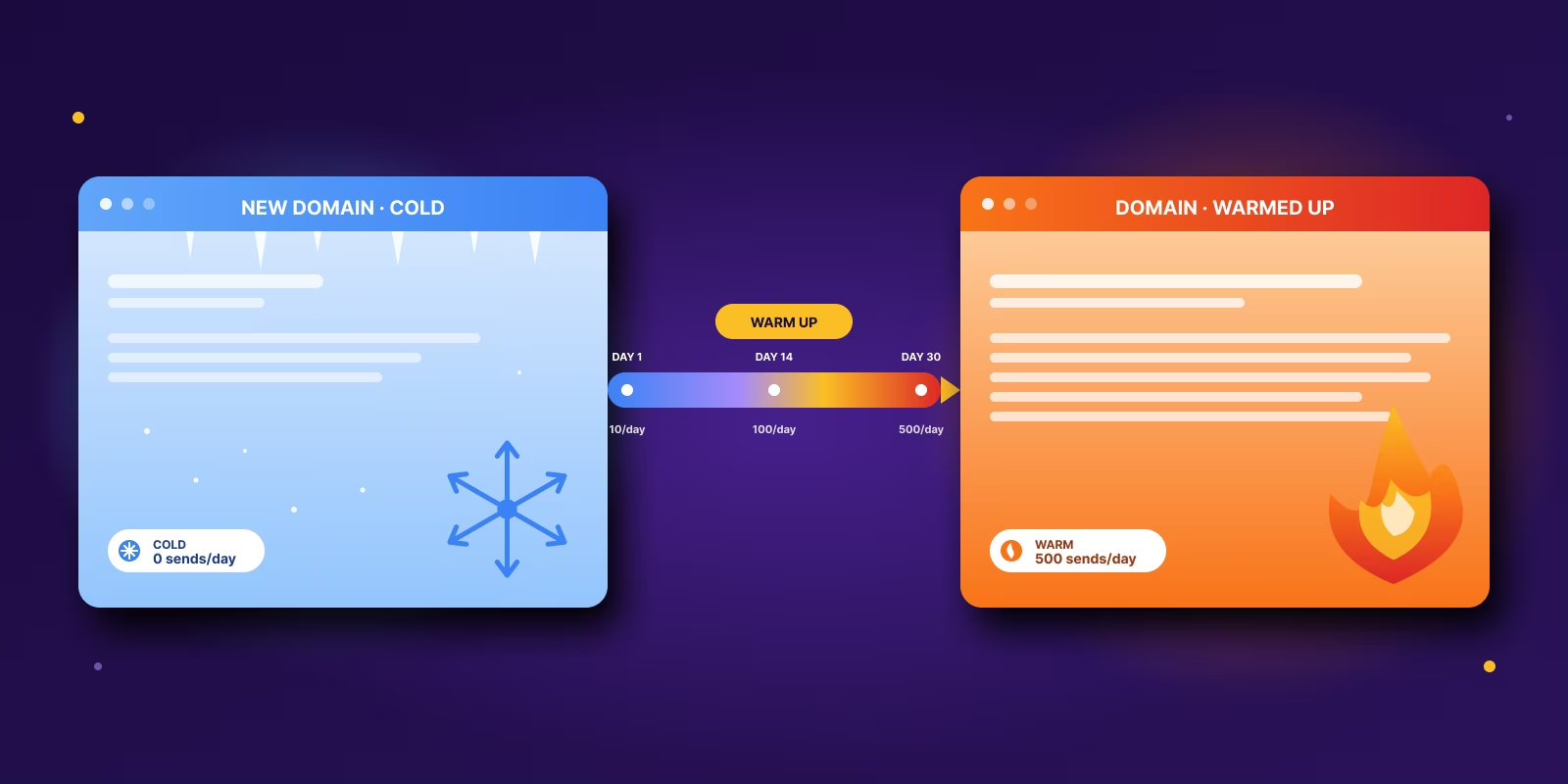

A new cold email domain needs a minimum of 30 days of warm-up before it carries real outbound volume, and 4 to 8 weeks before it reaches maximum deliverability. That upper bound comes from Microsoft's own sender warm-up guidance, which recommends raising volume in controlled stages capped at roughly 1.5x the previous step. Reachly holds every new client domain to the 30-day floor before a single prospect receives a campaign.
The calendar is only half of it. A domain earns inbox placement when Gmail, Outlook and the other mailbox providers see a consistent pattern: authenticated mail, controlled volume growth, real human engagement, and spam complaints and hard bounces held near zero. Two domains registered on the same day can finish the month with very different reputations depending on what they sent and who they sent it to.
This guide is the operator version, written from the domains we warm every month at Reachly. It covers the timeline by scenario, the day-by-day volume schedule, the authentication records that have to exist first, the new-domain versus subdomain call, and the exact spam and bounce thresholds that decide whether a domain graduates or goes back a stage.
TL;DR: Summary
- 30 days is the floor for a brand-new domain. Microsoft puts maximum deliverability at 4 to 8 weeks. The 14-day figure that circulates online predates the 2024 bulk-sender rules.
- An established domain or subdomain can activate in 1 to 2 weeks because it already carries sending history. A domain recovering from a reputation hit takes 4 to 8 weeks and a paused list.
- Volume ramps roughly 1.5x per stable plateau. Start at 5 to 10 emails per mailbox per day, hold each stage about 2 days, and cap at 15 per mailbox for Google and 10 to 12 for Outlook.
- Two thresholds decide everything. Spam rate under 0.08 percent and bounce rate under 2 percent, per Customer.io domain warming guidance. Cross either and recovery takes weeks.
- Recipient quality sets the timeline more than the schedule does. Weeks 1 to 2 go to contacts who engaged in the last 30 days. Avoid anyone with no engagement in 90 days for the first 6 weeks.
- Graduate on data, not on the calendar. A domain is ready when staged volume increases land without complaints, bounce spikes, or placement drifting toward spam.
- Reachly runs warm-up on dedicated secondary domains as part of its cold email service, so the client's primary brand domain never carries outbound risk.
How long does it take to warm up a cold email domain?
The figure most guides quote is 2 to 4 weeks, with more conservative teams stretching to 6 to 8. Microsoft's own guidance says maximum deliverability can take 4 to 8 weeks depending on target volume and engagement. Our floor sits at 30 days, and the reason has more to do with how the domain behaves than with the date.
A domain does not warm up because you left it alone for a few weeks. It warms up because mailbox providers saw a pattern they trust: authenticated mail, controlled sending volume, real engagement, and no ugly signals like spam complaints or hard bounces.
Two companies can buy domains on the same day and finish the month in very different places. One sends low volume to clean, responsive contacts and ramps carefully. The other sends too much, too fast, to a weak list. Same age, different reputation, and the calendar decided none of it.
The working question during warm-up is whether the domain has earned enough trust to carry more volume without damage. Answer that at each stage against the spam and bounce readings and the schedule mostly writes itself.
Two weeks of warmup is the legacy advice. Thirty days is the 2026 number. Google now flags any domain younger than 30 days with a yellow banner above your email, and that banner tanks reply rates before the prospect even reads the first line. We treat 30 days as the floor for every new client domain. Buying pre-warmed infrastructure is the accepted shortcut when 30 days is not on the table.

The whole ramp fits on one chart. Volume steps up only while the three readings underneath it stay clean.
What does warming up an email domain actually do?
Warm-up is reputation building under another name. The sending is the mechanism; the reputation is the product.
A new sending domain starts with no track record. Mailbox providers do not know if you are a real business sending relevant outreach or a spammer running a fresh domain. So they watch your behavior closely, especially in the first month. The closest analogy is a credit file: an empty history reads as unproven rather than bad, and it still limits what you are allowed to do.
Providers are not judging your domain on one thing. They are watching a pattern.
Authentication is in place. If SPF, DKIM, and DMARC are not set up properly, you look suspicious before content even gets evaluated. Volume changes are controlled. Sudden spikes look risky. Steady behavior looks normal. Recipients react like humans. Opens, replies, and natural engagement tell providers that your mail is wanted. Negative signals stay low. Spam complaints and hard bounces tell providers the opposite.
This is why warm-up success depends on recipient engagement rather than calendar time, and why recent deliverability guidance increasingly recommends throttling volume across 30 to 60 days and continuing warm-up activity for as long as the domain is used for sales and marketing.
Founders usually rush warm-up for one reason. Pipeline feels urgent. That urgency creates the exact behavior mailbox providers hate. A new domain appears, starts sending hard, and gets mixed engagement because the list or the copy was not ready. From the provider side that reads as a sender who has not earned trust, whatever the intent was. The rushed launch costs more time than it saves, because the domain then has to be recovered before it can be used.
List quality changes the answer too. A strong list with real relevance can support a faster reputation build. A weak list can stretch the timeline far beyond what the calendar says, even on a domain that is technically old enough. Reachly's piece on domain reputation for cold email connects the technical setup with the actual sending behavior. That is the part many teams separate when they should be looking at it as one system.
What has to be in place before warm-up starts?
Before you send anything, fix the plumbing.
A large share of what gets reported as a warm-up problem turns out to be a setup problem. The domain was never authenticated properly, tracking was messy, or the sending environment looked inconsistent from day one. No volume schedule fixes that. You have to fix it once, then build on it.
All three records have to resolve correctly before warm-up starts. If any of them are missing or broken, warm-up gets harder because mailbox providers cannot confidently verify who sent the message. You are asking for trust while failing the basic identity checks.
What good setup looks like in practice is simple. One sending setup per mailbox group, no random mix of tools and routes unless you know exactly how each one authenticates. Branding consistent between domain, sending identity, and reply handling. A custom tracking domain when your tool supports it, which keeps the sending environment cleaner than the generic shared tracking domains that get associated with spam patterns.
A few common mistakes that waste good domains. Skipping authentication checks before launch because the records "should have propagated." Using your main company domain for early cold outbound, which ties any reputation risk directly to the primary brand. Sending links too aggressively in the first 7 days, which makes natural human mail look like a campaign. Layering multiple automation tools on top of each other before any of them have settled, which makes troubleshooting impossible when something breaks.
Reachly's own write-up on cold email deliverability is a closer fit if you want a view tied specifically to outbound execution rather than newsletter sending. Our pillar piece on email deliverability covers the full infrastructure stack from authentication through ESP-to-ESP matching.
What does a 30-day email domain warm-up schedule look like?
Warm-up ends when the domain handles the volume you need without bad signals. That usually takes several weeks, but the calendar matters less than the pattern. Clean setup, tight lists, healthy engagement: you move faster. Thin replies, creeping bounces, slipping placement: the schedule stretches.
Microsoft's guidance puts the upper bound at 4 to 8 weeks for maximum deliverability and recommends increasing volume in controlled stages, with each step capped at about 1.5x the previous one. That is a useful benchmark. The Reachly floor is 30 days minimum, because domains younger than that draw extra scrutiny from Gmail in the campaigns we run and reply rates suffer for it.
Stable trust is the target; volume is the evidence of it. The practical rule is to increase only when the current level is holding up. Microsoft also ties warm-up speed to recipient quality. Weeks 1 to 2 should go to people who opened or clicked in the last 30 days. Weeks 3 to 4 can expand to recipients active in the last 60 days. During the first 6 weeks, avoid people with no engagement in the last 90 days. Better recipients create better signals, and better signals buy you the right to scale.
Here is the four-stage schedule we run for new client domains.
| Stage | Days | Daily volume per mailbox | Audience focus |
|---|---|---|---|
| Opening | Days 1 to 3 | 5 to 10 emails | Highest-confidence contacts only. Past customers, friendly partners, warm relationships |
| Early build | Days 4 to 10 | 10 to 15 emails | Replies, opens, placement holding. Plain-text style. Minimal links |
| Controlled expansion | Weeks 2 to 4 | Step up by ~1.5x at each stable plateau | More mailboxes or higher volume. Hold each stage 2 days before increasing |
| Cold outbound ramp | Weeks 4 to 8 | Cap at Google 15 / Outlook 10 to 12 per mailbox per day | Real prospecting only after the domain has shown stable behavior at lower volumes |
How Reachly coordinates this at the campaign level: one ops lead owns infrastructure, one strategist owns audience selection per stage, and Smartlead handles ESP-to-ESP matching automatically. Google sends to Google, Outlook sends to Outlook. Mixing the two is one of the silent reasons placement drops mid-warm-up.
Three signals decide whether you move up, hold, or step back at any stage. Replies and natural engagement, where real responses matter more than vanity open rates. Bounces and technical errors, where a spike usually means the list or the setup is weaker than you thought. Inbox placement trends, where mail drifting toward spam or promotions is the early warning that more volume will make things worse, not test them.
If those signals stay clean, keep going. If they soften, pause at the current level. If they get worse, reduce volume and fix the cause before sending more. Sending more on a slipping domain produces a worse domain every time, never better data.
Manual warm-up gives you more control over who gets emailed and why. That matters because recipient quality decides the timeline more than the schedule does. Automated email warm up tools like TrulyInbox help with consistency, especially across several inboxes, but they do not fix bad targeting, weak copy, or a list pulled from the wrong source. A domain can look fine inside a warm-up tool and still struggle the minute real campaigns hit low-intent prospects. The best teams use both, then judge readiness by real campaign behavior, not by whether a tool says the domain is "warmed."
How long does it take to warm up a single email address or inbox?
A single new mailbox on a domain that is already warm needs 7 to 14 days, not 30. The domain carries the reputation; the mailbox only has to establish its own sending pattern underneath it. Open at the same 5 to 10 emails per day and step up on the same 1.5x rule.
The 30-day figure applies to the domain. Teams often add mailboxes in batches as volume needs grow, and each batch wants its own short ramp rather than being dropped straight onto the campaign at full volume. Adding five mailboxes and sending 15 a day from each on day one produces the same volume spike the domain warm-up was designed to avoid. Inbox rotation spreads the load once every mailbox has been through that ramp.
Here is how the timeline moves depending on what you are starting from.
| Starting point | Time to full outbound volume | Source |
|---|---|---|
| Brand-new domain | 30 days minimum before real volume, 4 to 8 weeks to reach maximum deliverability | Microsoft sender warm-up guidance, plus the Reachly floor |
| Subdomain of an established domain | 1 to 2 weeks of activation, because the parent domain already carries history | Reachly client builds |
| A new mailbox on a domain that is already warm | 7 to 14 days for the mailbox itself, at the same 5 to 10 per day opening volume | Reachly client builds |
| A domain that has sat idle for 6 months or more | 2 to 3 weeks, treated as a restart rather than a cold start | Reachly client builds |
| A domain recovering after a spam-rate or bounce breach | 4 to 8 weeks, with sending paused and the list re-verified before the ramp restarts | Customer.io domain warming guidance |
| Pre-warmed infrastructure bought with reputation history attached | Days, since the history is what you are paying for. Check it before you send. | Reachly client builds |
The pattern across all six rows is the same. Sending history is the asset. Anything that already has history activates in days or weeks, and anything starting from zero owes the full 30 days.
Should you warm up a new domain or a subdomain?
The infrastructure question carries more weight than most teams give it, because the wrong choice creates risk that was avoidable.
The usual decision is whether to send from a brand-new domain or from a subdomain of your main brand. Either can work. The trade-off is isolation versus continuity.
Warm-up duration is influenced by domain history. Established domains can compress to 1 to 2 weeks of activation. New domains hold to the 30-day floor minimum, and cautious teams wait closer to 3 months before pushing full-scale outbound from a fresh asset.
Choose a new domain when you want isolation (the safer move for founders protecting the main site), when you are testing outbound hard (more experimentation means more need for separation), or when you have multiple reps or product lines running campaigns simultaneously. Choose a subdomain when brand consistency matters more, the outbound motion is tightly controlled, and you understand the spillover risk. The subdomain route asks for more deliverability discipline, so pick it only if the team has that.
The Reachly default is dedicated secondary domains separate from the main brand, with mailboxes warmed before any real outbound runs. It is the safer operational model whenever the goal is keeping early experimentation away from the core domain.
How do you know when a domain is ready for cold outbound?
Your sending data decides this, stage by stage.
A domain is ready when the signals stay clean as volume rises. Staged increases without complaints, bounce issues, or obvious placement problems means you are moving in the right direction. If those signals worsen, you are not done, even if the schedule says you should be.
There are two numbers you should treat as hard thresholds during warm-up. Spam rate must stay below 0.08 percent. Bounce rate must stay below 2 percent. These are the limits Customer.io domain warming guidance calls out and the ones every deliverability team we work with treats as red lines. Cross either and the reputation hit takes weeks to recover, sometimes longer.
Two things follow from those thresholds. Poor list quality can ruin warm-up even on a perfect technical setup, and raising volume to test a slipping metric makes the result worse.
Beyond those two hard thresholds, watch reply quality (real people replying in a normal way, not responses drying up as volume grows), bounce patterns (a few isolated issues are normal, repeated hard bounces point to list or verification problems), inbox placement checks via tools like GlockApps or Mail-Tester, and domain reputation more broadly, which is where problems show up before the mailbox metrics move.
Before scaling real campaigns, ask three questions. Are negative signals stable (spam and bounce under control)? Can the domain handle staged increases (every increase is met with steady metrics)? Is the list clean enough for cold outbound (warm-up cannot fix a bad database)? If you want a practical checklist for placement and recovery once you are sending real campaigns, this Reachly guide on how to avoid the spam folder in cold email pairs well with the thresholds above.
Graduate a domain on clean data rather than on a finished schedule. The internal thresholds we run client domains against are tighter than the public ones: bounce under 3 percent and an inbox placement score above 97 percent on live sends. Below either, the domain holds at its current volume regardless of what day of the schedule it is on.
How long does it take to recover a burned cold email domain?
Recovery runs 4 to 8 weeks, and it starts with stopping. A domain that has crossed the 0.08 percent spam threshold or pushed bounce rate past 2 percent will not repair itself while campaigns keep running against the list that caused it.
The sequence we use on client domains that arrive damaged: pause all cold sending, re-verify the list and remove every address that has not been validated in the last 30 days, confirm SPF, DKIM and DMARC are correct rather than merely present, then restart at week-one volume of 5 to 10 emails per day to contacts who have replied before. Hold there until spam and bounce readings sit clean for a full 10 days, then resume the normal ramp.
Recovery takes longer than the original warm-up because the domain now has a negative history to outweigh rather than an empty one to fill. In several cases the honest call was to retire the domain and start a new one, which costs 30 days against a recovery that was tracking toward 8 weeks with no guarantee. Our guide to domain reputation for cold email covers the diagnostic side, and the bounce rate breakdown covers the list work that has to happen first.
What happens after the domain is warmed up?
A warmed domain is permission to begin. Pipeline comes from what you send next.
What happens next decides whether the setup work paid off. Clean lists, tight segmentation, credible copy, and fast human reply handling matter more than the fact that the domain completed a warm-up schedule. If those pieces are weak, inbox placement just helps more bad outreach get seen.
This is the part founders most often miss. They ask how many days warm-up takes, hit the number, then assume they are safe to scale. Readiness is a trust milestone that happens to be measured in weeks. Mailbox providers form that trust from your setup, your sending behavior, and the way recipients react when real campaigns start.
We have seen a well-configured domain hold up at modest volume because the list was verified, the targeting was narrow, and the copy matched the prospect. We have also seen a fully warmed domain struggle inside a week after the team loaded a broad scraped list. Same warm-up age, very different outcome.
Treat warm-up as the entry cost. A strong outbound system works as a chain. Domain health gets you placement. List quality gets relevance. Copy gets attention. Follow-up gets replies. Sales process gets meetings. If any of those break, the chain breaks. The modern outbound sales strategy post covers how the chain holds together across cold email, LinkedIn, and cold calling. The cold email best practices piece covers the reply-rate side of the chain in detail.
Protect the domain like an asset once it is ready. Start with your best segment. Keep daily volume controlled. Watch reply quality closely. If positive replies stay healthy and negative signals stay low, increase carefully. If complaints, hard bounces, or silence show up after a volume jump, fix the list or the offer before you send more.
How does Reachly warm up domains for clients?
The work we hand to clients is operational. Setting up SPF, DKIM, DMARC, and custom tracking. Buying or registering the secondary domain. Warming the mailboxes for 30 days before any cold outbound runs. Running the staged volume increases. Watching the spam and bounce thresholds. Pausing and fixing when the signals soften.
Most internal teams do not have the bandwidth to run all of that every week, on every new domain, alongside the actual selling motion. That is the gap we close.
Smartlead is the sending platform we use at the campaign level because of the ESP-to-ESP matching (Google to Google, Outlook to Outlook), live deliverability monitoring, and the auto-tapering warm-up that runs in parallel with live sends. We pair it with dedicated secondary domains, 30-day mailbox warm-up before any prospect receives a campaign, and reply management that catches problems before they show up in the metrics.
The pattern across client domains is consistent. Domains that respect the 30-day floor and the staged ramp hold their reputation. Domains that compress the timeline pay for it across the following two months in placement issues. Reachly's published delivery timeline builds this in: campaigns launch from week 4, after infrastructure warm-up, with first meetings coming 2 to 6 weeks after launch.
We warm the domains so your first campaign does not pay for it
Reachly sets up dedicated secondary domains, runs the full 30-day mailbox warm-up, then handles targeting, sequencing and reply management across cold email, LinkedIn and cold calling. Campaigns launch from week 4, with first meetings 2 to 6 weeks after launch.
See how Reachly runs cold email
Email domain warm-up FAQ
How long does it take to warm up a new cold email domain?
30 days is the floor for a brand-new domain, and 4 to 8 weeks is the range Microsoft gives for reaching maximum deliverability. The 14-day answer that circulates online predates the 2024 bulk-sender requirements from Google and Yahoo. Reachly holds every new client domain to the 30-day minimum before a prospect receives anything.
Can I warm up a cold email domain faster than 30 days?
The only accepted shortcut is buying sending infrastructure that already carries reputation history, and that works only if the history is real and clean. Compressing the ramp on a fresh domain usually burns the asset and costs more time in recovery than the ramp would have taken.
How long does it take to warm up a single email address or inbox?
7 to 14 days when the domain underneath it is already warm. The domain holds the reputation, so a new mailbox only needs to establish its own sending pattern. Open at 5 to 10 emails per day and step up on the same schedule.
How long should email warm-up last on an established domain?
1 to 2 weeks of activation rather than a full warm-up, because the domain already has sending history. A domain that has been idle for six months or more needs 2 to 3 weeks, since providers treat the gap as a change in behavior.
What spam rate and bounce rate are acceptable during warm-up?
Spam rate below 0.08 percent and bounce rate below 2 percent, which are the thresholds Customer.io domain warming guidance calls out. Cross either one and reputation damage takes weeks to undo. The internal thresholds we run client domains against are tighter: bounce under 3 percent and inbox placement above 97 percent on live sends.
What daily sending volume should I start warm-up at?
5 to 10 emails per mailbox per day for the first 3 days. Increase by roughly 1.5x at each stable plateau, holding each stage about 2 days. Cap at 15 emails per mailbox per day on Google and 10 to 12 on Outlook.
Should I use a new domain or a subdomain for cold email?
Use a new domain when you want reputation isolation, are testing outbound heavily, or have several reps and product lines sending at once. Use a subdomain when brand continuity matters more and the sending motion is tightly controlled. The Reachly default is a dedicated secondary domain kept separate from the client brand.
How many mailboxes should one warm domain carry?
Two to three mailboxes per domain is the working limit we use. Loading more concentrates volume on a single reputation, so a problem on one mailbox drags the whole domain down. Spreading the same volume across more domains costs more in registration and less in risk.
Are automated warm-up tools enough, or should I warm up manually?
Use both. Automated warm-up handles consistency across many inboxes and generates the engagement signals providers look for. The audience selection at each stage still needs a human, because recipient quality decides the timeline more than the schedule does.
Do I need to keep warming the domain after campaigns start?
Yes, at a lower level. Deliverability guidance now treats warm-up as continuous for any domain used for sales and marketing rather than a phase that ends. Warm-up traffic running alongside live campaigns keeps positive engagement in the mix when a cold campaign inevitably produces less of it.
How do I know when my cold email domain is fully warmed up?
When staged volume increases land without spam rate passing 0.08 percent, bounce rate passing 2 percent, or inbox placement drifting toward spam or promotions. A domain graduates on clean data across a full stage, not on the schedule reaching its last day.
How long does it take to recover a burned cold email domain?
4 to 8 weeks, starting with a full stop on cold sending. Re-verify the list, confirm authentication is correct rather than merely present, then restart at week-one volume to contacts who have replied before. Recovery runs longer than the original warm-up because the domain now has a negative history to outweigh.
Does buying a pre-warmed domain actually work?
It works when the reputation history attached to the domain is genuine and clean, and it fails expensively when it is neither. Check the domain against a blocklist lookup and a reputation check before the first send, because inherited history includes inherited problems.
Recommended service
Cold Email Agency
Reachly runs cold email end to end: dedicated infrastructure, signal-led copy, and replies handled until a meeting is booked.










