


 Key Findings
Industry, geography, headcount, then title cluster and seniority, then one or two timing signals. Reversing the order produces big lists that look precise and perform badly.
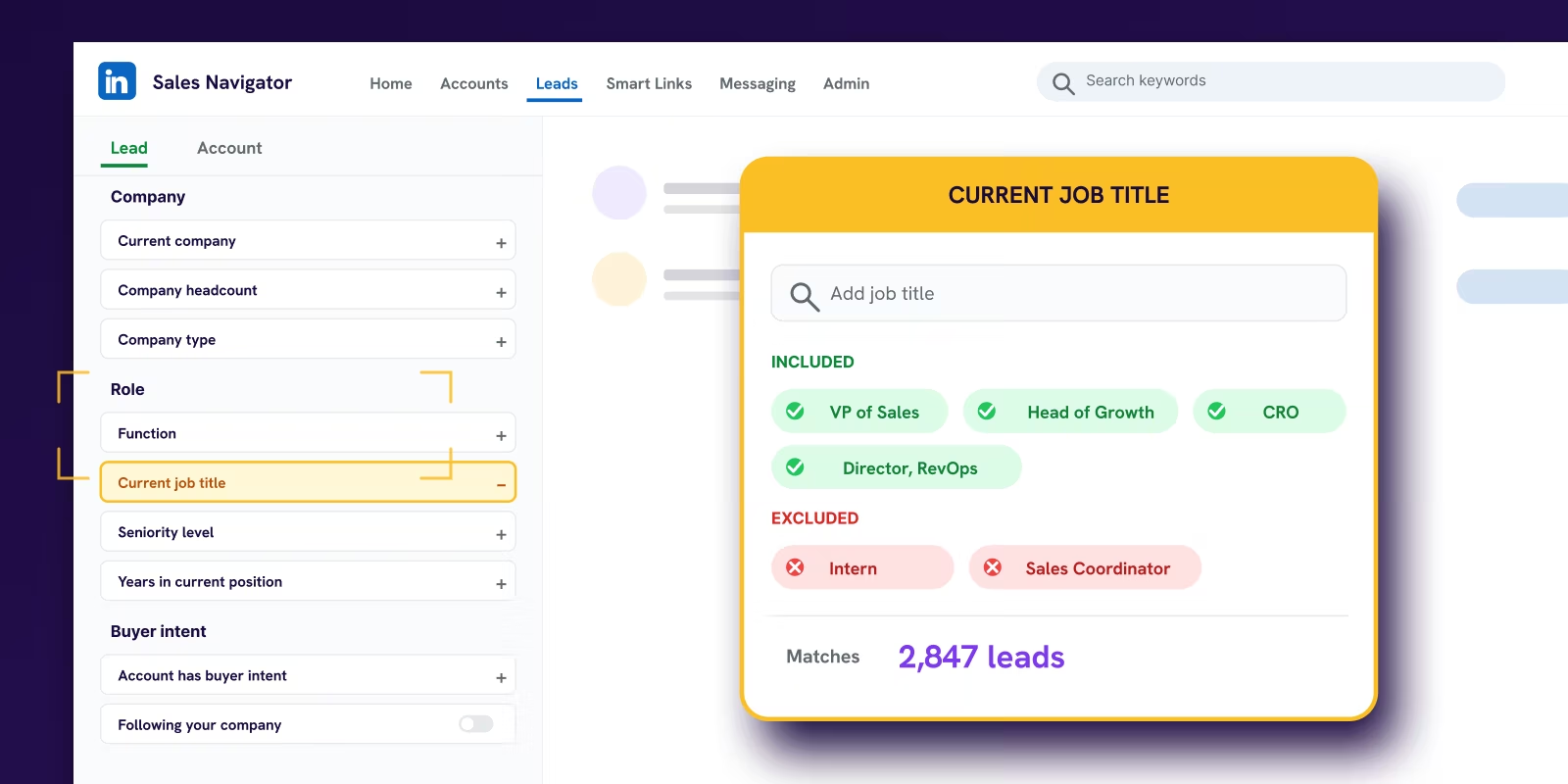
NOT does more than another positive filter. Exclude recruiters, consultants, advisors, agencies, and existing customers at the search stage, not in the CRM afterwards.
Recent posting and news mentions are contactability signals. Job changes, hiring, headcount growth, and funding are change signals. Only the second group reliably opens the vendor evaluation window.
New budget holder, growing-pains hiring, tech stack replacement, freshly funded. Same tool, different sequence. The trigger is never the whole search, it just decides where to look first.
Keep 4 to 6 persistent searches tied to your core motions. Sales Navigator surfaces new matches as the market shifts. That is what a prospecting engine looks like instead of monthly list rebuilds.
Most users run Sales Navigator backwards.
They start with a title, add a country, hit search, and feel good when the result returns a giant list. That is not prospecting. That is browsing with extra steps. If your search returns a huge pool, you have not found opportunity. You have failed to narrow the market into people who can buy, at companies that should care, at a moment when change makes a conversation possible.
LinkedIn Sales Navigator search filters only work when you treat them as a system. The tool has matured into that kind of system. Sales Navigator now offers 36 lead filters and 16 account filters, compared with 18 filters in LinkedIn Basic Search, and those filters are grouped to support tighter ICP targeting rather than casual profile lookup, as laid out in Evaboot's breakdown of Sales Navigator filter categories.
That is the shift. Good list building is not about finding more people. It is about sequencing filters so the bad fits fall out early, the decent fits stay visible, and the high-intent prospects rise to the top. This guide walks through the operator playbook used across Reachly's LinkedIn outreach agency work and pairs with the broader 2026 LinkedIn lead generation playbook.
TL;DR: Summary
- Sales Navigator carries 36 lead filters and 16 account filters in 2026, against 18 in LinkedIn Basic Search, and Core costs $119.99 per month.
- Filter order decides list quality. Account-level filters first, then persona, then timing signals. Applying them in any other order leaves junk in the pool.
- A search returning a huge result count is a warning, not a win. Target a few hundred named accounts you can actually work.
- NOT and account-level exclusions remove recruiters, consultants, students and current customers before the list reaches your CRM.
- Four repeatable recipes cover most B2B plays: new budget holder, growing-pains hiring, tech stack replacement, and freshly funded.
- Saved searches turn a one-off list into a prospecting engine that surfaces new matches as the market moves.
- Reachly builds these lists as part of managed LinkedIn outreach, with first meetings 2 to 6 weeks after launch.
Why do most Sales Navigator searches fail?
The popular advice is wrong. "Start broad" sounds safe. It creates lazy lists.
A search for a job title plus location usually gives you a messy mix of buyers, non-buyers, consultants, students, vendors, agencies, and people who match the words but not the account. Teams then export that pool, shove it into Clay or a CSV, and wonder why reply quality is poor. The list was broken before the first email went out.
Big result counts are a warning
If you are staring at tens of thousands of results, that is not a pipeline. That is unresolved targeting.
Sales Navigator is not just a giant directory. It has become a multi-signal search system, and the teams getting meetings from it do not run one-dimensional searches. Independent guidance consistently points to a better pattern: start with decision-maker fit and company fit, then layer timing signals like activity, hiring, growth, or job changes. That is the difference between finding names and finding reasons to reach out.
Sales Navigator works best when you eliminate markets first, then people, then timing. Most teams do the reverse.
That mistake shows up everywhere. A founder wants "Heads of Marketing in Singapore." Fine. At what company size? Which industries feel the pain your product solves? Are you better off with first marketing hires, established teams, or companies hiring into that function right now? Without those answers, filters just create false precision.
Start with questions, not dropdowns
The best searches begin outside LinkedIn.
Write down three things first:
- Who owns the problem. Not who uses the product. Who feels the pain and can move budget.
- What makes the account a fit. Industry, geography, headcount, tech stack, revenue model, or market segment.
- What makes now a good time. Hiring, funding, expansion, leadership change, or visible activity.
That is the logic behind filter sequencing. It is also why account-first prospecting usually beats people-first prospecting in B2B. You narrow the company set before you go title hunting inside it.
For the broader framework that wraps this kind of sequencing across channels, a modern outbound sales strategy that books meetings is aligned with how serious teams build lists now. And do not confuse visibility with intent. Someone posting a lot on LinkedIn might be easier to reach, but they still need to fit the account and role. If your team runs founder-led or content-driven outreach, this guide to boosting LinkedIn views for creators explains why some prospects look more active than others.
Which core Sales Navigator filters should you start with?
Good lists are built in the right order.
Start with account filters that define the market you want, then move to lead filters that identify the people who can get a deal moving. If you reverse that sequence and start with titles, Sales Navigator will happily return a large list that looks precise and performs badly.
Here is the structural model we use.
| Filter group | Filter | What it identifies |
|---|---|---|
| Account filters | Industry | Sector of operation |
| Company size | Number of employees | |
| Geography | Headquarters or branches | |
| Lead filters | Job title | Specific roles |
| Seniority level | Influence within company | |
| Years in role | Tenure for stability or change |
The foundation usually comes down to five filters: geography, industry, company headcount, job title, and seniority. They look basic. The value is in how you combine them for the motion you run.
If you sell by territory, geography goes first. If you sell a product with clear size constraints, headcount goes first. If your offer only works in a narrow vertical, industry leads. The mistake is treating every search the same.
Geography
Use geography to match your go-to-market model, not to make the list feel tighter.
Territory-based teams should set this early. It keeps routing clean and avoids handing SDRs accounts they cannot work. The trade-off: account geography and lead geography often point to different places. A company may be headquartered in New York while the buyer sits in Dublin or Singapore. For distributed companies, filter accounts by the market you want to sell into, then use lead geography to find the right local stakeholder.
If none of that changes your motion, keep geography broader than you think.
Industry
Industry is a blunt tool. Useful, but blunt.
LinkedIn's industry data is good enough for narrowing a market and not good enough to define an ICP on its own. Software companies get misclassified. Agencies and consultancies bleed into adjacent categories. Fintech, healthtech, and vertical SaaS companies often sit in buckets that are too broad to be useful alone.
Use industry as the first pass, then tighten with company keywords, account lists, or adjacent firmographic filters. For a fintech infrastructure play, start with Financial Services and Computer Software, then narrow by company description terms tied to payments, risk, lending, or compliance. The filter does less work alone than it does in combination.
That same logic applies if your team also uses B2B intent data to prioritize outreach. Intent only helps when the account set is already close to the market you serve.
Company headcount
Headcount is one of the highest-value filters in Sales Navigator because it changes the buying process.
A 30-person company and a 3,000-person company can share the same title structure and still buy in completely different ways. Budget authority, implementation complexity, procurement, and urgency all shift with size. Set headcount before title.
A few practical examples:
- For founder-led sales or products with short implementation cycles, smaller companies often convert faster.
- For tools that need cross-functional adoption, mid-market headcount ranges usually produce better call quality.
- For enterprise offers tied to security, governance, or multiple teams, larger headcount bands matter early because the buyer committee is part of the sale.
If company size changes pricing, onboarding, required integrations, or who signs, filter for it before you look for people.
Job title
Title is where list quality usually breaks.
Exact-title searches miss too much of the market. Broad title searches create cleanup work your team never finishes. The answer is title clusters built around how companies organize the function. Use groups of likely owners, champions, and adjacent stakeholders.
A better habit is to write title logic around the GTM play:
- New funding play. Include leaders who can add tools quickly, plus hands-on operators who will evaluate them.
- Tech stack replacement play. Include the admin or ops owner, not just the department head.
- Expansion play into enterprise accounts. Include both functional leadership and cross-functional operators.
Single-title searches look clean in the UI. They usually underperform in the pipeline.
Seniority level
Seniority is a control filter. Use it to keep the title search honest.
Use it after title clusters are in place, once you can see whether the search is filling up with specialists or coordinators. In mid-market accounts, manager and director often feel the pain first and do the evaluation work. In enterprise, seniority filters help cut out contributors who can influence but cannot sponsor.
A strong baseline search often looks like this: account filters first, then title cluster, then seniority to trim obvious mismatch. That sequence produces lists you can use for outreach instead of lists that only look good in a screenshot.
Which advanced filters surface timing and intent?
A perfect-fit account with no reason to change is hard to move.
Advanced filters matter. Not because they are fancy, but because they help you spot motion. Motion is when new vendors get evaluated.
Independent guides have pushed this approach for a reason. They recommend starting with core fit filters (title, seniority, industry, headcount, location), then adding timing signals such as activity, job changes, hiring activity, and company growth. The bigger idea, laid out in Extra Mile's guide to Sales Navigator search filters, is that Sales Navigator now acts as a multi-signal prioritisation engine rather than a simple directory.
Broad prospect pool
All potential leads before advanced filtering.
Engaged and active
Prospects who have shown recent activity or interest.
Trigger event qualified
Leads experiencing significant company or career changes.
High-intent leads
Ready-to-engage prospects identified by specific timing signals.
The strongest filters create a reason for change. New leaders often reassess tools. Hiring tells you a team is building capacity or feeling pain. Growth can expose workflow gaps fast.
Good sequencing beats random stacking
Do not dump every advanced filter into one search. That usually shrinks the list too far or creates weird blind spots.
A better pattern:
- Filter accounts first. Industry, geography, company headcount.
- Filter people second. Title, function, seniority.
- Add one or two timing signals. Job changes, hiring, growth, activity.
This matches the signal-based outbound approach Reachly uses across campaigns: company-level signals (funding, hiring, leadership, tech stack), then LinkedIn signals (job changes, engagement), scored against an intent matrix before outreach starts. The best timing filters do not just tell you someone exists. They tell you why your message might land this month instead of getting ignored.
What to ignore first
"Mentioned in the news" can be useful. It can also waste time.
If the news item has nothing to do with your offer, it is not a trigger. Same with generic posting activity. A prospect being active on LinkedIn may help you warm up the account through comments or profile views, but it does not mean they are evaluating vendors. Treat visibility as a contactability signal, not a buying signal.
How do you use Boolean search and exclusions to refine a list?
Most bad lists are not missing enough filters. They are missing enough exclusions.
List quality usually jumps not because Boolean is magical, but because it lets you remove obvious junk before it ever reaches your CRM or outbound tool. Sales Navigator search works best as a sequenced filter stack: ICP-level firmographics, role filters, as DemandSense's guidance on using Sales Navigator lays out. Exclusions should sit beside every stage, not after the fact.
NOT does more than another positive filter
A lot of teams keep adding titles to get closer to the buyer. That helps, but one sharp exclusion often cleans the list faster than five extra inclusions.
Try patterns like these in title or keyword fields:
- Exclude junior roles. NOT Intern NOT Assistant NOT Coordinator
- Exclude talent teams. NOT Recruiter NOT Talent NOT HR
- Exclude service providers. NOT Consultant NOT Agency NOT Freelancer
A search for RevOps or growth leaders can easily pull in recruiters, consultants, and advisors if you do not actively cut them out. A clean list is built by subtraction.
Copy-paste strings that actually help
You do not need complex logic for most B2B list building. You need clean title grouping and clear exclusions.
| Target | Search string |
|---|---|
| Revenue leaders | ("VP Sales" OR "Head of Sales" OR "Sales Director" OR CRO) NOT Assistant NOT Recruiter |
| Marketing decision-makers | ("VP Marketing" OR "Head of Marketing" OR CMO OR "Demand Generation") NOT Agency NOT Consultant |
| Data and ops leaders | ("Revenue Operations" OR RevOps OR "Sales Operations" OR "Marketing Operations") NOT Analyst NOT Associate |
| Founders at smaller companies | (Founder OR Co-Founder OR CEO) NOT Advisor NOT Investor |
Parentheses keep searches sane
Without parentheses, title logic gets messy fast.
If you are mixing role families and product context, group terms properly. A clean example:
(("Head of IT" OR CIO OR "VP IT") AND (Security OR Infrastructure OR Cloud)) NOT Consultant
That is much cleaner than throwing every term into one flat string.
Exclusions at the account level matter too
People focus on lead exclusions and forget account cleanup. Use account filters and list logic to remove segments you already know are bad fits:
- Existing customers
- Partners and resellers
- Competitors
- Agencies if you sell to in-house teams
- Tiny companies if your product needs department depth
Once the account set is clean, lead selection gets easier.
What are the best Sales Navigator search recipes for common B2B plays?
Theory is useful. Search recipes are what teams actually use.
The point is not to copy these blindly. It is to see how filter sequencing changes based on the GTM play. Same tool, different logic.
New budget holder
A new executive often revisits old tools, old agencies, and old processes. That window does not stay open long.
This play works best when your offer affects a department leader directly. Think VP Sales, Head of Marketing, Head of Ops, CIO, or similar roles.
Filter sequence:
- Account filters first: geography, industry, company headcount
- Lead filters next: target titles plus seniority
- Timing filter last: recent job change
Why it works: new leaders need quick wins, and they have not built internal loyalty to every incumbent vendor yet. What goes wrong: teams target "new job changes" without account fit. That creates a list of fresh leaders at companies that should never have been in the market to begin with.
Growing-pains hiring
Hiring creates operational stress. That is good for outbound if your product sits near the function being built.
If a company is hiring SDRs, RevOps, recruiters, security engineers, customer success roles, or regional marketers, there is usually a reason. Process is straining. Tooling may be lagging. Leadership is trying to build repeatability.
Filter sequence:
- Account layer: target industry, geography, headcount band
- Trigger layer: hiring on LinkedIn
- Lead layer: the executive who owns the team being expanded
In practice, do not message the recruiter. Message the function owner. Hiring is useful when the open role points to pain your product can solve. Hiring by itself is just movement.
Tech stack replacement
This is one of the strongest plays when your product replaces, complements, or improves on a known category.
Start with account filters, then use technologies used to identify companies on the stack you care about. After that, pick the buyer group tied to the implementation or outcome. Sometimes that is IT. Sometimes it is marketing ops. Sometimes it is a founder in smaller companies.
Filter sequence:
- Industry and company size
- Technology used
- Geography if needed
- Lead title cluster
- Exclusions for agencies, consultants, or unrelated operators
This search gets stronger when your messaging is precise. If you are going after a stack-specific angle, your outreach should talk about migration pain, integration issues, admin overhead, adoption problems, or cost complexity. Generic "noticed you use X" messages get deleted. If you're pairing this with AI-assisted research or lead scoring, these B2B sales tips using AI agents add useful ideas for account research that doesn't sound robotic.
Freshly funded
Funding is not magic. It is a sign that plans may have changed.
Sometimes that means bigger teams, faster expansion, more pressure from investors, or a renewed push into sales and marketing. Sometimes it means nothing for your category. So do not lead with the funding. Use it as the last layer after you have already confirmed the company and buyer are right.
Filter sequence:
- Industry
- Company headcount
- Geography
- Funding-related account signal
- Leadership titles or department heads
Best use case: products tied to growth, hiring, GTM infrastructure, reporting, security, finance ops, or internal process maturity. Weak use case: products with long replacement cycles and no direct tie to expansion pressure.
One rule across all four
The trigger is never the whole search.
You still need company fit. You still need role fit. You still need exclusions. The trigger just tells you where to look first and which accounts deserve attention now. That is the difference between using LinkedIn Sales Navigator search filters as features and using them as a prospecting system. Reachly's own campaigns running this pattern produced 85+ sales qualified leads in six months and a 4.57x return for Primal, and took The Great Room from roughly two meetings a quarter to two a month on the way to $250K+ in closed contract value.
How do you save searches to build a prospecting engine?
A good search should not die in a spreadsheet.
Once you have built a clean filter sequence, save it. Then let the tool surface new matches as the market changes. That is how you stop rebuilding the same list every month.
Static lists decay fast
People change jobs. Companies hire. New accounts enter your ICP. Old ones drift out.
Saved searches fix that by turning your best targeting logic into an always-on feed. Instead of batch-building a list, exporting it, and forgetting it, you create a standing query that keeps producing fresh prospects when the right conditions appear. That is especially useful for trigger-based motions like new leaders, hiring surges, and stack-based targeting.
Build a small set of persistent searches
If you're still learning the product, this primer on what LinkedIn Sales Navigator is is a good reset before you overcomplicate the workflow. Do not create dozens. You will not maintain them. Create a handful tied to your core motions:
- Named accounts plus target roles
- New executives in your ICP
- Hiring-based searches by department
- Tech-stack-based replacement plays
The practical benefit is simple. Your reps spend less time list building and more time writing messages that fit the account, the buyer, and the moment. That is what a prospecting engine looks like.
LinkedIn outreach that books the meeting. Across 400+ campaigns.
Reachly is a triple-certified LinkedIn outreach agency (Clay, Smartlead, HeyReach) running done-for-you cold email, LinkedIn, and cold calling for B2B teams across APAC, USA, Canada, UK, and ANZ. Signal-based targeting, clean Sales Navigator lists, and personalized messaging tied to real buying triggers. Primal hit 4.57x ROI in 6 months. The Great Room closed a $250K contract on the same playbook.
See how Reachly works
LinkedIn Sales Navigator search filters FAQ
How many filters does LinkedIn Sales Navigator have in 2026?
Sales Navigator offers 36 lead filters and 16 account filters, against 18 filters in LinkedIn Basic Search. The count matters less than the grouping: the filters are organized so you can narrow by account fit first, then persona, then timing, which is the order that produces a workable list.
What is the correct order to apply Sales Navigator search filters?
Account-level filters first (geography, industry, headcount), then persona filters (job title, seniority, function), then timing signals (headcount growth, recent job changes, funding, hiring). Applying persona filters before account filters leaves you scrolling through the right people at companies that will never buy.
What are the best filters to find buying intent on LinkedIn?
Recent job changes inside the last 90 days, headcount growth over the last year, active hiring on relevant roles, and recent funding. None of these prove intent on their own. Stacked against a tight account list they identify the small group where a change makes a conversation reasonable this month.
Can I use Boolean search in Sales Navigator?
Yes, in the keyword and job title fields. AND, OR and NOT all work, and parentheses group terms so a long string stays predictable. NOT does the most work of the three because it strips recruiters, consultants, students and advisors out of a title search before you ever see them.
Should I filter by industry or by company keywords?
Use both, and trust company keywords more. LinkedIn's industry field is self-reported and companies pick it once at signup, so a vertical SaaS company often sits under a generic technology label. Company keywords read what the business actually says about itself, which is closer to the truth.
How do I save Sales Navigator searches for ongoing lead generation?
Save the search once the filter sequence is clean, then let Sales Navigator surface new matches as the market changes. Keep a small set of persistent searches rather than dozens, because a saved search you never review is a static list that decays at roughly 2 to 3% a month as people change jobs.
Is Sales Navigator worth it for small B2B teams?
Yes if your average deal size is above $5,000 and you run a signal-based outbound motion. Sales Navigator Core is $119.99 per month, or $1,079.88 billed annually, and Advanced is $159.99 per month. It pays back within a single campaign because the filter precision compresses list-building time and lifts reply quality on the prospects you reach.
How much does LinkedIn Sales Navigator cost in 2026?
Core is $119.99 per month or $1,079.88 per year per license. Advanced is $159.99 per month or $1,799.88 per year. Advanced Plus is quoted individually based on team size, CRM integration and onboarding. Core covers the search filters described in this guide; Advanced adds TeamLink and smart links. Our LinkedIn Sales Navigator pricing guide breaks down the team plans in full.
How large should a Sales Navigator search result be?
Small enough to work. A few hundred named accounts is a list a team can research and message properly. A result count in the tens of thousands means the filters have not narrowed the market, and the pool will be worked shallowly or not at all.
Can you export leads from Sales Navigator?
Not natively. LinkedIn provides no export button, so teams use a third-party Chrome extension such as Evaboot or Wiza to turn a saved search into a verified CSV. Those tools sit outside the LinkedIn user agreement, so pace exports and run one per session rather than in bursts.
What is the difference between lead filters and account filters?
Account filters describe the company: headcount, industry, revenue, headcount growth, recent funding, technologies used. Lead filters describe the person: job title, seniority, function, years in role, recent job change. Build the account list first, then apply lead filters inside it, so persona precision is spent only on companies worth reaching.
Do Sales Navigator filters replace a data provider?
No. Sales Navigator identifies the right people but exposes no verified email or direct dial, so a separate enrichment and verification layer still sits between the search and the first message. Bounce rate has to stay under 3% to protect sending domains, which a raw export will not deliver on its own.
Recommended service
LinkedIn Outreach Agency
Reachly runs signal-led LinkedIn campaigns that open conversations with your ICP, from targeting through follow-up.










