Learn LinkedIn connection request limits in 2026: safe weekly caps, warm-up rules, pending invite thresholds, and restriction risks.
For a warmed profile in September 2026, the practical cap for LinkedIn connection requests is usually 80 to 100 invites per rolling 7 days. On a new or recently reactivated account, we stay far lower, usually 5 invites a day in week 1 and only move toward 15 a day after 30 days. LinkedIn does not publish the exact invite cap, so those numbers come from Reachly-managed accounts across 400+ campaigns and 50+ B2B clients, not from a public LinkedIn help page.
What LinkedIn does publish is the reason people get restricted. According to LinkedIn Help, temporary invitation restrictions usually happen after many invites are sent in a short time, when too many invites stay pending or get ignored, when recipients mark invites as spam, or when activity looks automated. Most restrictions lift within a week. That part is official. The exact weekly number is not.
What is the actual LinkedIn weekly invite cap in 2026?
The short answer is this: the LinkedIn weekly invite limit is real, but mostly unpublished. In practice, we do not see a meaningful difference between Basic, Premium, and Sales Navigator when it comes to the raw weekly invite ceiling. The bigger factors are account age, recent activity, acceptance rate, and how many pending invites are sitting on the profile.
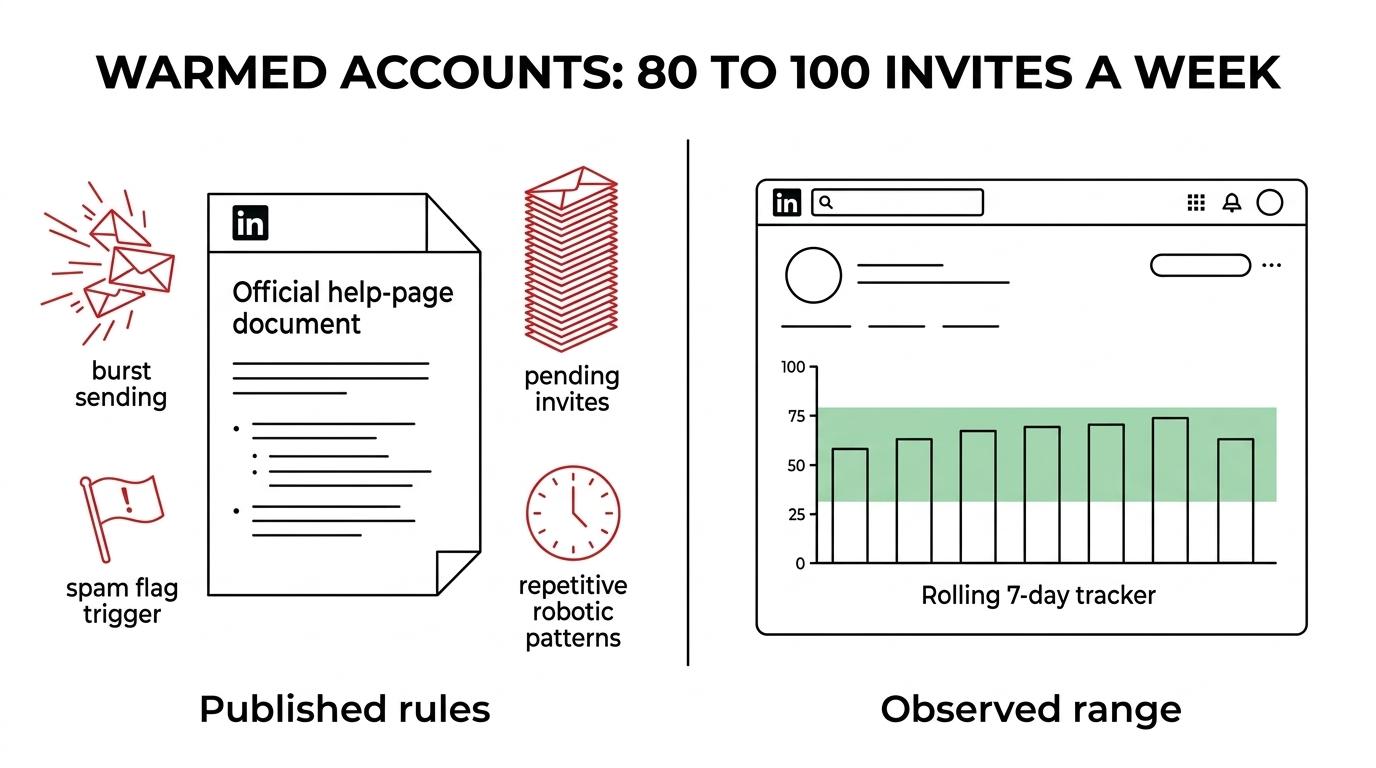
This is the range we work from on live accounts observed in September 2026.
[markdown] | Limit type | What we see in September 2026 | What LinkedIn publishes | What happens when you cross it | | --- | ---: | --- | --- | | Weekly invite cap on warmed accounts | 80 to 100 invites per rolling 7 days | LinkedIn says limits apply to Basic and Premium, but does not publish the number | Temporary restriction, usually about 1 week | | Safe daily sending on new accounts | 5 per day in week 1, 8 in week 2, 10 in week 3, 12 to 15 in week 4 | Not published | Restriction risk rises fast if you spike volume | | Safe daily sending on aged accounts | 15 per day is our default, 20 only on very healthy profiles | Not published | You hit temporary limits sooner, or acceptance drops | | Pending invites on one profile | We try to stay under 300. Risk rises sharply past 500 | LinkedIn says lots of pending invites increase restriction risk | You may get blocked from sending more invites | | Personalized note allowance | Free: 5 per month. Premium: unlimited | Published by LinkedIn | Free users lose the note option after 5 | | Resend after withdrawal | 21 days | Published by LinkedIn | You cannot re-invite the same person for up to 3 weeks | [/markdown]That table is why the phrase “LinkedIn daily limits” confuses people. There is no clean public number from LinkedIn for most actions. There is a mix of official rules, temporary restrictions, and pattern-based detection.
What gets your account temporarily restricted?
Raw volume is only part of it. The bigger issue is bad volume on a weak profile.
When a profile gets hit, one of these patterns is usually behind it:
- Short bursts: 25 invites in 10 minutes looks worse than 15 spread across a workday.
- Low acceptance rates
- High pending invites: A profile with months of ignored invites gets flagged faster.
- Spam reports from recipients
- Automation signals: identical timing, repetitive actions, or extension-like behavior
- Repeated restriction history
LinkedIn’s own language lines up with what we see. The platform points to invites sent too quickly, ignored or pending invites, spam reports, and suspected automation. LinkedIn also says some repeated invitation abuse can lead to a profile being forced to enter the recipient’s email address for future invites. That is a brutal place to end up, because it kills any serious prospecting workflow.
The practical benchmark we use is simple. If your connection acceptance rate is under 25%, the problem is not the cap. The problem is list quality, relevance, or both. On one Thailand pilot, we saw 35% connection acceptance and LinkedIn reply rate up to 47%. Healthy targeting gives you room. Weak targeting removes it.
How should you warm up a new LinkedIn profile?
A new profile should not jump straight to 20 invites a day. That is one of the fastest ways to trigger a restriction, even if the number sounds low compared with older internet advice.
We warm new profiles for a full month. The account needs normal human activity before it needs outbound activity.
[markdown] | Week | Connection requests per day | What else should happen | | --- | ---: | --- | | Week 1 | 5 | Complete profile, add real activity, browse normally | | Week 2 | 8 | Keep viewing profiles and engaging lightly | | Week 3 | 10 | Start sending only to a very tight ICP | | Week 4 | 12 to 15 | Hold here unless acceptance stays healthy | | After 30 days | 15 default, 20 only if profile is very healthy | Monitor pending invites and acceptance weekly | [/markdown]A few rules matter more than the ramp itself.
- Tight targeting: Do not warm up on broad lists.
- Empty connection note
- Business-hour behavior: Spread sends across the day instead of batching them.
- No sudden jumps
- Acceptance gate: If acceptance falls under 25%, cut volume before you touch anything else.
Our normal LinkedIn pattern is simple. Send the connection request, wait 1 to 3 days after acceptance, then send a short lowercase question-based message. Keep the full LinkedIn sequence to 4 to 5 touches across 2 to 4 weeks. If you need the copy side, use this guide on LinkedIn connection request messages. If you want the wider channel play, this LinkedIn outreach guide covers the system around it.
Does Sales Navigator change the LinkedIn connection request limit?
Not in any meaningful way from what we have observed.
Sales Navigator gives you better search, cleaner account coverage, and better workflow for list building. It does not give you a major increase in weekly invitation volume from what we see on live accounts. The practical LinkedIn weekly invite limit stays in roughly the same range.
There is one published difference that matters. Basic and free members can only add a personalized message to five connection requests per month. Premium members can add unlimited personalized messages. That is a note allowance difference, not a real invite-cap difference.
This is why people misread the platform. They upgrade, see a few new features, and assume the sending ceiling moved too. Usually it did not. Account history still matters more than plan level.
Should you withdraw pending LinkedIn invites?
Yes. You should do it regularly.
Pending invites are one of the clearest friction points on LinkedIn. The platform explicitly says that many ignored or pending invitations increase the chance of restriction. In our own operation, we do not like seeing a profile sit above 300 pending invites for long. Past 500, problems show up much more often.
The catch is the resend rule. When you withdraw an invitation, LinkedIn says you cannot resend to that same person for up to 3 weeks. So withdrawals clean up account health, but they also close the door on an immediate retry.
A clean routine looks like this:
- Review pending invites every week
- Withdraw by age: Start with invites older than 14 to 21 days.
- Do it in batches over several days
- Do not recycle fast: Wait out the 3-week lock before any re-invite.
- Keep your ICP tight enough that you do not pile up dead pending invites again
If your workflow depends on repeatedly sending invites to cold, low-fit accounts, the issue is not pending management. The issue is targeting.
What should you do if LinkedIn already rate-limited you?
Do less, not more.
The worst response is opening another tab and trying to push through the restriction. LinkedIn already thinks your behavior looks off. More activity makes that story worse.
Here is the reset process we use:
- Stop sending invites for 7 days.
- Withdraw the oldest pending invites.
- Check whether you used any browser extension or automation pattern that looked unnatural.
- Resume at 50% of your previous daily volume.
- Tighten the audience before you raise volume again.
If the restriction repeats, treat that as a serious signal. LinkedIn says some policy violations can lead to temporary or permanent restriction after a single violation, and the platform does not allow third-party software or browser extensions that scrape, change the site, or automate activity. If a profile gets hit more than once, we lower the pressure fast and reassess whether that account should keep doing outreach at all.
If you are comparing software once the account health issue is fixed, use the separate review of the best LinkedIn automation tools in 2026. This article is about the limits, not the tool rankings.
When should you avoid LinkedIn invite automation entirely?
If your TAM is tiny, manual beats volume.
A founder targeting 50 dream accounts should not be trying to squeeze every last invite out of a LinkedIn profile. That is where manual account research and founder-led outreach win. The same goes for brand-new executive profiles with no recent activity. Warm them slowly or keep them manual.
LinkedIn also gets weaker when you use it as a single-channel volume engine. We get better results when it sits inside cold email, LinkedIn, cold calling, with each channel doing a different job. LinkedIn is great for context, familiarity, and light conversation. It is a poor place to force pure send volume.
If your acceptance rate is weak, your profile has old restrictions, and your pending invites are stacked up, do not ask how to send more. Ask why the right people are not accepting.
Want a safer LinkedIn outreach setup?
If you want a team to run the LinkedIn layer without burning profiles, Reachly does that as part of a signal-based outbound system. You can see how we handle targeting, account coverage, and meeting flow on our LinkedIn outreach agency page, then book the meeting if you want us to look at your current setup.
Short version: the practical LinkedIn invite cap in 2026 is about 80 to 100 per rolling 7 days on a warmed account, and far less on a new one. Restriction risk comes more from sending pattern, pending invites, low acceptance, and automation signals than from a single public daily number. Keep new profiles slow, keep pending invites clean, and treat every restriction as a targeting problem before you treat it as a volume problem.