

Clay pricing starts at $167/month in 2026, but real costs depend on Actions, Data Credits, top-ups, and workflow row usage.
Clay pricing in September 2026 starts at $167 a month for Launch and $446 a month for Growth, based on Clay’s public pricing page checked in September 2026. That is the sticker price. The real cost comes from a dual meter: Actions for workflow runs and Data Credits for marketplace data, which means your actual spend depends on how many steps you run per row and how much paid data each row consumes.
What are Clay’s pricing plans in September 2026?
Clay’s current self-serve plans are simple on paper and a lot less simple once you start enriching records.
The pricing page shows three options for self-serve buyers, plus Enterprise. Free is fine for testing. Launch is the real entry point. Growth gives you more room, not better unit economics.
[markdown] | Plan | Monthly price | Included Data Credits | Included Actions | Rollover | Notes | | --- | ---: | ---: | ---: | --- | --- | | Free | $0 | 100 | 500 | No public rollover note | Test only | | Launch | $167 | 3,000 | 15,000 | Up to 2x monthly credit limit | One-time data top-ups cost a 30% premium | | Growth | $446 | 6,000 | 40,000 | Up to 2x monthly credit limit | One-time data top-ups cost a 30% premium | | Enterprise | Custom | Custom | Custom | Custom | Sales-led | [/markdown]Two details matter more than the price row.
First, Launch and Growth both let unused credits roll over up to 2x the monthly credit limit. Second, top-ups cost 30% more than included data-credit pricing, which means messy workflows get expensive fast if you burn through your monthly pool.
Why does Clay pricing feel higher than the sticker price?
Clay changed the model on March 11, 2026. Before that, buyers mostly thought in one credit bucket. Now you need to think in two.
That change is good for some workflows and bad for others. If you do light orchestration with cheap data pulls, modern Clay can be cheaper than older plans. If you stack lots of enrichments, AI runs, and waterfall logic across every row, the bill stops being “just $167” very quickly.
Here is the source trail worth trusting when you model the cost.
[markdown] | Company | Year | What it confirms | | --- | ---: | --- | | Clay | 2026 | Launch is $167, Growth is $446, with 3,000 and 6,000 Data Credits, plus 15,000 and 40,000 Actions | | Clay Docs | 2026 | Actions and Data Credits are billed separately on modern plans | | Clay Docs | 2026 | Every enrichment or AI run uses 1 Action | | Clay Docs | 2026 | Data pulls can cost from 0.5 to 10+ Data Credits depending on the provider and field | | Clay Docs | 2026 | Bringing your own API key can remove the Data Credit charge, but the Action still applies | | Clay Docs | 2026 | Modern plans cut data costs on 70+ enrichments and lowered top-up premium from 50% to 30% | | Sacra | 2026 | Clay shifted monetization away from pure enrichment and toward orchestration after the 2026 repricing | [/markdown]That last point is the part many buyers miss.
If your team reads “Clay pricing plans” and only compares the monthly fee, you are not modeling the product the way Clay now charges for it.
How many rows do Clay credits actually buy?
This is the part most pricing pages skip.
Reachly is a Clay Solutions Partner, and we run client workflows in Clay daily. On live outbound list-building workflows, the question is never “how much is Clay per month?” The real question is “how many usable rows do I get before I hit the wall?”
Here is the credit burn we keep coming back to in actual outbound use.
[markdown] | Workflow type | What’s included | Data Credits per kept row | Actions per kept row | | --- | --- | ---: | ---: | | Lean email-first enrichment | Basic company and contact enrichment, work email, verification | 2.5 | 4 | | Full outbound enrichment | Lean flow plus mobile phone and one AI fit-check step | 4.5 | 6 | [/markdown]Those two numbers tell you far more than the sticker price.
Using those live workflow totals, here is what each self-serve tier really buys before you need more credits.
[markdown] | Plan | Lean flow rows per month | Full flow rows per month | What runs out first | | --- | ---: | ---: | --- | | Free | 40 rows | 22 rows | Data Credits | | Launch | 1,200 rows | 666 rows | Data Credits | | Growth | 2,400 rows | 1,333 rows | Data Credits | [/markdown]And here is the same math as plan cost per enriched row.
[markdown] | Plan | Lean flow cost per row | Full flow cost per row | | --- | ---: | ---: | | Launch | $0.14 | $0.25 | | Growth | $0.19 | $0.33 | [/markdown]A few things jump out.
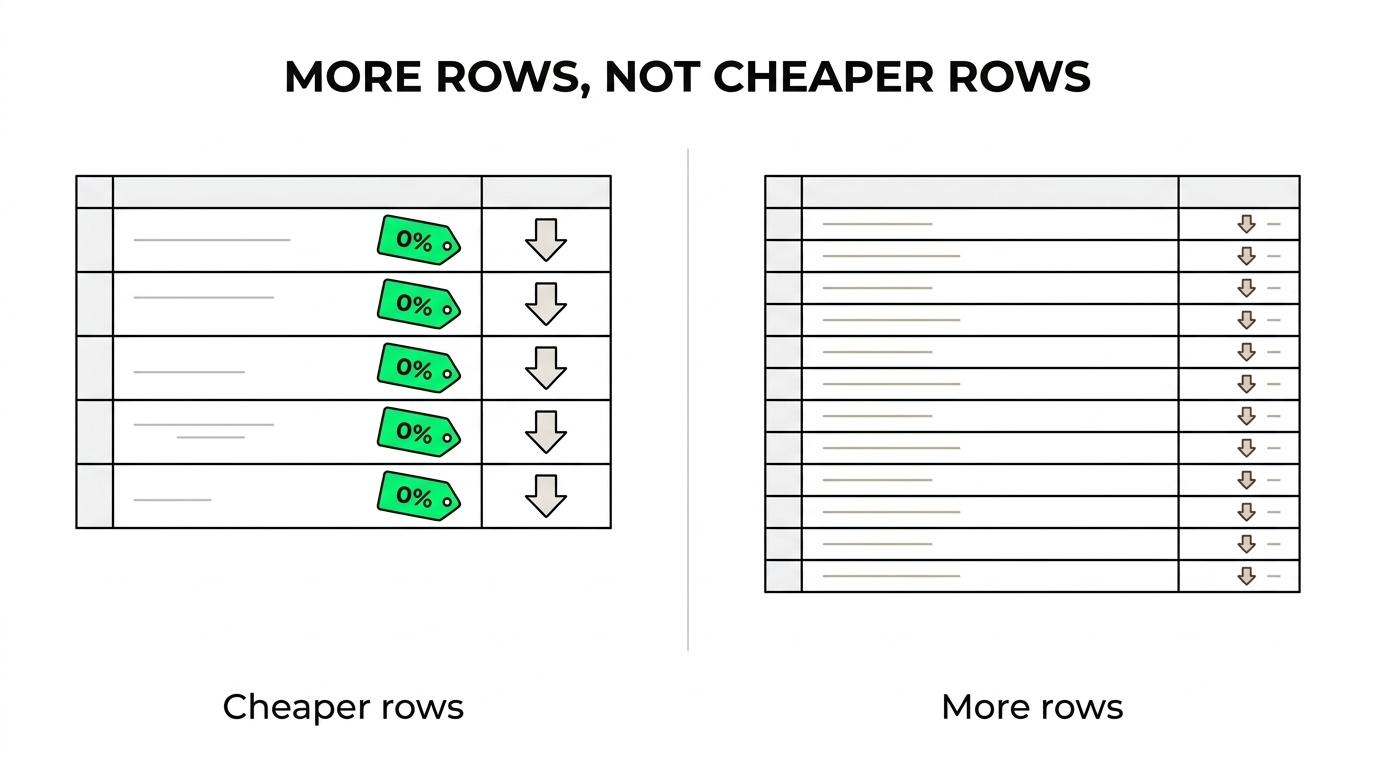
First: Data Credits are the bottleneck on normal enrichment-heavy workflows.
Second: Growth gives you more monthly room, but not cheaper rows.
Third: the lowest paid plan stops making sense sooner than most buyers expect.
If by “Starter” you mean the entry paid tier, Launch stops being viable at roughly 600 to 1,200 enriched rows a month, depending on whether you add phones and AI. That is the break point where most teams start asking why Clay feels expensive, even though the sticker price looked reasonable.
When do top-ups and rollover change the math?
Rollover helps if your usage is lumpy.
If you enrich heavily in one month and lightly in the next, Launch and Growth give you some breathing room because unused credits can roll over up to 2x your monthly limit. That matters for campaign builds, TAM mapping, and one-off list projects.
Top-ups are a different story.
Once you buy one-time Data Credit top-ups, Clay charges a 30% premium over included pricing. On a workflow where Data Credits already run out before Actions, that premium lands right on the meter that hurts most.
A simple way to think about it:
- Low-burn workflow: top-ups are annoying, not fatal
- Phone-heavy workflow: top-ups show up faster than you expect
- AI-heavy workflow: Action usage climbs even if you bring your own API keys
- Messy waterfall logic: both meters move, and forecasting gets worse
This is why the cheapest Clay account is not always the cheapest Clay setup.
A disciplined table that enriches only qualified rows can stay efficient for a long time. A loose table that runs five or six enrichments on every imported contact will eat credits whether those rows are good or not.
Which Clay plan makes sense for your workflow?
Free is for learning the UI and testing one or two columns.
Launch is where most operators start, but only if they already know the workflow they want to run. Growth is not a better deal per unit. It is a bigger box.
The right plan depends less on company size and more on row economics.
- Free: testing formulas, playing with templates, checking one enrichment path
- Launch: one focused workflow, tight row control, no wasted enrichments
- Growth: multiple workflows, larger TAM builds, or a team that will hit limits every month
A few buying rules hold up well in practice.
- Buy Launch if: you enrich fewer than 1,000 records a month and keep the workflow lean.
- Buy Growth if: you already know Launch will cap out in the first month.
- Stay off top-ups if: your workflow burns data on every row before qualification.
- Use your own API keys if: the provider cost is high and Clay supports bring-your-own-key billing.
One more thing matters here.
Clay’s modern pricing rewards selectivity. If you score or filter rows before expensive enrichments, the platform stays much cheaper. If you import a huge list and enrich everything immediately, the price per usable record climbs fast.
What should you calculate before you buy Clay?
You do not need a fancy model. You need five inputs.
Start with the workflow you will actually run, not the one you hope to run later. Count every enrichment column that fires, every AI step, and every row that will enter the table each month.
Then do the math in this order.
- Rows per month: how many contacts or accounts will actually hit the workflow
- Actions per row: one for every enrichment or AI run
- Data Credits per row: add the paid data pulls in the exact order they fire
- Qualified-row rate: what percent of imported rows deserve the expensive steps
- Overflow months: whether rollover covers spikes or top-ups are likely
This is the mistake pattern we see most often.
A buyer looks at Launch, sees $167, and assumes that covers “a decent amount of prospecting.” In reality, Launch covers about 666 full outbound rows on a live phone-plus-AI workflow, or about 1,200 lean rows on an email-first flow. That is a big difference.
If you want one rule of thumb, use this one: price Clay by kept enriched rows, not by seats and not by monthly sticker price.
What should you keep in mind if you are on a legacy plan?
Legacy Clay plans still exist for some users, and that creates comparison problems.
The old model was easier to read because it mostly ran on one credit bucket. The new model is harder to eyeball, but it is often better if your workflow uses cheap data and lots of orchestration.
If you are still on a legacy Starter, Explorer, or Pro setup, compare three things side by side before switching:
- Monthly kept rows: not imported rows
- Average data cost per row: after your full enrichment path
- Action count per row: including AI and waterfall steps
That comparison is where the answer shows up.
If your workflow is mostly orchestration with modest data usage, modern Launch or Growth usually reads better. If your workflow burns lots of paid data on every row, the modern model can still work, but you need much tighter row discipline than most first-time buyers expect.
Clay is cheap when you treat credits like inventory. It is expensive when every row gets the full workflow by default.
If you are still evaluating the implementation side after doing the pricing math, this guide to a Clay agency covers that angle. The short version from the numbers above is simple: Clay pricing is not hard because the plans are complex. It is hard because the plan price tells you almost nothing without row-level credit burn.
Key findings recap:
- Clay pricing starts at: $167 for Launch and $446 for Growth, checked September 2026.
- Clay bills on two meters: Actions and Data Credits, not one shared bucket.
- Launch supports roughly: 1,200 lean rows or 666 fuller outbound rows per month on live workflow math.
- Growth gives more room, not cheaper rows: it raises the cap, not the unit efficiency.
- Top-ups change the economics: the 30% premium matters most on data-heavy workflows.