

Clay is a data enrichment and outbound automation tool built around spreadsheet-style tables, where every column can run an action: find a company, find the right person, find and verify their email, or ask an AI agent a question about the row. It connects to 150+ data providers and runs them as a waterfall, trying one source after another until it gets a verified result, so you pay per successful lookup rather than for seats on ten separate tools. Sales and growth teams use Clay to turn a raw list into enriched, scored prospects ready to push into a cold email or LinkedIn sequence.
Key Findings
- Every column is an action: find a company, find a person, verify an email, pull a signal, or ask Claygent a question about the row. Learn that and the blank table starts to make sense.
- The six-step loop is the whole tutorial: build the list, add the people, verify the email with a waterfall, find a signal, write one AI opener, push to the sequence. Everything else in Clay is a variation on those moves.
- The waterfall is why Clay beats one provider: chain several email finders, stop at the first verified hit, and pay only for the lookup that worked. Verify before sending to keep bounce rate under 3%.
- Spend credits on scored rows only: qualify with cheap columns first, then run the expensive waterfall and AI research on the rows that clear the signal score.
- AI writes one line per email: use Clay for a single opener tied to a real trigger, then write the rest like a human and QC it. The offer and the sequence still decide whether meetings get booked.
This Clay tutorial walks through the workflow Reachly runs across 1,000+ campaigns: build the table, run waterfall enrichment for verified emails, score buying signals, and push leads to your sequence, plus the mistakes that waste the most credits. Reachly is a Clay certified partner, and the Reachly outbound system is built on exactly this data layer.
What Clay is, and what this Clay tutorial covers
A Clay table works left to right, and its columns can also pull a funding round or scrape a website. You start with a list of companies or people, add enrichment columns, and Clay fills them in by calling dozens of data vendors on your behalf. Then you push the finished rows into your sending tool or CRM.
The reason it beats a single data provider is the waterfall. Instead of trusting one vendor for an email, Clay tries provider one, and if that comes back empty it tries provider two, then three, until it finds a verified result. You pay per successful lookup, not per seat on ten separate tools. That is the whole pitch, and once the waterfall concept clicks, the rest of Clay is just columns.
| What you want | The Clay column that does it | Use it for |
|---|---|---|
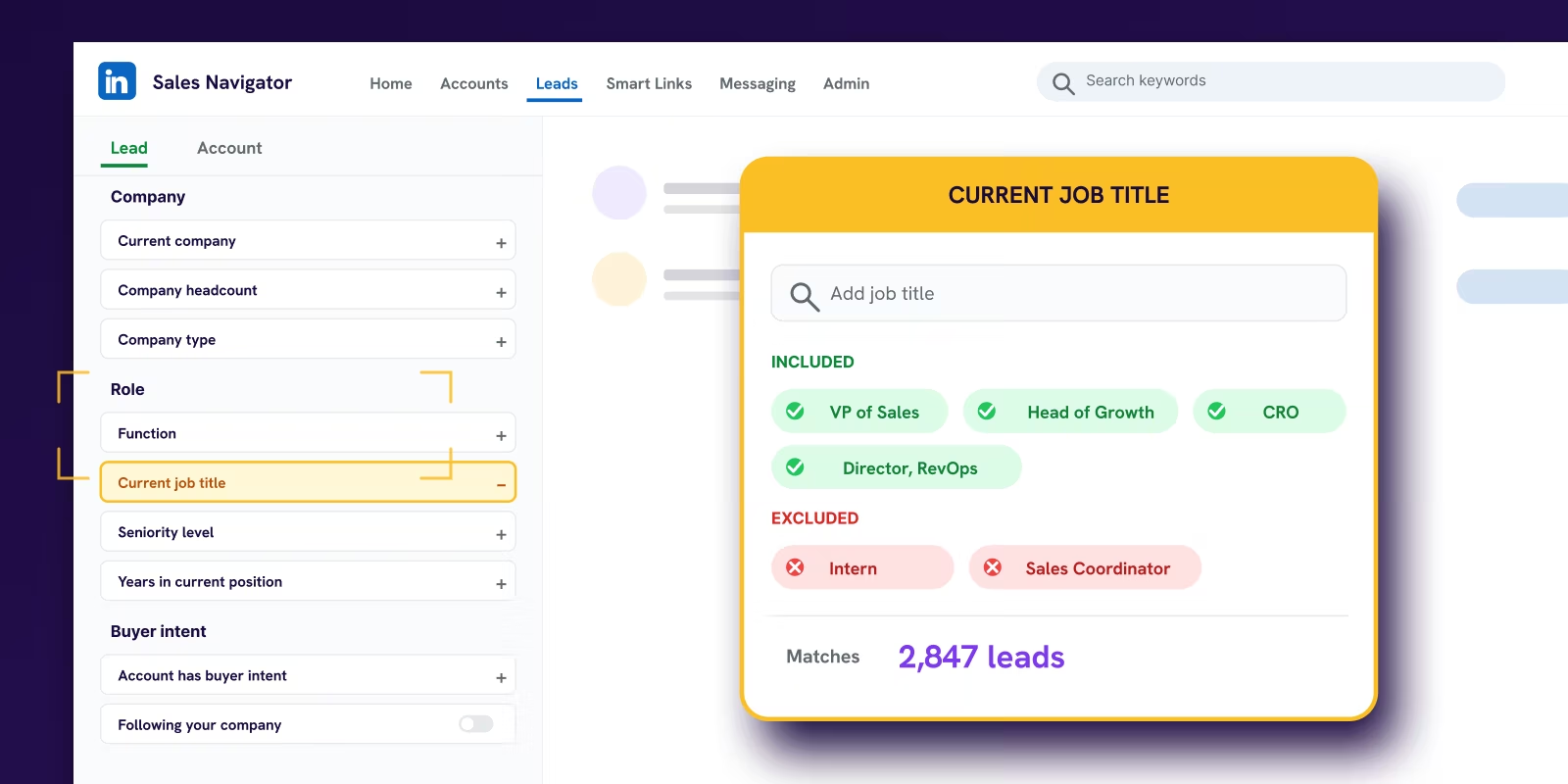
| Build a company list | Find Companies (or import from Sales Navigator, Apollo, a CSV) | Defining your target account list from filters or a saved search |
| Add the right people | Find People (by role, seniority, department) | Pulling decision makers and the buying committee at each account |
| Get a verified email | Waterfall email enrichment | Chaining multiple finders so you land a real, deliverable address |
| Find a buying signal | Enrich funding, hiring, job changes, tech stack | Scoring who is worth contacting this week, not next quarter |
| Research a row | Claygent, the AI research agent | Answering a custom question per prospect, like a recent launch or a page-1 ranking gap |
| Write the opener | AI / integration column (GPT or Claude) | Drafting one personalized signal line per row, never the full email |
| Send it | Push to Smartlead, HeyReach, or your CRM | Moving finished rows straight into the sequence with no export step |
How to use Clay, step by step
Here is the workflow end to end. Follow it in order the first time and the tool stops feeling like a blank spreadsheet. This is the same Clay tutorial sequence we onboard new operators on at Reachly.
The Clay workflow that ends in a sent sequence
That is the core loop. Everything else in Clay, and there is a lot, is a variation on those six moves. Build the list, add the people, verify the email, find the signal, write the opener, send it. If you only ever learn this loop, you can run most of what a paid Clay tutorial course will teach you. For where this loop sits in the wider job of finding buyers, read our breakdown of B2B sales prospecting techniques.
AI belongs in your snippets, never in your full email. Buyers are tone deaf to AI slop. Use Clay for the one-line signal opener, then write the rest yourself. That single line, tied to a real trigger, is what moves a reply rate.
Clay for cold email: the waterfall enrichment workflow in detail
The single most valuable thing Clay does for cold email is the email waterfall, so it is worth slowing down on. A waterfall is an ordered list of email finders. You place your most accurate provider first, then stack cheaper or broader finders below it. Clay runs them in sequence and stops at the first verified hit, which means you get the coverage of ten tools at the cost of the one that happened to find the address.
We run a finder waterfall built around Icypeas as the primary, with secondary finders layered underneath, then a verification pass to strip risky addresses before anything sends. The goal is a list where bounce rate stays under 3% and deliverability score sits above 97%, because a dirty list burns the sending domain no matter how good the copy is. If you want the wider set of finders and verifiers we lean on, the B2B lead gen tools breakdown covers what each one is actually for.
Clay is also where signal-based targeting lives. Before we write a line, we score the account on a signal: funding, headcount growth, a leadership change, a tech stack move, a page-1 ranking gap. Prospects that clear the bar get contacted, the rest get cut. That scoring step is what takes a cold list from a 0.5% reply rate to something worth sending, and it is the core idea behind signal-based outbound. For the full email-side motion that sits downstream of the table, the cold email best practices guide walks through length, offer, and cadence.
| Signal type | What Clay pulls | Why it earns the reply |
|---|---|---|
| Funding | Recent rounds, amount, lead investor | New budget and a mandate to spend it. The clearest buying trigger there is. |
| Hiring | Open roles, hiring spikes by team | A team scaling headcount has a problem your offer can speak to directly. |
| Job change | New role, new company for a known contact | New leaders re-tool in their first 90 days. A warm window before competitors arrive. |
| Tech stack | Tools detected on the site or in job posts | A recent tooling change signals an active project you can attach to. |
| Website intent | Visitor identity and traffic patterns | Someone already looking at the category is warmer than a cold name. |
Intent signals have a shelf life of two to four weeks before competitors get to the same account, which is why the table should refresh on a schedule rather than run once. A signal you act on this week is worth ten you act on next quarter.
Clay pricing and credits, without the guesswork
Clay runs on a credit model, not a flat data fee. Every enrichment that returns a result spends credits, and each plan comes with a monthly credit allowance plus the option to buy more. There is a free plan to learn on, and paid tiers priced by monthly credits and the features each tier adds, like larger exports, integrations, and email sending. Pricing changes often enough that the only reliable source is Clay's own pricing page, so check it there before you commit a budget.
The practical point for cold email is that credits reward discipline. A tight list of 500 well-chosen accounts, enriched once and scored hard, costs a fraction of a sloppy 5,000-row pull where most rows never should have been contacted. Spend credits on signal and verification, not on volume for its own sake. You can start free and prove the workflow on 25 rows before any money changes hands. Use the affiliate link to try Clay if you want the extended trial credits.
The Clay mistakes that waste the most time and credits
Almost everyone new to Clay makes the same handful of errors, and they are all avoidable. Fixing these is worth more than any single advanced feature.
The first mistake is enriching a giant list before you have qualified it. People import 5,000 rows and run every column on all of them. Half those accounts never fit the ICP, and the credits are already gone. Qualify first with cheap columns, then enrich the survivors.
The second is trusting one email finder. A single provider misses a large share of addresses and returns risky ones you should never send to. The waterfall exists precisely so you stop doing this. Chain finders, then verify.
The third is letting AI write the whole email. Clay makes it tempting to generate a full message per row. Do not. Buyers spot AI slop instantly and it reads as spam. Use Clay for the one signal line and write the rest like a human. This is the same rule that runs through our whole outbound sales strategy.
The fourth is treating Clay as the strategy. Clay is a very good data layer. It is not a plan. The offer, the sequence, the channel mix, and the human review still decide whether meetings get booked. The table just makes the top of the funnel accurate.
What Reachly runs differently
We run Clay as the enrichment and signal engine underneath a cold email, LinkedIn, and cold calling sequence, never as a standalone tool. Every prospect is scored on signal before a single message is written, enriched through a verified email waterfall, given one AI-drafted signal line that a human checks, and pushed straight into the sending platform. The table is the start of the system, not the whole of it.
The numbers say the approach holds. For Primal, the broader signal-based outbound program returned 4.57x ROI and booked 85+ SQLs in six months. None of that came from clever Clay columns on their own. It came from using the data layer to contact the right accounts on the right signal, with a real offer, across coordinated channels. Clay made the targeting accurate. The strategy did the rest.
Clay is the data layer. We run the whole system.
Reachly is an outbound agency and Clay Solutions Partner running done-for-you cold email, LinkedIn, and cold calling for B2B teams across APAC, the USA, Canada, the UK, and ANZ. We build the tables, score the signals, verify the emails, and run the sequence. Primal hit 4.57x ROI in six months on this exact stack.
See how Reachly works
FAQ
How do you use Clay as a beginner?
Start on the free plan. It gives you 100 data credits and 500 actions a month, up to 200 rows per table, and includes multi-provider waterfalls and Claygent, which is enough to run the six-step loop on a 25-row test list. If you want structured lessons, Clay University starts new users on Clay 101: GTM Automation and runs instructor-led cohorts. Clay has paused new certification submissions while it rebuilds that program.
What is waterfall enrichment?
Waterfall enrichment means asking several data providers for the same field in a set order and stopping at the first good answer. In Clay you can also connect your own API key for a provider you already pay for, and per Clay's credits docs that step uses no Clay data credits, though each run still counts as one action. That is the cheapest way to put a finder you already own at the top of the waterfall.
How do you enrich data in Clay?
Add an enrichment column, map its inputs to the columns you already have, and run it on a few rows before the whole table. Then set a run condition on the expensive columns so they only fire when a cheaper column has already qualified the row, for example only when the signal score is above your bar. That condition is what turns staged enrichment from a habit into a setting the table enforces.
How do you use Clay AI?
Clay's AI lives in Claygent. You describe the task in plain language, such as ranking a lead from 1 to 10 on employee count, industry, tech stack and growth signals, test it on real rows, and Claygent writes a structured answer into the column with a reasoning trace you can check. Edits to the prompt apply everywhere that agent runs, so fix it once on a test table before you point it at thousands of rows.
Is Clay an AI company?
Clay describes itself as a go-to-market platform that uses AI, not as an AI lab. It started in Brooklyn in 2017 as a spreadsheet-style tool for connecting data and automating work without code, according to Clay's about page, and added AI research and writing columns later. Its own line today is helping companies grow autonomously with AI.
What is a GTM engineer at Clay?
A GTM engineer is the person who builds the revenue system in tools like Clay: the tables, the signal scoring, the enrichment waterfalls and the push into the sending tool. Clay builds its positioning around the role, with the line "We power GTM engineers" on its own about page. Reachly runs that role for clients as part of a managed outbound program, so the client gets the tables without hiring the engineer.
Recommended service
Outbound Lead Generation Services
Reachly builds and runs the whole outbound motion across email, LinkedIn, and phone, and books qualified meetings on your calendar.










