
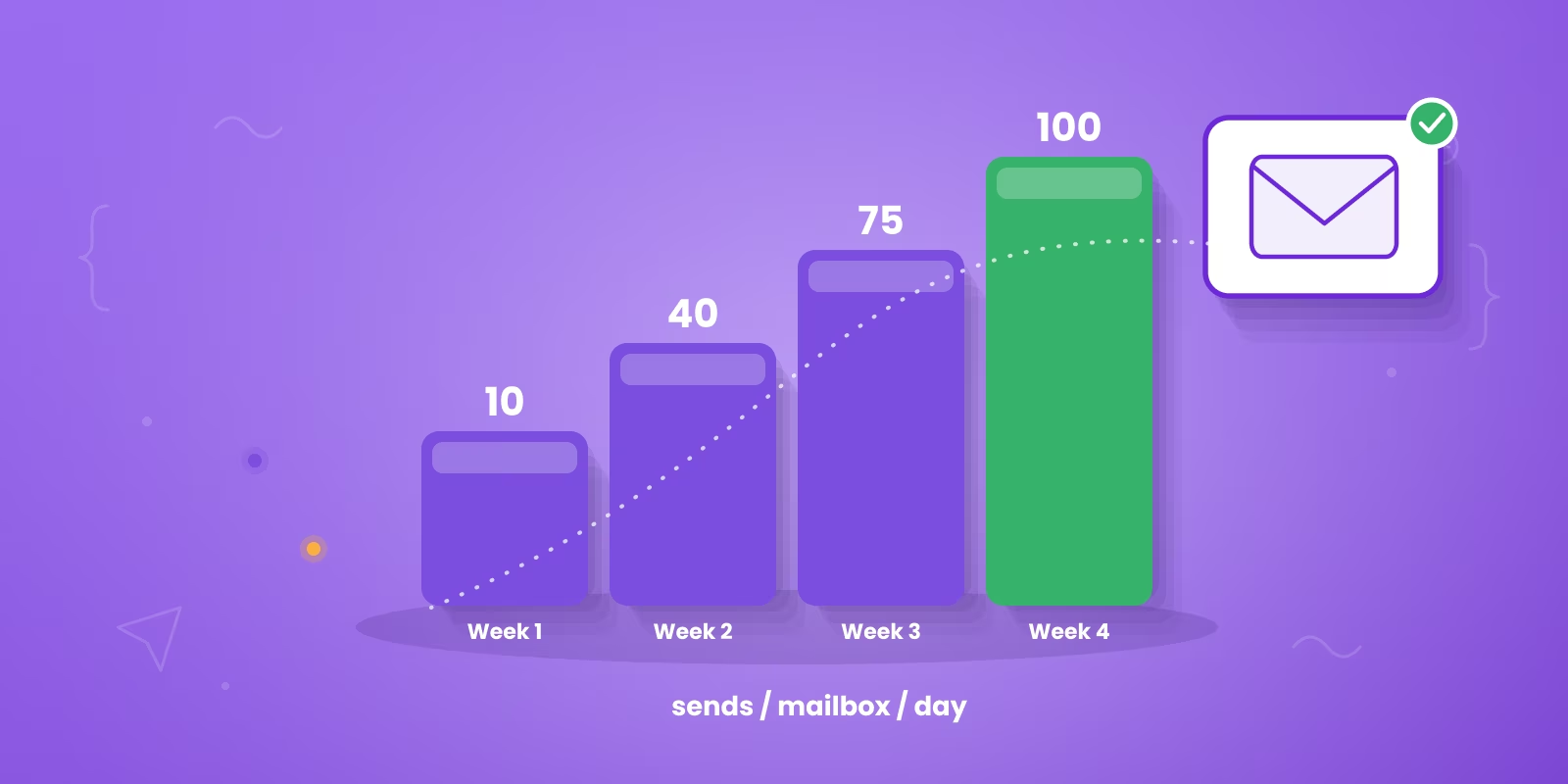

Email warm up is the process of gradually raising a new mailbox's sending volume while generating real opens and replies, so inbox providers learn to treat the address as a legitimate sender before any cold email goes out. Budget three to four weeks for a new domain, and about one to two weeks for a new mailbox on a domain that already has sending history. This guide covers what warm up does, how long it takes, which email warm up tools are worth paying for, how to configure the ramp week by week, and the deliverability problems warm up has no reach over.
TL;DR: Summary
- Email warm up builds sending history by exchanging real opens and replies between inboxes, so providers see engagement before your cold volume arrives.
- Budget three to four weeks for a new domain. An established domain with a new mailbox needs closer to one to two weeks.
- Instantly, Smartlead and lemlist bundle warm up with sending. MailReach, Warmup Inbox, TrulyInbox and Mailwarm run standalone.
- Authentication comes first. SPF, DKIM and DMARC are required by both Google and Microsoft for bulk senders, and warm up cannot substitute for them.
- The tool is the fifth priority, behind a dedicated campaign domain, clean authentication, a controlled ramp, and a verified list.
- Keep warm up running at a reduced rate after campaigns launch rather than switching it off on day one.
- Warm up does not fix an unverified list, a burned domain, or a weak offer. We build cold email infrastructure on dedicated secondary domains and launch campaigns from week 4 once the ramp is complete.
What is email warm up?
Email warm up is the reputation-building phase that comes before any cold campaign. A new mailbox sends a small number of messages to other real inboxes, those inboxes open the message, reply to it and mark it as important, and anything that slips into spam gets pulled back into the primary inbox. Every one of those actions is a positive signal inbox providers use when they decide where your future mail belongs.
People use several names for the same thing. Email warm up, email warmup, inbox warm up, mailbox warm up and domain warm up all describe this phase. Whatever you call it, the goal is identical: prove to Gmail, Outlook and Yahoo that the sender is legitimate before you ask them to deliver cold messages to strangers.
Why does email warm up matter for cold outreach?
Inbox providers score every sender on reputation, and a new mailbox starts with none. Send 200 cold emails from a two-day-old address and the pattern looks exactly like a spammer: high volume, no history, no engagement, recipients who never opted in. The filters react accordingly, and once a young domain gets flagged, digging out is far harder than warming up would have been.
The 2024 bulk sender rules raised the floor. Google and Yahoo expect authenticated senders with a spam complaint rate under 0.3 percent, and Microsoft added matching requirements for Outlook inboxes in 2025. Warm up does not replace authentication. It keeps your complaint rate and placement healthy once the records are in place, which is why warm up sits alongside authentication at the top of our email deliverability guide.
There is also the age problem. Google shows a yellow warning banner above emails from domains younger than roughly 30 days, and no clever copy talks a prospect past a security warning. Warm up is how you run out that clock while building positive signals at the same time, so that when real volume starts, the domain already looks lived in. Teams chasing higher cold email reply rates without fixing the inbox underneath hit this wall constantly.
How does email warm up actually work?
Warm up simulates the sending pattern of a healthy, established mailbox. A warm up tool connects your mailbox to a network of other mailboxes and runs a scripted exchange between them. Messages go out, get opened, get marked as important, get replies, and get rescued from spam. The daily count climbs a little at a time.
Why a blank record is the problem
A brand new domain has no history at all. To Gmail or Outlook, a domain registered last week that suddenly sends 200 cold emails looks like a domain bought for spam, because that is the pattern spam domains produce. Warm up replaces the blank record with weeks of ordinary looking conversation.
What has to be true before you start
Two things sit underneath warm up and cannot be skipped. Authentication records have to be published before you start, because Google and Microsoft both require SPF, DKIM and DMARC from bulk senders. And the domain carrying cold outbound should be a dedicated secondary domain, so a reputation problem never touches the mail your customers and your billing system depend on. Our cold email deliverability playbook covers the domain-level setup in full.
How long does email warm up take?
Three to four weeks for a new domain. That is the number we plan every client build around, and it is why campaigns go live in week 4 rather than week 1. Two weeks was the old rule of thumb and you still see it repeated, but the young-domain banner and tighter filtering pushed the safe number to a full month. The table below is the schedule our own infrastructure follows, including where the first replies and the first qualified meetings usually land.
| Week | What happens | Cold volume | What to watch |
|---|---|---|---|
| Week 1 | Domains registered, SPF, DKIM and DMARC published, mailboxes created, warm up connected | None | Authentication passing on a test send |
| Week 2 | Warm up ramps daily volume, LinkedIn outreach begins in parallel | None | First LinkedIn replies land in week 2 to 3 |
| Week 3 | Ramp continues, lists verified, sequences and copy finished | None | Bounce rate on the verified list before any send |
| Week 4 | Campaigns launch, warm up drops to a maintenance rate | Ramping to 12 to 15 per inbox per day | Spam complaint rate in Postmaster Tools |
| Weeks 5 to 6 | Volume steady, reply management running | Full | First meetings land here, within 10 days on pre-warmed domains, or 5 to 6 weeks from kickoff on branded domains |
| Month 3 | Volume predictable across the mailbox pool | Full | 5 to 50 highly interested leads per month |
Nothing about the ramp is the bottleneck on results. Sequences, list verification and copy all happen during the same three weeks, so the warm up period is not dead time. What it does mean is that any plan promising cold email volume in week 1 is skipping a step that inbox providers will notice. If you are warming several domains for a bigger push, budget the full month into the launch timeline. Our breakdown of how long to warm up a cold email domain goes deeper on recovery timelines and per-scenario numbers.
Which email warm up tools are worth using in 2026?
The market splits into two shapes. Sending platforms that include warm up as a feature, which suits teams who want one subscription, and standalone warm up services with deeper diagnostics, which suit anyone running mailboxes across several sending tools. Pricing models change often, so the table records the model rather than a figure that will be stale within a quarter.
| Tool | Shape | Network coverage | Best fit |
|---|---|---|---|
| Instantly | Bundled with sending | Private pool, Gmail and Outlook | Teams already sending from Instantly who want one bill |
| Smartlead | Bundled with sending | Gmail, Outlook, custom SMTP | Agencies running many client mailboxes under one roof |
| lemlist (Lemwarm) | Bundled with sending | Shared network across lemlist users | lemlist users who want warm up to pause during active sends |
| MailReach | Standalone | Gmail, Outlook, custom SMTP | Per-provider placement reporting and deeper diagnostics |
| Warmup Inbox | Standalone | Gmail, Outlook, Yahoo, custom SMTP | Bulk mailbox networks with mixed providers |
| TrulyInbox | Standalone | Gmail, Outlook, custom SMTP | Flat rate management of many mailboxes |
| Mailwarm | Standalone | Managed sending accounts | A simple scheduled ramp with little configuration |
| Warmforge | Standalone | Gmail and Outlook | Teams wanting placement testing alongside the ramp |
| Folderly | Standalone | Managed network with content analysis | Deliverability audits on top of warm up |
Before you connect a mailbox, ask what the network is made of. A warm up pool full of throwaway accounts with poor reputations associates your domain with those accounts, which is the opposite of the intended effect. Ask the vendor directly how accounts enter the pool and whether low reputation senders are removed.
Smartlead is the platform we most often run warm up and sending from, because it bundles warm up, mailbox rotation and campaigns together. TrulyInbox is the standalone we reach for when mailboxes are spread across several sending tools and the warm up has to sit outside any one of them. If your motion leans LinkedIn-first, HeyReach sits beside the email setup so channel activity develops in parallel.
Free warm up tiers are fine for a single mailbox or a test, but they usually cap the number of mailboxes and the network size. Once you are warming several domains for real outbound, the paid tiers pay for themselves in deliverability.
How do you pick the best email warm up tool for your setup?
Most comparisons of the best email warm up tool start with feature grids and pricing tables, which puts the smallest decision first. Mailbox providers respond to patterns: who you send to, how fast volume climbs, whether people open and reply, whether the traffic looks like a person or a script. Dashboards, AI replies and blacklist alerts are useful, and none of them fix a sending strategy underneath. The hierarchy below is the one we work down when we build client infrastructure, and the tool sits at position five.
Work down that list and the tool choice resolves itself. A team running two mailboxes on one domain inside Instantly does not need a standalone service. An agency running sixty client mailboxes across three sending platforms needs per-provider placement reporting, which is what the standalone tools sell. Four things separate a good one from a risky one: a large, active network of real mailboxes so the engagement is not obviously synthetic; a gradual automatic ramp rather than a fixed daily number; spam-placement reporting so you can see when a message was rescued; and provider matching, so Gmail warms against Gmail and Outlook against Outlook.
For teams sending through Google, read the platform rules first in our breakdown of Gmail bulk sender requirements before you launch anything. If you are layering AI into the wider motion, PostNitro's guide to integrating AI tools in your lead generation strategy is a useful companion because it treats tools as components in a workflow rather than magic boxes.
Should you warm up manually or with a tool?
You can warm up an inbox by hand or let software do it. Manual warm up costs nothing but your time and a set of real accounts to email. Automated warm up runs inside a tool that plugs your mailbox into a shared network and handles the sending, replying and spam rescue for you. For anyone warming more than one or two mailboxes, automated is the only practical option.
| Factor | Manual warm up | Automated warm up |
|---|---|---|
| Effort | High. You send and reply by hand every day for weeks | Low. The tool runs on a schedule once connected |
| Cost | Free, but expensive in hours | Often bundled into your sending platform or a low monthly add-on |
| Scale | Realistic for one or two mailboxes only | Handles dozens of mailboxes across domains at once |
| Consistency | Easy to skip a day and stall the ramp | Runs daily without gaps, which is what reputation needs |
| Engagement quality | Real, provided your accounts actually reply | Network-based, so pick a provider with a large, active pool |
One caution on the automated route. Leaving artificial warm up running at high volume forever can itself look unnatural to the better filters, and a network of low-quality mailboxes drags your reputation down instead of up. Use a reputable tool, taper the volume once campaigns are live, and keep sending email a human would actually answer.
What should you set inside the warm up tool each week?
Most tools expose the same handful of settings under different labels. The configuration below is a safe default for a new domain with two mailboxes. Increase the daily count on the schedule shown, and keep the reply rate high throughout, because replies carry more weight than opens.
WEEK 1 emails/day: 2 to 4 reply rate: 40% spam-rescue: on WEEK 2 emails/day: 6 to 10 reply rate: 40% spam-rescue: on WEEK 3 emails/day: 14 to 20 reply rate: 35% spam-rescue: on WEEK 4 emails/day: 20 to 30 reply rate: 30% spam-rescue: on cold campaign starts this week, ramp cold volume separately ONGOING maintenance rate once live emails/day: 5 to 10 reply rate: 30% spam-rescue: on ALWAYS ON send window match your cold campaign hours, weekdays only randomization on, so daily counts vary rather than sitting flat providers include every provider your prospects use
Two settings people get wrong. Sending seven days a week on a mailbox that will later send only on weekdays teaches a pattern you then break on launch day. And a flat daily count of exactly 10 looks generated, so leave randomization on and let the number move.
How do you warm up a custom SMTP server or sending service?
SMTP warm up follows the same curve as mailbox warm up, with two differences. The reputation being built belongs to the sending IP as well as the domain, so a dedicated IP needs its own ramp even when the domain is already trusted, and a shared IP pool inherits whatever reputation the other senders on it have earned. Check which you are on before you plan the ramp, because on a shared pool the ramp protects the domain and very little else.
The practical sequence is the same: publish SPF, DKIM and DMARC first, start at a handful of messages a day, hold the reply rate high, and take three to four weeks to reach normal volume. Most standalone tools, including MailReach, Warmup Inbox and TrulyInbox, connect over SMTP and IMAP rather than a Gmail or Microsoft API, which is what makes them the workable option here. For a tactical companion read that stays close to execution, Double My Leads' SMTP warm up playbook covers the server-side view.
Should warm up keep running after your campaigns go live?
Yes, at a reduced rate. Week 4 is the point of highest risk, because cold volume arrives and complaint rate rises for the first time. Removing your engagement baseline on that exact day takes away the thing holding placement up.
A maintenance rate of five to ten warm up messages per mailbox per day is enough for most sending programs. Some tools pause warm up automatically while a campaign sends, which avoids collisions in the send window. If yours does not, set the warm up window outside your campaign hours.
What can an email warm up tool not fix?
This is where most disappointment with warm up comes from. The tool is doing its job correctly and the campaign still lands in spam, because the cause sits somewhere warm up has no reach.
| Problem | Does warm up help? | What actually fixes it |
|---|---|---|
| No sending history on a new domain | Yes, this is its purpose | Three to four weeks of ramp |
| Missing SPF, DKIM or DMARC | No | Publish the records before starting warm up |
| Unverified list producing hard bounces | No | Verify every address before the send |
| Domain already on a blocklist | No | Fix the cause, request delisting, move sending to fresh domains |
| Spam complaint rate above 0.3 percent | No | Tighter targeting and a relevant offer |
| Too many mailboxes on one domain | No | Two to three inboxes per domain, more domains instead |
| Weak offer that nobody replies to | No | Rework the offer and the copy |
| Sending from your primary business domain | No | Move cold outbound to a dedicated secondary domain |
List quality
The list problem is the most common of these by a distance. A warmed inbox pointed at a bad list still produces the exact signals providers punish: no replies, low engagement, spam complaints and dead addresses. "B2B SaaS companies in APAC" is a filter rather than a list. Good outbound lists stack industry and role with active indicators like hiring, funding, team growth, website changes or new tools in the stack, which is the logic behind B2B intent data and signal-based outbound.
Clay is useful here because it chains data sources, enriches accounts and verifies contacts in one flow. Verify every address before launch with a service like ZeroBounce, and revalidate any list older than three months. Suppression hygiene keeps it that way over time, and our guide to the email suppression list covers what to exclude before a lead ever enters a sequence. For scoring the accounts that survive that filter, Du Marketing's piece on predictive lead scoring is closer to what outbound teams need than the version where everyone gets points for downloading a PDF.
Channel coordination
A warm email account attached to a dead LinkedIn presence reads as thin to a buyer who checks. A lot of teams run LinkedIn in one lane and email in another, with different messaging and no shared context, and the prospect receives a cold connection request, a generic email and a random call that have nothing to do with each other. The prospect should feel one conversation happening across channels. We run this as a managed system across cold email, LinkedIn and cold calling using Clay, Smartlead and HeyReach, with dedicated domains and centralized reply handling.
| Step | Channel | Tool example | What happens |
|---|---|---|---|
| 1 | HeyReach | Profile visit or connection request | |
| 2 | Smartlead | Contextual first-touch email | |
| 3 | HeyReach | Follow-up message after the email lands | |
| 4 | Phone | Dialer or manual call | Direct contact for priority accounts |
| 5 | Smartlead | Follow-up tied to prior touches, not a new pitch |
How do you tell whether warm up is working?
Warm up dashboards report on their own network, which tells you the tool is running rather than telling you your mail reaches real prospects. Watch these four numbers instead, from sources outside the warm up tool.
| Signal | Where to read it | Healthy reading | Source |
|---|---|---|---|
| Spam complaint rate | Google Postmaster Tools | Under 0.1 percent, never above 0.3 percent | Google Sender Guidelines |
| Domain reputation | Google Postmaster Tools | High or medium, and stable week to week | Google Sender Guidelines |
| Authentication pass rate | Postmaster Tools, message headers | SPF, DKIM and DMARC passing on every send | Google and Microsoft sender requirements |
| Placement by provider | Seed testing in the warm up or audit tool | Primary inbox across Gmail and Microsoft | Vendor documentation |
Read these weekly during the ramp and after launch. A reputation score that drifts from high to medium in the week campaigns start is the earliest warning you will get, and it is much easier to act on at that point than after replies dry up.
The scorecard once campaigns are live
Open rate and click rate say very little once volume is real. The dashboard that matters is smaller, and every line on it connects to pipeline.
| Metric | Why it matters | What to do with it |
|---|---|---|
| Positive replies | Confirms message and targeting fit | Review by segment and campaign angle |
| Meetings booked | Shows whether reply handling works | Track by rep or by workflow |
| Qualified meetings | Filters out low-intent noise | Tighten targeting if quality slips |
| Pipeline sourced | Connects outbound to revenue | Compare by channel mix |
| Bounce and complaint trends | Protects sending health | Pause before scaling if signals worsen |
What are the most common email warm up mistakes?
The failure patterns are predictable, and almost all of them come from impatience. The biggest is starting campaigns before warm up finishes, usually around day 14, right when the domain is most fragile. Close behind is sending cold email from the main company domain, which means a burned sender takes your real email down with it.
Other repeat offenders: skipping authentication and warming a domain that cannot pass SPF and DKIM, jumping straight to full volume the day warm up ends instead of ramping into it, loading six mailboxes onto one domain, and treating warm up as a one-time event rather than a background process. The habits below are the ones that keep a domain in the inbox a month after launch.

Most of those are sending discipline rather than warm up settings. Warm up buys a clean starting reputation, and everything after it is about not squandering that reputation with bad volume, bad lists or bad copy. We treat it as one piece of a larger outbound lead generation system rather than a box to tick.
Two weeks of warmup is the legacy advice. Thirty days is the 2026 number. Google flags any domain younger than that with a yellow banner above your email.

Everything here is learnable, and plenty of founders learn it by burning a first domain and losing a month of pipeline to the recovery. If you would rather send than babysit a month-long ramp across a fleet of mailboxes, that is where an agency earns its keep.
We build the sending infrastructure, then run the campaigns
Dedicated domains, warm up, verified lists and reply management, handled by our team. First meetings typically come within 10 days on pre-warmed domains, or 5 to 6 weeks from kickoff on branded domains.
See how our cold email service worksReachly runs the whole stack as a done-for-you service: dedicated secondary domains, mailboxes, SPF, DKIM and DMARC, custom tracking domains, the full warm up, and the campaigns on top across cold email, LinkedIn and cold calling. Campaigns launch from week 4 once the infrastructure is warmed, and most clients see their first meetings by week 5 to 6, or within 10 days on pre-warmed domains. For Primal, that infrastructure produced an 8 percent positive reply rate and a 4.57x ROI. You can pressure-test the numbers on the ROI calculator, or see how the service works on our cold email agency page.
Email warm up FAQ
Does email warm up actually work?
Warm up works for the specific job of establishing a sending history on a new domain or inbox. It gives inbox providers a record of messages that get opened and answered, which is one of the inputs they weigh when deciding placement. It does not compensate for a bad list or a low quality offer, so treat it as one requirement among several rather than a deliverability fix.
What is the 30/30/50 rule for cold emails?
No inbox provider publishes a rule by that name, so treat it as a rule of thumb circulating in outbound communities rather than guidance from Google or Microsoft. The published numbers worth planning against are Google's 0.3 percent spam complaint threshold in Postmaster Tools and the authentication requirements both Google and Microsoft apply to bulk senders.
How do you warm up email for free?
You can warm up manually by sending a small number of real messages a day from the new inbox to colleagues and contacts who will open and reply, increasing the count gradually over three to four weeks. It works, and it costs your team's time instead of a subscription. Tools exist because doing this by hand across twenty inboxes is not practical.
Can you warm up a Google Workspace inbox and a Microsoft 365 inbox the same way?
The ramp logic is the same but the two providers weigh signals differently, and a tool that only has Gmail accounts in its network gives your Microsoft inbox no Microsoft-side engagement. If you send to a mixed audience, pick a tool whose network covers both, and check placement per provider rather than as a single average.
How many inboxes should you run per domain?
Two to three inboxes per domain is a common working limit. Loading more mailboxes onto one domain concentrates risk, because a complaint problem on any inbox affects the domain reputation that all of them share. Spreading volume across more domains with fewer inboxes each is the safer shape.
Do you need a separate domain for cold outbound?
Yes. Send cold outbound from a dedicated secondary domain, never the domain that carries your customer and billing email. We set up dedicated sending domains for every client for exactly this reason: a reputation problem stays contained instead of reaching the mail your business depends on.
What is a safe daily sending volume after warm up?
Reachly settles at 12 to 15 cold emails per inbox per day after a full four week ramp. The number that matters more than the ceiling is consistency, because a sending pattern that swings from 5 to 200 in a day reads as automated even when the volume itself is modest.
Does warm up fix a blacklisted or burned domain?
No. Once a domain is blacklisted or its reputation has collapsed, warm up traffic does not reverse it on any useful timeline. The practical route is to fix the cause, request delisting where the blocklist allows it, and move active sending to fresh domains while the old one recovers.
How long should warm up run on an existing domain?
An established domain that has been sending normal business mail for years needs far less, often one to two weeks of light ramping, mainly to establish the new inbox rather than the domain. A brand new domain needs the full three to four weeks, and registering it a few weeks before you intend to send helps.
Can warm up tools hurt deliverability?
They can, in two ways. A tool whose network is full of low reputation accounts associates your domain with those accounts, and a tool configured to jump volume quickly produces exactly the pattern you are trying to avoid. Check what the network is made of before you connect a mailbox to it.
What spam complaint rate is too high?
Google states that senders should keep the spam rate reported in Postmaster Tools below 0.3 percent, and describes 0.1 percent as the level to aim for. Crossing those numbers is the point where placement degrades quickly, so treat 0.1 percent as the operating target rather than the ceiling.
What happens if you stop warm up abruptly when campaigns start?
Turning warm up off on the day cold volume starts removes the engagement that was holding your reputation up, right at the moment your complaint risk rises. Keep it running at a reduced maintenance rate alongside live campaigns instead of switching it off.
What is the best email warm up tool?
There is no single answer, because the right tool depends on where your mailboxes live. Teams already sending from one platform are usually best served by the warm up built into it, since Instantly, Smartlead and lemlist all bundle it. Anyone running mailboxes across several sending tools gets more from a standalone service such as MailReach, Warmup Inbox or TrulyInbox, which report placement per provider. The tool is the fifth priority behind a dedicated domain, clean authentication, a controlled ramp and a verified list.
How much does an email warm up service cost?
Bundled warm up is normally included in the sending platform subscription rather than priced separately. Standalone services price either per mailbox per month or at a flat rate for a block of mailboxes, and the flat-rate model works out cheaper once you are running more than a handful. Vendors change pricing often enough that the model matters more than the current figure, so compare per-mailbox against flat rate at the mailbox count you actually plan to run.
How do you warm up an SMTP server?
The ramp is the same as for a mailbox, with the reputation attaching to the sending IP as well as the domain. Publish SPF, DKIM and DMARC, start at a few messages a day, keep the reply rate high, and reach normal volume over three to four weeks. A dedicated IP needs its own full ramp even on a trusted domain. On a shared IP pool you inherit the other senders' reputation, so the ramp protects the domain and little else.
Recommended service
Cold Email Agency
Reachly runs cold email end to end: dedicated infrastructure, signal-led copy, and replies handled until a meeting is booked.










