

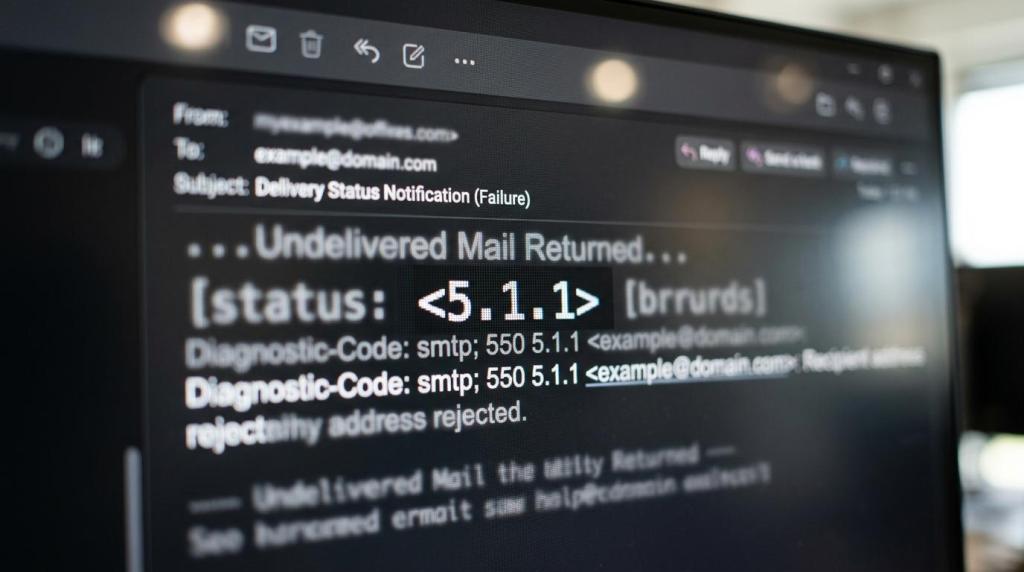

Learn what email bounce back messages mean, how to spot hard vs. soft bounces, and when to suppress, retry, or fix sender setup fast.
An email bounce back is a Delivery Status Notification that tells you why a message was delayed, rejected, or accepted. The code and the error text together tell you what to do next: suppress the address, fix sender setup, or retry later. If you only read the subject line and ignore the body, you miss the part that saves your domain.
At Reachly, a mailbox comes out of rotation for 1 to 2 weeks when bounces pass 2%. That rule exists for a reason. Raw lists can show 10 to 25% catch-all before checking, and once bad data mixes with weak infrastructure, the bounce text stops being a small warning and starts being a domain problem.
What is an email bounce back message, exactly?
A bounce back message is an automated report from a mail server. Gmail calls it a bounceback email. Microsoft calls it a non-delivery report. The formal term is Delivery Status Notification, or DSN.
It is not just a vague failure notice.
Under RFC 3464, a DSN is usually a multipart/report message. One part is written for humans. Another part is machine-readable message/delivery-status. If the original email is attached, that can appear as a third part.
That split matters because providers phrase the human text differently. One server says “user unknown.” Another says “recipient address rejected.” The standardized status code is usually the cleaner signal.
How do you read an email bounce back code before the human text?
Start with the first digit. The IANA SMTP enhanced status code registry defines 2.X.X as success, 4.X.X as persistent transient failure, and 5.X.X as permanent failure.
Then read the second digit. X.1.X covers addressing status. X.2.X covers mailbox status. That tells you whether the issue sits with the address itself or the mailbox behind it.
The text still matters. A 5.1.1 and a 5.2.2 are both permanent by classification, but they do not trigger the same action in a live outbound program.
If you run cold email, LinkedIn, cold calling together, the code gives you the next move faster than the SDR inbox ever will. You do not need to guess whether the list is bad, the mailbox is tired, or the sending domain was set up wrong.
Which email bounce back messages mean “suppress this address now”?
When the message points to an invalid address, suppress it right away. Do not retry it. Do not move it to another mailbox. Do not keep it in the next step of the sequence.
That includes the classic hard-bounce patterns you see across Gmail, Outlook, and custom company servers. If the server says the recipient does not exist, believe it.
These are the ones we suppress on sight:
- 5.1.1 user unknown
- 5.1.7 invalid address
- recipient address rejected
- domain does not exist
- mailbox disabled or not found
If you want the full difference between temporary and permanent bounce types, read this soft vs hard bounce breakdown. If you are trying to judge account health across the whole campaign, this email bounce rate guide is the right page.
A lot of teams misread catch-all behavior here. A catch-all domain is not the same thing as a valid person. Raw lists often show 10 to 25% catch-all before checking. That is why list building comes before copy.
Thibault Garcia, founder of Reachly, puts it plainly: “Every list gets verified twice. Bounce rate is the one number we refuse to be surprised by, because by the time it surprises you the domain is already damaged.”
Which email bounce back messages mean “fix your sender setup”?
When the bounce mentions authentication, sender policy, rate limits, or HELO and EHLO, the issue is not the prospect. It is you. Sending more volume into that problem only makes it worse.
This is where teams waste a week rewriting copy that was never the issue.
A sender-side bounce usually points to one of four buckets:
- Authentication failed: Check SPF, DKIM, DMARC, and your custom tracking domain
- HELO or EHLO rejected: Fix server hostname, identity, and DNS setup
- Rate limit exceeded: Reduce daily volume and rest the mailbox
- Policy or reputation rejection: Check domain age, warmup, spam complaints, and link usage
Authentication is not optional. SPF, DKIM, DMARC, and a custom tracking domain all need to be live before you send. If one is missing, some providers will tell you directly. Others will bury the issue inside vague language like “message rejected for policy reasons.”
Warmup is the next place people rush. Fourteen days is the floor. Thirty days is the safer number, especially because Google adds a yellow banner to mail from domains younger than 30 days. In 2026, sending caps per mailbox per day sit around 15 for Google and 10 to 12 for Outlook. If you blow past that, the bounce text usually tells on you.
ESP matching matters too. Google to Google. Outlook to Outlook. If a mailbox starts showing sender-side rejections or bounces pass 2%, we pull it out of rotation for 1 to 2 weeks and let warmup continue in the background. That is cheaper than burning the domain.
If you need help building the sending layer properly, not just writing sequences, Reachly’s outbound lead generation services cover the full system.
Which email bounce back messages mean “wait and retry later”?
Temporary server issues usually show up as 4.X.X codes. These are the bounce messages where retrying makes sense, but only after you check whether the issue is local to one prospect or spread across the mailbox pool.
Common examples include temporary inbox problems, server busy notices, graylisting, too many concurrent connections, or storage issues that might clear later.
Do not confuse “retry later” with “keep hammering the inbox.” That is how a temporary problem becomes a sender reputation problem.
Here is the rule we use:
[markdown] | Bounce pattern | Likely meaning | Action | | --- | --- | --- | | 4.2.X mailbox temporarily unavailable | Inbox or mailbox issue | Retry later through sequence logic | | 4.4.X unable to route or network delay | Server or routing issue | Retry later, watch domain-wide pattern | | 4.7.X temporary policy or rate control | Provider is slowing you down | Lower volume, check reputation | | 5.2.2 mailbox full | Quota problem | Stop sequence, re-check on next cycle | [/markdown]The 5.2.2 mailbox full case deserves a note. Microsoft maps it to mailbox quota exceeded. By code class, that is permanent. In practice, quota issues can clear. We still do not keep retrying inside the same live sequence. We park the address, re-verify later, and only re-engage in the next cycle with a fresh angle.
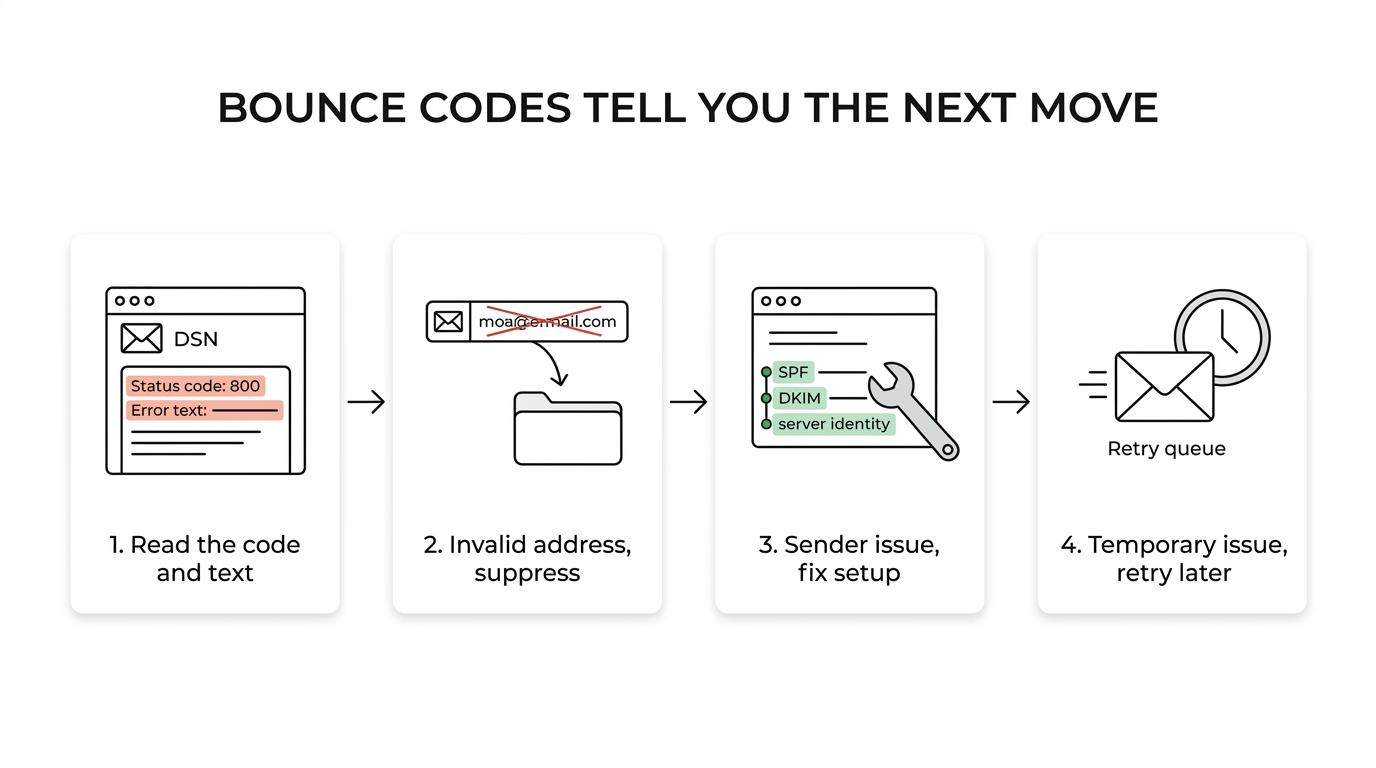
What should your team do after each bounce back message?
You need rules, not vibes. The right action depends on whether the problem lives in the address, the sender, or the receiving server.
This is the workflow we use when bounce text starts piling up:
[markdown] | What the message says | Root cause | Immediate action | Owner | | --- | --- | --- | --- | | User unknown, invalid recipient | Bad data | Suppress address, re-check source | Data owner | | Domain not found | Bad data or typo | Suppress, fix source logic | Data owner | | Mailbox full | Recipient issue | Pause contact, re-verify later | Campaign owner | | SPF, DKIM, DMARC failure | Sender setup | Stop send, fix DNS, retest | Deliverability owner | | HELO or EHLO error | Server identity | Fix mail server settings | Deliverability owner | | Rate limit exceeded | Volume too high | Lower send cap, rest mailbox | Deliverability owner | | Temporary server failure | Receiving server issue | Retry with delay | Campaign owner | [/markdown]Any list older than 3 months gets re-validated before send. That is a hard rule. We typically use tools like ZeroBounce and MillionVerifier for verification, with Clay, Apollo, Icypeas, LeadMagic, and BetterContact feeding the data layer.
The message text should also tell you where to look first. If several mailboxes show the same sender-side error, this is infrastructure. If only one list segment shows hard invalids, this is data. If the pattern is mixed and messy, start with infrastructure, then subject line, then length, then tone, then offer. That order saves time.
One more thing. Do not let AI write the diagnosis for you. AI is useful for signal-driven snippets. It is bad at deciding whether “policy rejection” means authentication, reputation, or volume without the rest of the mailbox context.
When should you fix this in-house and when should you book the meeting?
If you send low volume from a small TAM, you can handle this in-house. Read the code, suppress hard invalids, re-verify old lists, and keep volumes conservative.
If bounces cross 2%, multiple mailboxes show sender-side errors, or every fix creates a new problem, stop sending and audit the whole stack. That means domains, DNS, warmup, send caps, ESP matching, list age, and sequence logic. Reachly has run 400+ campaigns, and this is usually where broken infrastructure gets confused with weak copy.
If you want another set of eyes on the bounce text, sender setup, and data flow before the next campaign goes live, book the meeting with Reachly through our outbound lead generation services page.
Read the code first, then the explanation. 4.X.X usually means wait, 5.X.X usually means stop, and sender-policy errors mean fix your setup before another email goes out. If bounces pass 2%, pull the mailbox for 1 to 2 weeks, re-verify the data, and treat the message as an instruction, not a warning.










