
Why emails hit the outlook junk folder: fix SPF, DKIM, DMARC, warm domains, cut links, and improve sending behavior fast.
If your cold emails keep landing in Outlook Junk, the fix usually sits in four places: sender reputation, authentication, sending behavior, and mailbox-level allow or block rules. Microsoft says the Outlook spam filter often delivers suspected spam to the mailbox but moves it into the Junk Email folder, and junk mail in Outlook on the web is deleted after 30 days. So this is rarely a mystery. It is a classification problem you can trace and fix.
Across 400+ outbound campaigns, we almost never fix Outlook junking by rewriting copy first. We fix infrastructure first, then routing, then volume, then copy. If you skip that order, you burn domains while guessing.
What does the Outlook spam filter actually do?
Outlook does not treat every bad message the same way. Some emails are blocked before the user sees them. Others arrive, then get pushed into the Junk Email folder.
That distinction matters because a message in Junk still tells you something. You are not fully blocked. You are close enough to the mailbox that sender reputation, content, or recipient rules tipped the message the wrong way.
Microsoft’s own documentation gives you the clearest map of how this works.
[markdown] | Outlook behavior | What Microsoft says | Why it matters for cold email | Source | | --- | --- | --- | --- | | Suspected spam | Moved to the Junk Email folder rather than always stopped outright | You may have a placement problem, not a delivery failure | Microsoft Support, 2026 | | Safe Senders | Never treated as junk, regardless of message content | A recipient can override bad classification | Microsoft Support, 2026 | | Blocked Senders | Always classified as junk | One block can kill future sends from that address or domain | Microsoft Support, 2026 | | Outlook on the web retention | Junk email is kept for 30 days before deletion | Late follow-up often hits a dead thread if the first email landed in Junk | Microsoft Support, 2026 | | Potentially dangerous content | Disabled in junk messages | HTML, images, and tracked links lose even more value in Junk | Microsoft Support, 2026 | | Server-side filtering | Mailbox host can still block before mailbox delivery | A user’s Safe Senders list cannot fix every block | Microsoft Support, 2026 | [/markdown]The first takeaway is simple. The Outlook spam filter is not only reading your copy. It is also reading the sender behind it, the mailbox history, and the recipient’s own rules.
Why do cold emails land in the Outlook Junk Email folder?
The biggest cause is sender trust. If your domain is new, weakly warmed, or tied to poor engagement, Outlook has no reason to believe your email belongs in the inbox.
The second cause is technical setup. Missing SPF, DKIM, DMARC, or a bad sending path makes Outlook treat you like an unknown sender. In live campaigns, this is still the first thing we check.
The third cause is bad sending behavior. High daily volume from one mailbox, old lists, and long sequences create the wrong pattern fast. Outlook is good at spotting mail that looks programmatic.
The fourth cause is recipient-side control. Microsoft gives users and admins strong allow and block controls. If your domain or address lands on a blocked list, Outlook sends you to Junk even if the message itself is clean.
What setup issues push cold email into Outlook Junk?
Authentication comes first. SPF, DKIM, DMARC, and a custom tracking domain are not optional. If one is missing or broken, you should assume Outlook sees extra risk.
Domain age comes next. We still warm mailboxes for 14 to 30 days before real sending, and 30 is the safer number. Thibault Garcia, founder of Reachly, puts it plainly: “Four weeks of warmup before a single real email goes out. There is no version of this that goes faster, and everyone who tries to find one pays for it within a month.”
Routing matters more than people think. When you send to Microsoft 365 recipients, Outlook-origin infrastructure tends to behave better than forcing everything through mismatched sender environments. ESP-to-ESP matching adds setup work, but it cuts one more trust gap out of the path.
Tracking creates extra risk. Outlook already limits external content in suspicious mail. If your first email carries open tracking, images, and links, you are giving the filter more to inspect and more to distrust.
Here is the short version of what we change first.
[markdown] | Fix | What it addresses | Cost | | --- | --- | --- | | Set up SPF, DKIM, DMARC | Basic sender trust | 30 to 90 minutes per domain | | Warm each mailbox for 30 days | Domain and mailbox reputation | 2 to 4 weeks of setup time | | Match sender ESP to Outlook recipients | Routing trust | More mailboxes and routing work | | Send plain text first emails | Content risk and HTML flags | Lower design freedom, better placement | | Re-validate any list older than 3 months | Bounce and spam risk | Verification tool cost and list cleanup time | [/markdown]If your team is still sending from the company’s main domain, stop there first. Use secondary sending domains and protect the root domain from damage. That is table stakes for any serious outbound program.
What copy and sending patterns does Outlook distrust?
Outlook junking gets blamed on copy all the time, but copy still matters once infrastructure is clean. Long emails, link-heavy emails, and fake personalization create the same pattern as spam.
We keep first emails tight. In 2026, 70 to 80 words is still the right range for cold email. Anything longer asks Outlook and the buyer to do more work than they want.
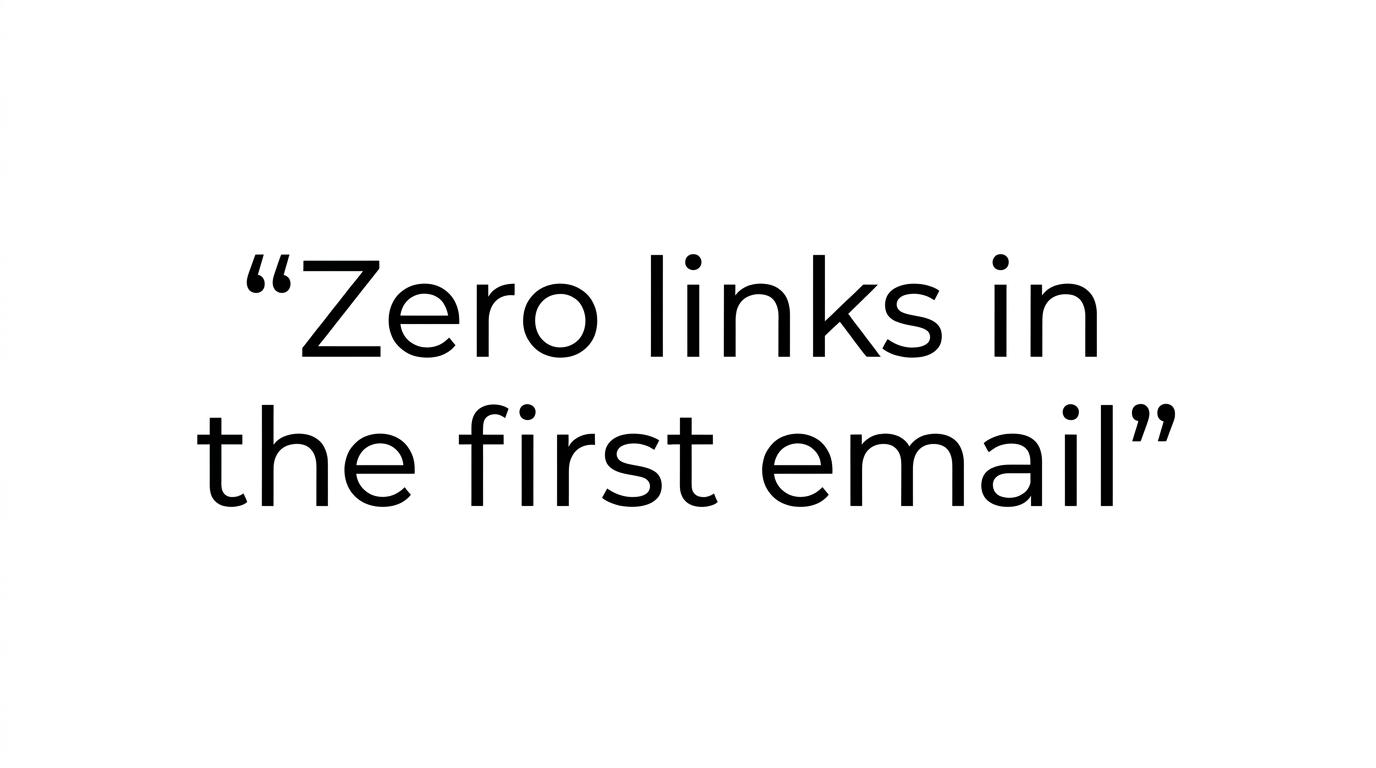
Garcia’s rule is still the best one here: “Zero links in the first email. There is nothing in there worth clicking yet, and every link is one more reason for a filter to look twice.” That fits Outlook especially well because potentially dangerous content in junk messages is already stripped back.
The ask matters too. If your first touch asks a stranger to book the meeting, you are asking for too much. We want the reply first, because no reply means no meeting.
Sequence length is another hidden issue. We send 2 emails, 6 to 7 days apart, then stop and revisit the list 1.5 to 2.5 months later with a new angle. Long sequences do not rescue a weak opener. They just create more chances for Outlook to see the same sender ignored again and again.
How do Safe Senders, Blocked Senders, and Exchange rules override inbox placement?
Outlook gives both users and admins hard overrides. If a recipient adds you to Safe Senders, Microsoft says those messages are never treated as junk. If they add you to Blocked Senders, your mail goes straight to Junk.
That means engaged prospects can help fix placement. If someone replies from Junk, ask them to mark the thread as Not Junk and add your address or domain to Safe Senders. That is not a universal fix, but it helps future replies stay visible.
The admin layer matters even more in B2B. Microsoft notes that server-side junk filtering can block messages before they reach the mailbox. In practice, that means a user’s personal allow list cannot rescue every message if the tenant itself distrusts your domain.
If you sell into enterprise accounts, assume tenant-level rules are part of the problem. This is one reason we care so much about domain reputation before volume.
How should you test and fix Outlook junk placement?
Start with the metrics that tell the truth fastest. We check overall reply rate first, including out-of-office replies, then inbox placement tests, then bounce rate. Out-of-office replies are underrated because they prove the mailbox saw the message.
After that, inspect the sender stack. Check authentication, domain age, mailbox warmup, Outlook routing, and list age. Any list older than 3 months gets re-validated before send.
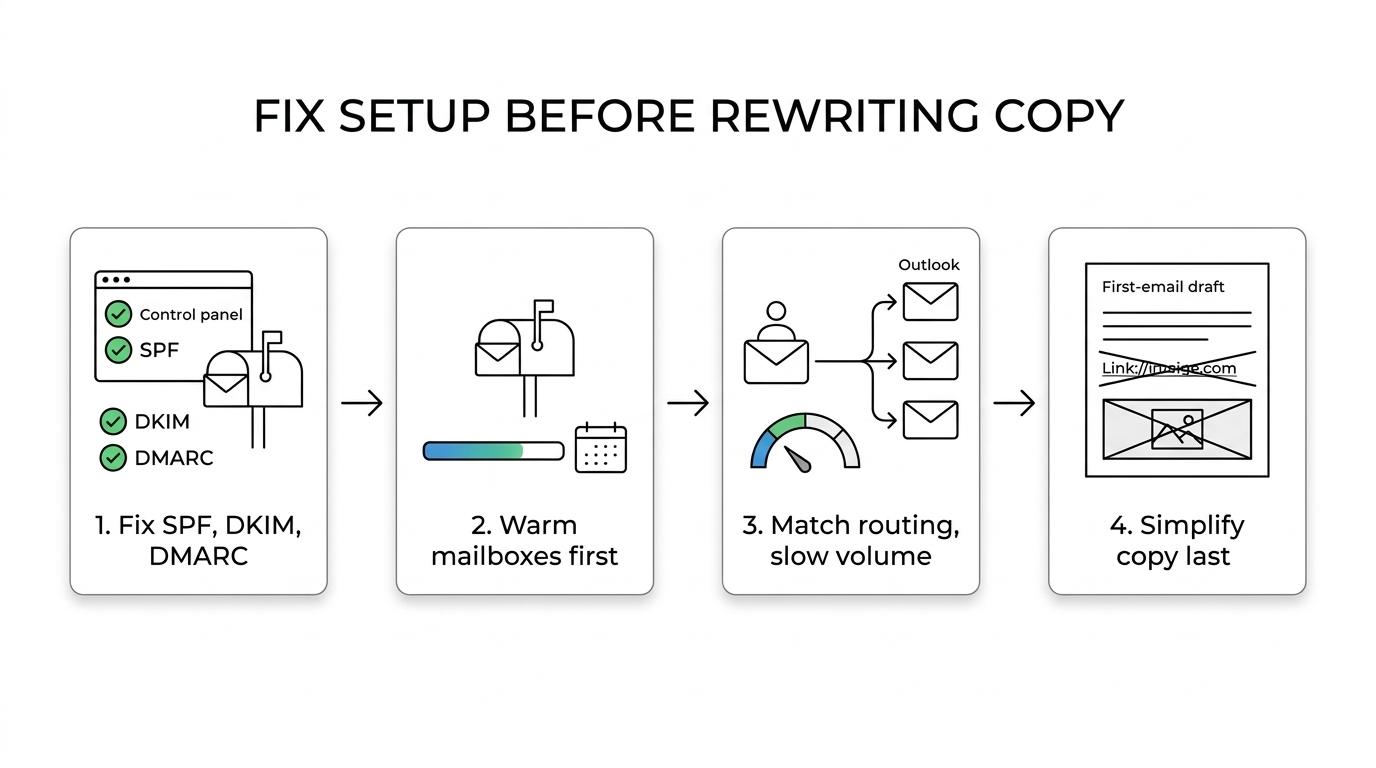
Then inspect the message itself. Cut links, cut images, shorten the copy, and remove fake personalization. If you use AI, use it only for signal-driven snippets and quality-check every line before sending.
This is the order we use when Outlook placement is weak.
[markdown] | Step | What you are checking | What a bad result means | Cost | | --- | --- | --- | --- | | 1 | Reply rate, including out-of-office replies | The message may not be hitting inboxes | 15 to 30 minutes | | 2 | Inbox placement tests on Outlook mailboxes | Outlook is classifying you as junk | Placement testing time and seed setup | | 3 | Bounce rate under 3% | Old or poor data is hurting trust | Verification tool cost | | 4 | Authentication and domain setup | Technical trust is broken | 30 to 90 minutes per domain | | 5 | Copy length, links, and CTA | Content is adding risk | Copy rewrite time | [/markdown]One more point matters here. If you repair setup and placement but still get no positive replies after roughly 1,000 emails, stop blaming Outlook. The market is probably rejecting the offer.
When is Outlook junking not the real problem?
Sometimes the email is reaching the inbox and still going nowhere. You will see replies, including “not interested,” but no traction. That is not an Outlook spam filter problem. That is an offer problem.
We have seen this clearly in live campaigns. A Series A client sending 20,000 to 30,000 emails a month moved reply rate from 0.5% to 1%, then to 1.6%, after switching to direct, question-based copy with a lead magnet and a stronger offer. The infrastructure mattered, but the offer was the real lever.
There is another case where heavy Outlook remediation is the wrong move. If your TAM is tiny and your founder can send 20 high-quality emails a week, do that instead. Full mailbox rotation, routing rules, and multichannel infrastructure make sense when outbound is a real growth channel, not a side experiment.
If you need ideas on stack choices, routing, and setup, our breakdown of outbound tools is a useful starting point. If you are already past tooling questions and need the whole engine, the page on outbound lead generation services shows how we build the system around signal-based targeting.
What should you do next if Outlook keeps junking your cold emails?
Treat Outlook junking like a diagnosis, not a verdict. Fix authentication, warm the domains, keep first emails plain text, cut links, re-validate the list, and watch reply rate before you start rewriting everything. That gets you closer to the real issue fast.
Reachly has run 400+ campaigns for 50+ B2B clients and booked 2,500+ calls while protecting client domains with dedicated sending infrastructure. If you want a second set of eyes on Outlook placement, see our outbound lead generation services and book the meeting with Reachly.
The short version is this: Outlook sends cold email to Junk when sender trust is weak, sending behavior looks risky, or mailbox rules override you. Fix the setup first, then the message, then the offer. If Outlook placement is already healthy, stop tweaking deliverability and rewrite what you are actually asking for.