



Compare the best email deliverability tools for 2026 to monitor reputation, verify DNS, improve inbox placement, and reduce bounce risk.
The best email deliverability tools in 2026 do three jobs: they verify that SPF, DKIM, and DMARC are set correctly, they show when Gmail or Outlook is losing mailbox reputation in your mail, and they keep bad data plus broken unsubscribe handling out of your sends. If a tool only does warmup, it is not enough for real outbound, especially once Gmail permanently treats you as a bulk sender after 5,000 messages in a day to Gmail accounts.
That matters fast when you run outbound every week. Reachly has run 1,000+ campaigns across cold email, LinkedIn, and cold calling, and the same pattern keeps showing up: teams buy a warmup tool, skip the authentication layer, ignore mailbox reputation, then wonder why reply rate dies after week two.
What makes an email deliverability tool worth paying for in 2026?
Mailbox providers are much less forgiving now. Gmail ties deliverability to authentication, spam rate, and easy unsubscribe handling. Microsoft still treats SPF, DKIM, and DMARC as the core legitimacy checks. Yahoo has been pushing senders with spoofing issues toward DMARC enforcement.
So the question is not, “Which warmup tool should I buy?” It is, “Which set of tools gives me proof that my mail is authenticated, compliant, and still landing where a human might read it?”
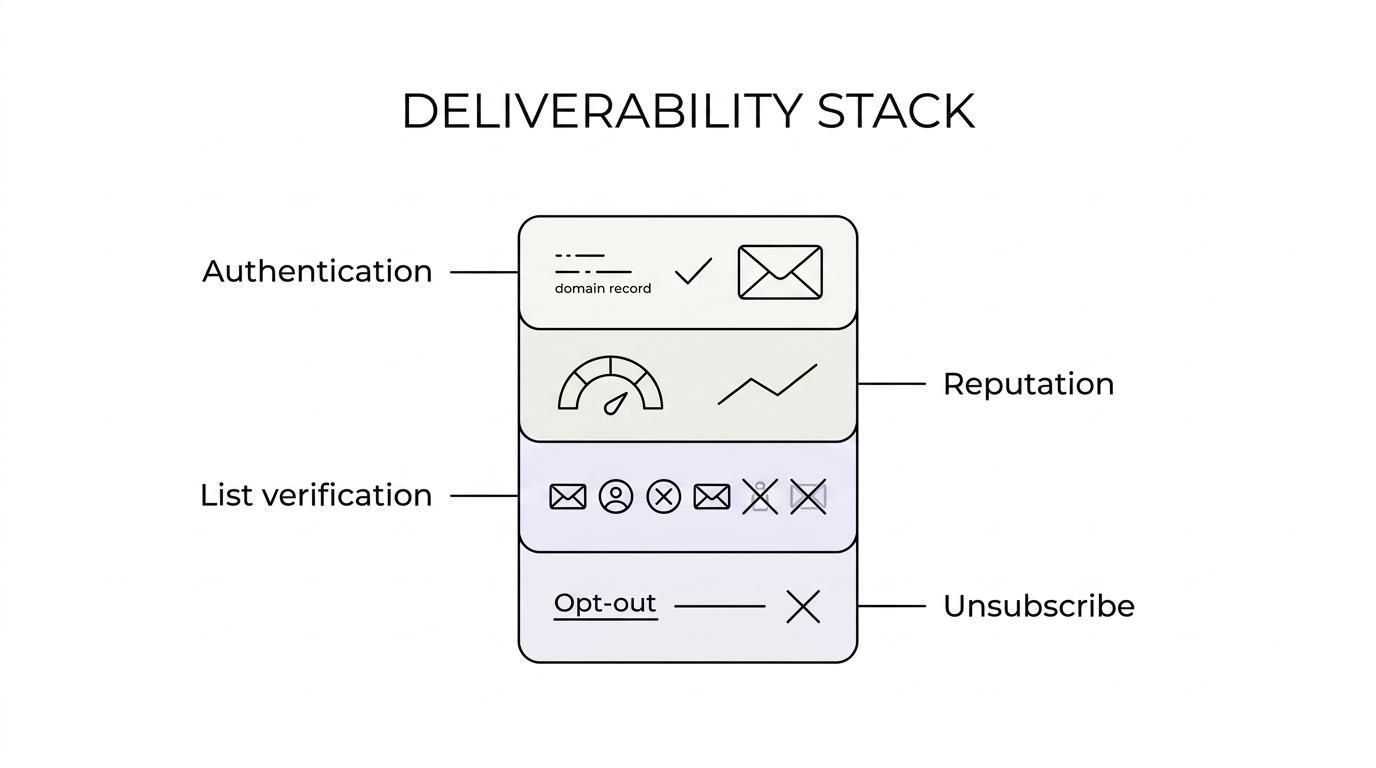
A deliverability stack needs to cover four things:
- Authentication
- Reputation monitoring
- List verification
- Unsubscribe compliance
The official rules behind that are not vague. They are pretty direct.
[markdown] | Provider and source | Year | What the provider says | What your tool needs to show you | | --- | ---: | --- | --- | | Gmail Help | 2026 | Bulk senders hitting 5,000+ messages a day to Gmail accounts must authenticate outgoing email, avoid unwanted mail, and make unsubscribing easy. Mitigation applies when spam rate stays below 0.3% for 7 consecutive days. | Authentication status, spam rate, unsubscribe handling, compliance checks | | Google Postmaster Tools | 2026 | Dashboards show spam rate, reputation, message authentication, delivery errors, and a Compliance status dashboard. Data is usually updated within 24 hours. | Daily sender health, not just one-time setup | | Microsoft Learn | 2026 | SPF, DKIM, and DMARC are the core checks. If DMARC is missing, publish it. Microsoft also expects top-level domain alignment and a few weeks of consistent mail history. | DNS validation, alignment checks, domain history awareness | | Yahoo Sender Hub | 2024 | If you have a spoofing problem, DMARC enforcement should be implemented with p=quarantine or p=reject. | DMARC reporting and policy visibility | [/markdown]If a tool cannot help you answer those requirements, it is not a deliverability tool. It is it is one small piece of the stack.
The email deliverability guide covers the setup these tools check against, from the three DNS records to warm-up and list hygiene.
Which email deliverability tools are actually worth using?
No single product covers the whole job. The strongest setup is a small stack where each tool owns one failure point.
These are the tools that matter most when you care about actual inboxing, not vanity metrics.
[markdown] | Tool | Main job | Where it earns its place | Cost if you skip it | | --- | --- | --- | --- | | Google Postmaster Tools | Gmail reputation and compliance monitoring | Daily checks on spam rate, domain reputation, authentication, delivery errors | You miss Gmail problems until reply rate is already down | | dmarcian or EasyDMARC | DMARC reporting and alignment visibility | SPF, DKIM, DMARC checks, aggregate report monitoring | Hours of DNS guesswork and higher spoofing risk | | ZeroBounce | Email verification | Cleaning new lists before first send | Bounce rate climbs, domain trust drops | | MillionVerifier | Second-pass verification | Re-validating older lists before reuse | Stale data sneaks back into live campaigns | | Smartlead | Sending control and mailbox operations | Managing send limits, mailbox rotation, reply handling | More manual work and weaker control over sender behavior | | ZapMail | Domain and mailbox setup | Spinning up fresh domains and mailboxes correctly | Slow setup and broken authentication records | | GlockApps | Inbox placement checks | Spot-checking whether messages land in inbox, tabs, or spam | You send blind when placement shifts | [/markdown]That list is not about brand preference. It is about coverage.
If you already have one or two of these but not the rest, that gap is usually where the problem sits.
Why is Google Postmaster Tools the first screen you open?
If Gmail is a meaningful part of your market, Google Postmaster Tools should be open every week. Not because it is flashy. Because it tells you the truth faster than your pipeline report does.
The Gmail dashboards show spam rate, reputation, message authentication, delivery errors, and the Compliance status dashboard. The catch is timing. The data is not real-time and is usually delayed by about 24 hours, so you are reading trends, not minute-by-minute events.
That is still enough to catch most damage early.
The three screens that matter most are:
- Spam rate: If this drifts up, fix list quality, offer, and targeting before touching volume.
- Domain reputation: A falling score is often visible before bounce rate gets ugly.
- Compliance status dashboard: Use this after DNS changes, unsubscribe changes, or mailbox setup changes.
A lot of teams watch opens and clicks first. That is backward. Opens are noisy, and clicks in cold email are often the wrong metric anyway. We care much more about reputation, spam rate, and whether the mailbox providers still trust the mail.
Why do DMARC tools matter more than warmup tools now?
Because authentication is no longer the nice-to-have part of setup. It is the setup.
Microsoft’s guidance is blunt. SPF, DKIM, and DMARC are the core checks. If DMARC is missing, publish it. Microsoft also cares about top-level domain alignment, which means the domain in the SPF check or DKIM signature needs to match the top-level domain in the From address.
Yahoo is even clearer when spoofing is involved. If there is a spoofing problem, DMARC enforcement should move to p=quarantine or p=reject.
This is where a tool like dmarcian or EasyDMARC earns its place. You need a readable view of aggregate DMARC reports, alignment problems, and policy status. Manually reading XML files is not a serious plan.
Thibault Garcia, founder of Reachly, puts it plainly: “Four weeks of warmup before a single real email goes out. There is no version of this that goes faster, and everyone who tries to find one pays for it within a month.”
Warmup still matters. It just comes after authentication, not instead of it.
At Reachly, none of the authentication layer is optional. SPF, DKIM, DMARC, and a custom tracking domain all need to be in place before launch. We also match sender ESP to recipient ESP where possible, Google to Google and Outlook to Outlook, because that reduces one more source of friction.
Which tools help with list hygiene and mailbox health?
Bad data is still one of the fastest ways to wreck a healthy domain.
That is why verification tools stay in the stack even when the list came from a decent source. Reachly uses ZeroBounce and MillionVerifier, and the rule is simple: any list older than 3 months gets re-validated before it goes back into rotation.
The target is boring, but useful. Keep bounce rate under 3 percent. Keep deliverability score above 97 percent.
ZeroBounce is usually the first pass. MillionVerifier is useful as a second pass when a list is older, patched together from several sources, or pulled from a large TAM build in Clay, Apollo, LinkedIn Sales Navigator, AI Ark, or other enrichment workflows.
This is where a lot of teams try to save money and burn far more later.
- Fresh list: Verify before first send, even if the source says it was already cleaned.
- Aged list: Re-validate anything older than 3 months.
- Bounce spike: Pause the mailbox before you keep feeding it bad records.
Mailbox health is not only about bounces, though. Garcia has another strong take here: Reachly watches reply rate before bounce rate. If a mailbox drops under about 0.5 percent total reply rate, it often comes out of rotation before the bounce numbers tell the full story.
Can your sending platform fix bad deliverability on its own?
No.
A sending platform matters, and we use Smartlead for a reason, but it cannot rescue broken infrastructure, stale data, or a weak offer. It is the place where good process gets enforced, not the place where bad process turns good.
The sending rules matter more in 2026 because mailbox providers have narrowed the margin for sloppy behavior. Warmup runs for four weeks, because Google now adds a yellow banner to mail from any domain younger than 30 days.
You also do not need long sequences to prove a point. Long sequences usually burn sender reputation and hide the fact that the first email did not work.
For cold email, our default stance is tighter:
[markdown] | Part of the system | What we do | Why it helps deliverability | | --- | --- | --- | | Email length | 70 to 80 words | Shorter mail gets read faster and looks less like marketing | | Links in email #1 | Zero | Fewer filter triggers, fewer reasons not to reply | | Sequence length | Two emails, 6 to 7 days apart | Less domain fatigue, easier diagnosis | | Re-engagement | Same list again after 1.5 to 2.5 months with a new angle | Keeps pressure off domains and inbox providers | | Mailbox setup | Fresh domains, proper DNS, custom tracking domain | Reduces avoidable infrastructure failures | [/markdown]ZapMail is useful here because mailbox and DNS setup work is repetitive, easy to mess up, and expensive when done wrong.
When do deliverability tools stop being enough?
When the infrastructure is fine and the market still does not care.
This is the part too many teams skip. If people are replying “not interested,” your domains are probably fine. If out-of-office replies are coming in, your domains are probably fine. If Gmail reputation is stable and bounce rate is under control, your tools did their job.
Now the offer gets judged.
Garcia’s position on this is direct: “The goal of a cold email is a reply, not a meeting. No reply, no meeting.”
That shows up in real campaigns. A Series A client sending 20,000 to 30,000 emails a month moved reply rate from 0.5 percent to 1 percent, then up to 1.6 percent, after switching to direct, question-based copy with a lead magnet and a stronger offer. Same channel. Better message.
The same logic sits behind results like Primal, which hit 85+ SQLs in 6 months with a 4.57x ROI, and The Great Room, where outbound contributed to roughly $250K in closed contract value without added headcount. Deliverability was table stakes in both cases. It was not the whole story.
So if a campaign is at 0 percent positive replies, use this order:
[markdown] | Diagnostic order | What you check first | What it tells you | | --- | --- | --- | | 1 | Infrastructure | SPF, DKIM, DMARC, domain age, custom tracking domain | | 2 | Subject line | Whether the message gets opened without looking like marketing | | 3 | Email length and tone | Whether the copy fits on a phone and sounds human | | 4 | Offer | Whether there is any reason to reply at all | [/markdown]What should you do next if your deliverability is already slipping?
Start with the tools that show truth, not activity. Check Google Postmaster Tools. Check DMARC reporting. Re-validate the list. Cut volume before you keep testing copy on a damaged mailbox.
If you need a cleaner system behind that, look at your whole outbound stack, not one dashboard. Reachly builds signal-based outbound systems around cold email, LinkedIn, and cold calling, and we keep the tooling practical. If you want to compare your current stack against ours, you can also review the tool stack here or book the meeting with Reachly.
Short version: the best email deliverability tools in 2026 are the ones that cover authentication, reputation, and list hygiene together. Warmup tools still matter, but they are not the center of the system anymore.
Key findings recap:
- Gmail’s 5,000-message bulk-sender threshold and 0.3% spam-rate line changed what “good enough” looks like.
- Google Postmaster Tools, a DMARC reporting tool, and list verification tools are the core stack, not extras.
- If reply rate stays weak after infrastructure is clean, the offer is usually the real problem.










